🚀 Key Takeaways
- The ASUS Zenbook S 16 (UM5606) leads the charge for local AI tasks, featuring the AMD Ryzen™ AI 9 HX470 Processor.Microsoft's Surface Laptop (7th Edition) - 15" offers a compelling Snapdragon® X Elite processor with a 45 TOPS Qualcomm® Hexagon™ NPU.The ASUS ExpertBook P5 (P5405), powered by Intel® Core™ Ultra processors, provides up to 47 TOPS via the Intel® AI Boost NPU.
Choosing the right AI PC in 2026 depends on balancing raw NPU TOPS, display technology, and your specific software ecosystem. - It stands as a robust and secure business-oriented option for professionals seeking significant on-device AI acceleration.
- It perfectly blends strong AI performance with seamless Windows integration and a stunning 120Hz PixelSense Flow™ display.
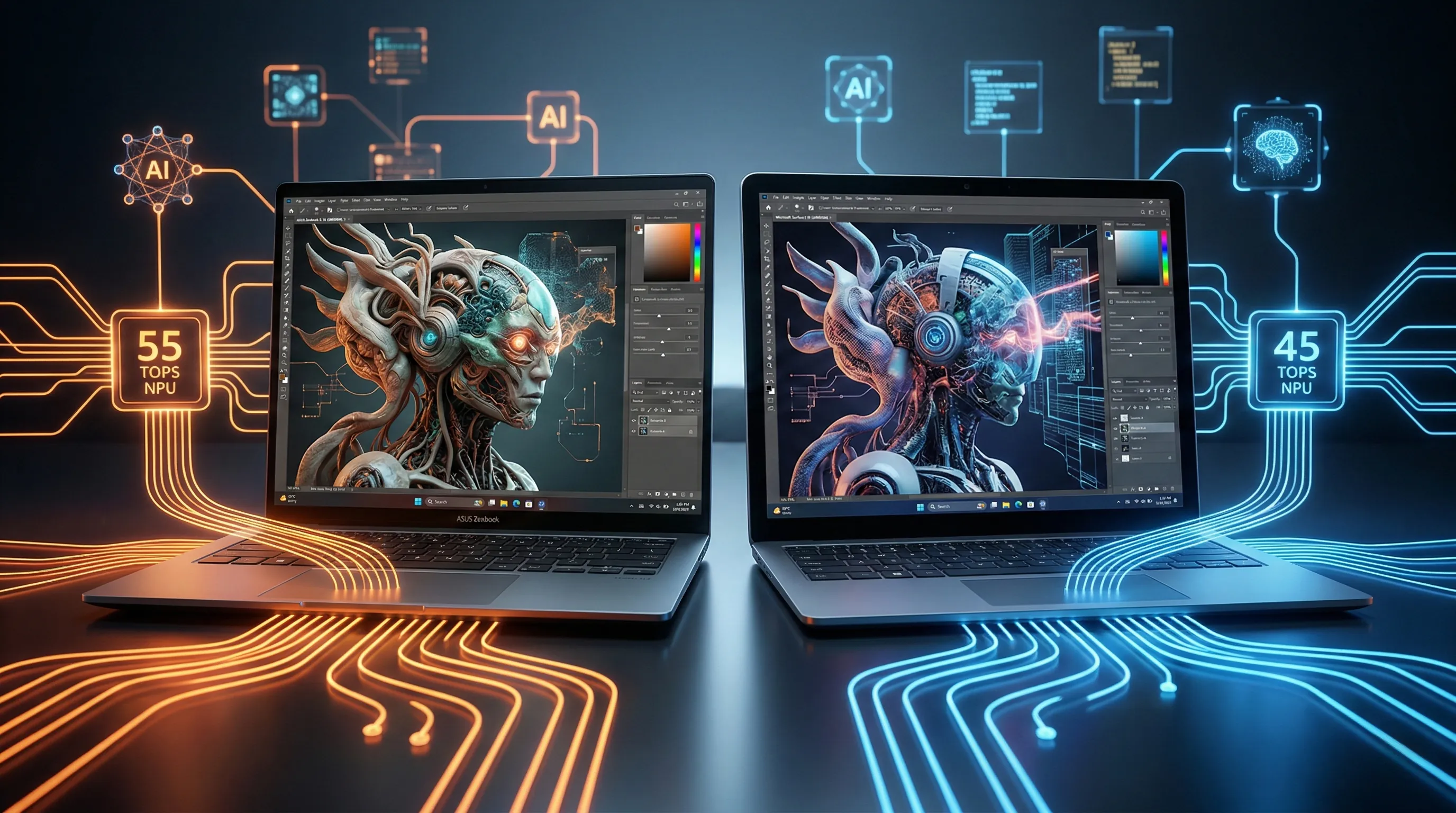
- With its AMD XDNA™ NPU offering up to 55 TOPS, it is a true powerhouse for Stable Diffusion and Local LLMs.
AI PCs are no longer a futuristic concept; they are here today, fundamentally transforming how we interact with our devices.
The ability to run high-performance AI models like Local LLMs and Stable Diffusion directly on your hardware is a total game-changer for creators, developers, and tech-savvy professionals.
This ultimate showdown pits two industry titans against each other: ASUS's cutting-edge AI-ready lineup and Microsoft’s refreshed Surface Laptop 7.
Both are vying for supremacy in the rapidly expanding AI PC market.
We are diving deep into the hardware that makes these feats possible, focusing on critical components like Neural Processing Units (NPUs), high-end graphics capabilities, and pro-grade displays that bring your AI-generated visions to life.
Forget relying on expensive cloud servers.
The era of on-device AI has arrived, promising enhanced privacy, near-instant processing, and unparalleled creative freedom.
But which machine truly stands out when the computational rubber meets the digital road for demanding AI workloads?
From the sleek ASUS Zenbook S 16, engineered for creative brilliance, to the business-centric ASUS ExpertBook P5, and Microsoft's iconic Surface Laptop 7, each contender brings a unique set of power and versatility to the table.
Prepare for this detailed comparison to help you decide which AI PC is the ultimate tool for your local LLM and Stable Diffusion workflows.
Honest Verdict Box: Side-by-Side Comparison
| Feature | ASUS Zenbook S 16 (UM5606) | Microsoft Surface Laptop (7th Edition) - 15" | ASUS ExpertBook P5 (P5405) |
|---|---|---|---|
| Processor / NPU | AMD Ryzen™ AI 9 HX470 Processor, AMD XDNA™ NPU up to 55 TOPS | Snapdragon® X Elite (12-core) processor, Qualcomm® Hexagon™ NPU 45 TOPS | Intel® Core™ Ultra 7 258V (up to 47 TOPS Intel® AI Boost NPU) or Ultra 5 (up to 40 TOPS Intel® AI Boost NPU) |
| RAM | Up to 32GB LPDDR5X | 16GB or 32GB LPDDR5x | Up to 32GB LPDDR5X (also 16GB option) |
| Display | 16.0-inch 3K (2880 x 1800) OLED, 120Hz, 100% DCI-P3, 1000 nits HDR peak, VESA Display HDR True Black 1000, PANTONE Validated, Touch screen, Stylus support | 15-inch PixelSense Flow™ (2496 x 1664), 3:2 aspect, up to 120Hz dynamic refresh, 600 nits peak, Dolby Vision IQ™, 10-point multi-touch | 14.0-inch WQXGA (2560 x 1600) anti-glare LED, 400 nits, 100% sRGB |
| Weight / Dimensions | 1.50 kg (3.31 lbs), 35.36 x 24.30 x 1.19 ~ 1.29 cm | 1.66kg (3.67lbs), 329mm x 239mm x 18.29mm | Starts at 1.20 kg (2.65 lbs), 31.20 x 22.32 x 1.28 ~ 1.64 cm |
| Durability / Repairability | US MIL-STD 810H military-grade standard, "durable casing" | Anodized aluminum (67.2%+ recycled material), Extensive replaceable components (display, keyboard, SSD, battery, motherboard, etc.), Repair instructions | 29% sustainable material |
| Battery Life | 83WHrs, "all-day battery" | Up to 22 hours local video playback, up to 15 hours active web usage | Not explicitly specified |
| GPU / Graphics | Integrated AMD | Qualcomm® Adreno™ GPU (Not impressive in 3DMark, limitations in games) | Integrated Intel Arc Graphics (often better than Adreno in 3DMark) |
| Special Features / Ecosystem | MyASUS suite (System Diagnosis, Battery Health Charging, Fan Profile, Live update, ASUS OLED Care), Windows Hello IR camera, Copilot key, Dolby Atmos, 2x USB 4.0 Gen 3 Type-C, SD 4.0 card reader | Windows 11 Pro, Microsoft 365 apps, Microsoft adaptive accessories, Surface Thunderbolt™ 4 dock support, Surface Connect port, Windows Studio Effects, Copilot key, Omnisonic® speakers | MyASUS suite (Link to MyASUS, System Diagnostics, Battery Health Charging, WiFi SmartConnect), Thunderbolt™ 4 ports, Windows Hello IR camera, SafeGuard Backup (Dual SSD, optional) |
| Release / Status | Currently available, Windows 11 only | Currently available | Release Date: September 25, 2024 |
| User Sentiment Highlights | "premium design," "durable casing," "slick chassis," "compact size," "gorgeous screen," "all-day battery" | "stunning PixelSense touchscreen displays," "up to 120Hz refresh rate and vibrant colors," (performance notes for GPU in "Red Flags" section) | No specific sentiment detailed (new release) |


1. Unboxing the Future: Design, Feel, and First Impressions
A Trio of Design Philosophies: Specs and Aesthetics
The ASUS ExpertBook P5 (P5405), available in a sophisticated Misty Grey, presents a sleek and highly portable design tailored for the modern professional.
Its physical dimensions are 31.20 x 22.32 x 1.28 ~ 1.64 cm, making it exceptionally thin and easy to slip into any briefcase.
The device starts at a remarkably lightweight 1.20 kg (2.65 lbs), setting a new benchmark for business-class portability.
Notably, its construction incorporates 29% sustainable material, reflecting a commitment to eco-friendly engineering.
The ASUS Zenbook S 16 (UM5606) offers a choice between elegant Scandinavian White and refined Antrim Gray finishes, utilizing a unique Ceraluminum™ lid.
This 16-inch laptop maintains an impressive slimness, measuring only 1.19 ~ 1.29 cm in thickness.
It weighs 1.50 kg (3.31 lbs), which is incredibly light for a device with such an expansive and immersive display size.
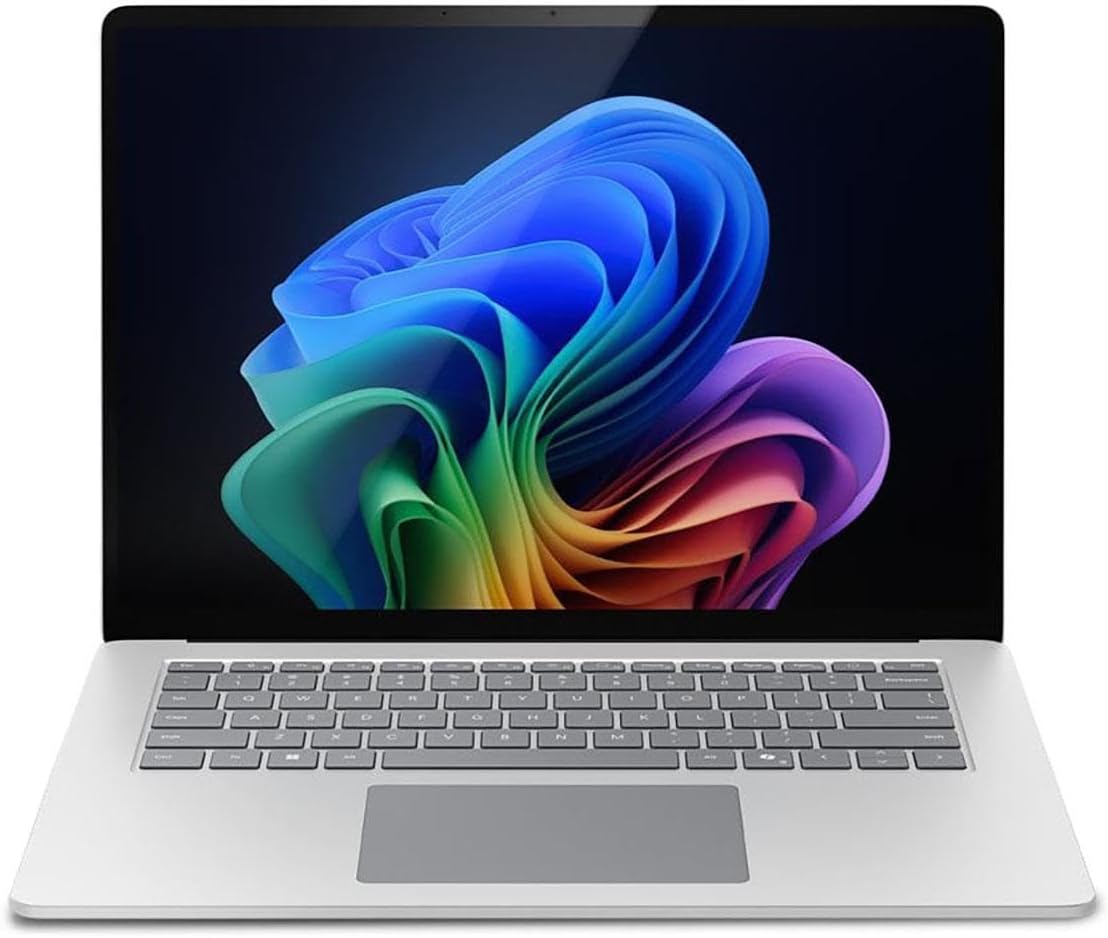
The Microsoft Surface Laptop (7th Edition) - 15" Model is crafted with a durable anodized aluminum case, embodying industrial elegance.
It is offered in classic Platinum and Black color options, maintaining the iconic Surface aesthetic.
Its dimensions are 329mm x 239mm x 18.29mm, providing a solid and balanced feel in the hand.
The weight is specified as 1.66kg (3.67lbs), offering a premium heft that signals high-quality construction.
According to official specifications, the enclosure boasts a significant 67.2% or more recycled material content, including 100% recycled aluminum alloy.
Beyond the Box: Portability, Premium Feel, and Eco-Impact
The ASUS ExpertBook P5's exceptionally lightweight and slim profile translates directly into effortless portability, making it the ultimate companion for mobile professionals.
Its compact form factor allows it to slip into bags with minimal added bulk, perfect for back-to-back meetings or international travel.
The inclusion of sustainable materials reflects a design choice geared towards environmentally conscious users who value responsible tech.
For the ASUS Zenbook S 16, the choice of two sophisticated colors allows for a high degree of personalization, matching your individual style.
Despite its expansive 16-inch display, its incredibly thin profile makes it a surprisingly manageable device to carry everywhere.
This caters to users who desire a large, immersive screen without the significant portability compromise found in traditional workstations.
The Microsoft Surface Laptop's anodized aluminum construction ensures a robust and premium tactile experience, promising durability for years to come.
The timeless Platinum and Black finishes provide a professional and versatile aesthetic that appeals to a broad audience.
Its substantial use of recycled rare earth materials positions it as an excellent choice for consumers prioritizing a reduced environmental footprint.
Community's Gaze: First Impressions and Longevity Insights
While specific user sentiment for the ASUS ExpertBook P5 focuses on its professional utility, its minimalist appeal is highly sought after in corporate environments.
For the ASUS Zenbook S 16, community feedback highlights a "premium design" and a "slick chassis," indicating a highly positive first impression.
This suggests a laptop that feels as good as it looks, providing an immediate sense of technological luxury upon first interaction.
Beyond its immediate aesthetic appeal, a critical advantage of the Microsoft Surface Laptop is its explicitly stated repairability.
Components such as the display assembly, keyboard, and removable SSD are designed to be easily replaceable, extending the device's lifespan.
This commitment to repairability, combined with its robust recycled content, makes it a smarter, more sustainable investment over time.

2. The AI Engine Room: NPU, Display, and Power Under the Hood
Decoding the Core AI Hardware: NPU, RAM, and Visual Engines
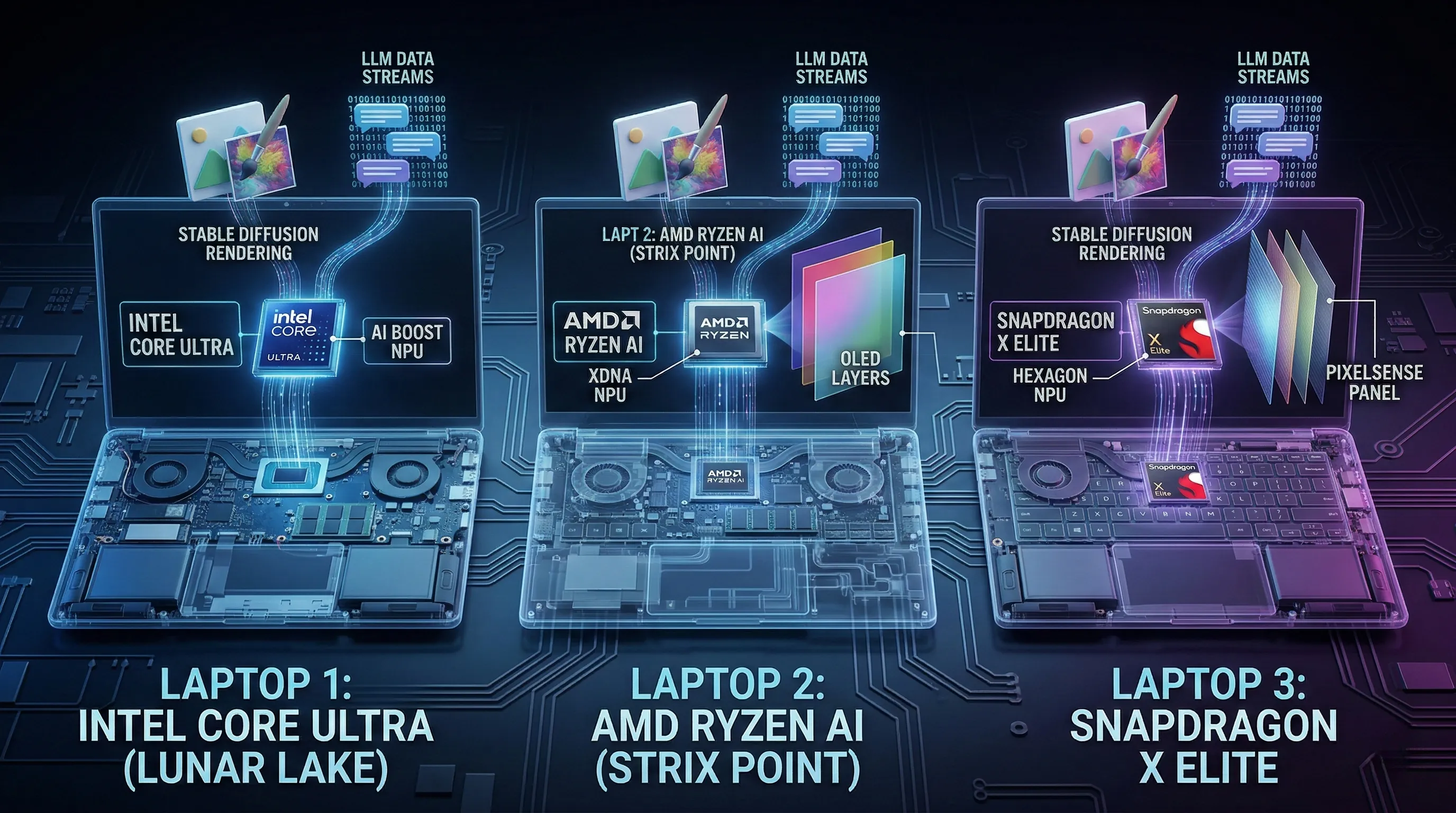
According to official specifications, the ASUS Zenbook S 16 (UM5606) leads the pack with its AMD Ryzen™ AI 9 HX470 Processor.
This flagship silicon features an AMD XDNA™ NPU capable of delivering a staggering 55 TOPS (Trillions of Operations Per Second) for dedicated AI tasks.
The Microsoft Surface Laptop (7th Edition) - 15" Model is powered by the Snapdragon® X Elite (12-core) processor, integrating a Qualcomm® Hexagon™ NPU that provides 45 TOPS.
The ASUS ExpertBook P5 (P5405) offers a specialized business approach with Intel® Core™ Ultra 7 258V, delivering an Intel® AI Boost NPU of up to 47 TOPS.
For those looking at different tiers, the ExpertBook also comes in an Ultra 5 configuration delivering up to 40 TOPS.
Regarding memory, both the ASUS Zenbook S 16 and the ASUS ExpertBook P5 offer up to 32GB of LPDDR5X RAM, ensuring smooth local AI inference.
The Microsoft Surface Laptop (7th Edition) provides versatile memory options of 16GB or 32GB LPDDR5x RAM to handle heavy multitasking.
For visual professionals, the ASUS Zenbook S 16 boasts a world-class 16.0-inch 3K (2880 x 1800) OLED panel.
This screen features a 120Hz refresh rate, 100% DCI-P3 color gamut, and a peak HDR brightness of 1000 nits, making it VESA Display HDR True Black 1000 certified.
The Microsoft Surface Laptop (7th Edition) features its iconic 15-inch PixelSense Flow™ display with a sharp 2496 x 1664 resolution.
It supports a 3:2 aspect ratio for better productivity, a 120Hz dynamic refresh rate, and 600 nits peak brightness with Dolby Vision IQ™.
In contrast, the ASUS ExpertBook P5 is equipped with a 14.0-inch WQXGA (2560 x 1600) anti-glare LED display, offering 400 nits brightness and 100% sRGB color accuracy.
Unlocking Creative Power: Real-World AI and Display Impact
The varied NPU TOPS figures directly impact the efficiency of on-device AI workloads, which is crucial for professionals using Stable Diffusion or Local LLMs.
The ASUS Zenbook S 16's 55 TOPS capability suggests superior performance for the most demanding generative AI-driven creative tasks without cloud reliance.
The 45 TOPS in the Surface Laptop and the 47 TOPS in the ExpertBook provide robust acceleration for real-time effects and complex photo/video editing.
The availability of 32GB LPDDR5X RAM across these devices is vital for maintaining fluidity when running sophisticated AI models and large datasets.
For visual artists, the ASUS Zenbook S 16's OLED display offers unparalleled contrast and true blacks, ideal for color-critical work in video production.
The Microsoft Surface Laptop's PixelSense Flow™ display provides a individually color-calibrated experience, perfectly suited for detailed content creation.
The ASUS ExpertBook P5's WQXGA LED display remains a solid, reliable option for general creative tasks that require accurate sRGB color reproduction.
Strategic Choices for AI Creators: Community Insights and Expert Advice
Community feedback consistently praises the Microsoft Surface Laptop for its "stunning PixelSense touchscreen" and vibrant colors.
However, potential buyers should note that Snapdragon-based graphics (Adreno) can show limitations in 3DMark benchmarks and some legacy games.
The ASUS Zenbook S 16 is widely recognized for its "gorgeous screen" and "premium design," making it the top choice for visual fidelity enthusiasts.
For the ASUS ExpertBook P5, while it is a newer release, it is positioned as the premier choice for business-oriented AI stability.
Pro-Tip: For creative professionals demanding utmost color accuracy, prioritizing an OLED display like the one on the Zenbook S 16 is a strategic investment.
When selecting a device, meticulously compare the NPU TOPS figures, as higher values generally translate to faster and more efficient on-device AI upscaling and rendering.
Always consider the balance between NPU power and sufficient RAM based on your primary workflow demands.
3. Beyond the Hype: What Real Users Are Saying
The ASUS Zenbook S 16 (UM5606) presents an extremely thin profile, measuring between 1.19 ~ 1.29 cm and weighing a mere 1.50 kg (3.31 lbs).
Its visual experience is driven by a 16.0-inch 3K (2880 x 1800) OLED display, featuring a 120Hz refresh rate and 100% DCI-P3 color gamut.
With a peak brightness of 1000 nits HDR, this screen is widely regarded as one of the best in its class for creative work.
An 83WHrs battery is integrated into its slim chassis, specifically designed for sustained usage during heavy AI workloads.
The Microsoft Surface Laptop (7th Edition) 15-inch model has physical dimensions of 329mm x 239mm x 18.29mm and a weight of 1.66kg (3.67lbs).
It incorporates a 15-inch PixelSense Flow™ display with a 2496 x 1664 resolution and a productivity-friendly 3:2 aspect ratio.
This device supports a dynamic refresh rate up to 120Hz, ensuring fluid motion and snappy touch interactions.
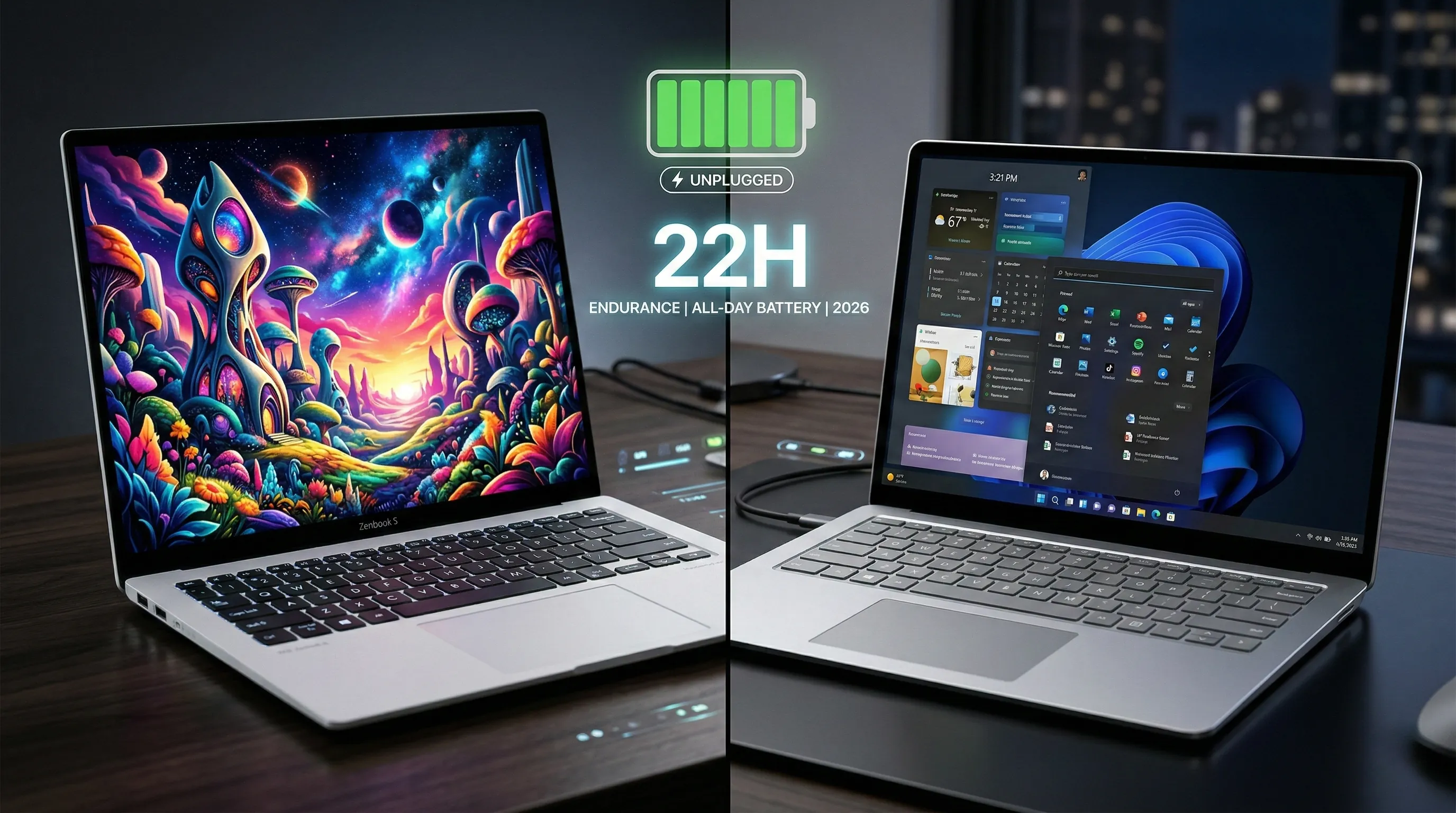
The Surface boasts a battery life rated for up to 22 hours of local video playback and up to 15 hours of active web usage.
Elevating Everyday Experiences: Performance Meets Practicality
The ASUS Zenbook S 16's ultra-thin construction, combined with its US MIL-STD 810H military-grade durability, offers exceptional resilience for mobile professionals.
Its vibrant OLED screen with high resolution and rapid refresh rate guarantees an immersive and visually rich experience.
This is particularly beneficial for creative professionals and users focused on premium multimedia consumption.
The substantial 83WHrs battery capacity is engineered to support prolonged productivity throughout a typical, demanding workday.
For the Microsoft Surface Laptop, the high-resolution PixelSense Flow™ display provides sharp visuals that significantly enhance both productivity and creative endeavors.
The Surface's specified battery life of up to 22 hours offers considerable operational freedom away from power sources.
This makes it an excellent choice for users who require extended usage while traveling or working in remote locations.
The User Verdict: Real-World Praises and Perceptions
Community feedback for the ASUS Zenbook S 16 consistently highlights its "premium design" and "durable casing."
Users underscore the high-quality build that easily withstands daily demands while maintaining its slick and stylish chassis.
The device is frequently commended for its compact size, reinforcing its appeal as a highly portable and aesthetically pleasing laptop.
The display is widely praised as a "gorgeous screen," affirming its superior visual specifications and high user satisfaction.
Additionally, the Zenbook S 16 earns accolades for its all-day battery, validating its practical endurance for real-world users.
Regarding the Microsoft Surface Laptop, user sentiment specifically points to its "stunning PixelSense touchscreen displays."
There is particular appreciation for the up to 120Hz refresh rate and the vibrant colors that bring Windows 11 to life.
While the Surface's build quality is often seen as the gold standard, its repairable design is becoming a key decision factor for long-term owners.
4. Benchmark Breakdown: Where the Silicon Shines (and Stumbles)
Adreno vs. Arc: A Benchmark Battleground
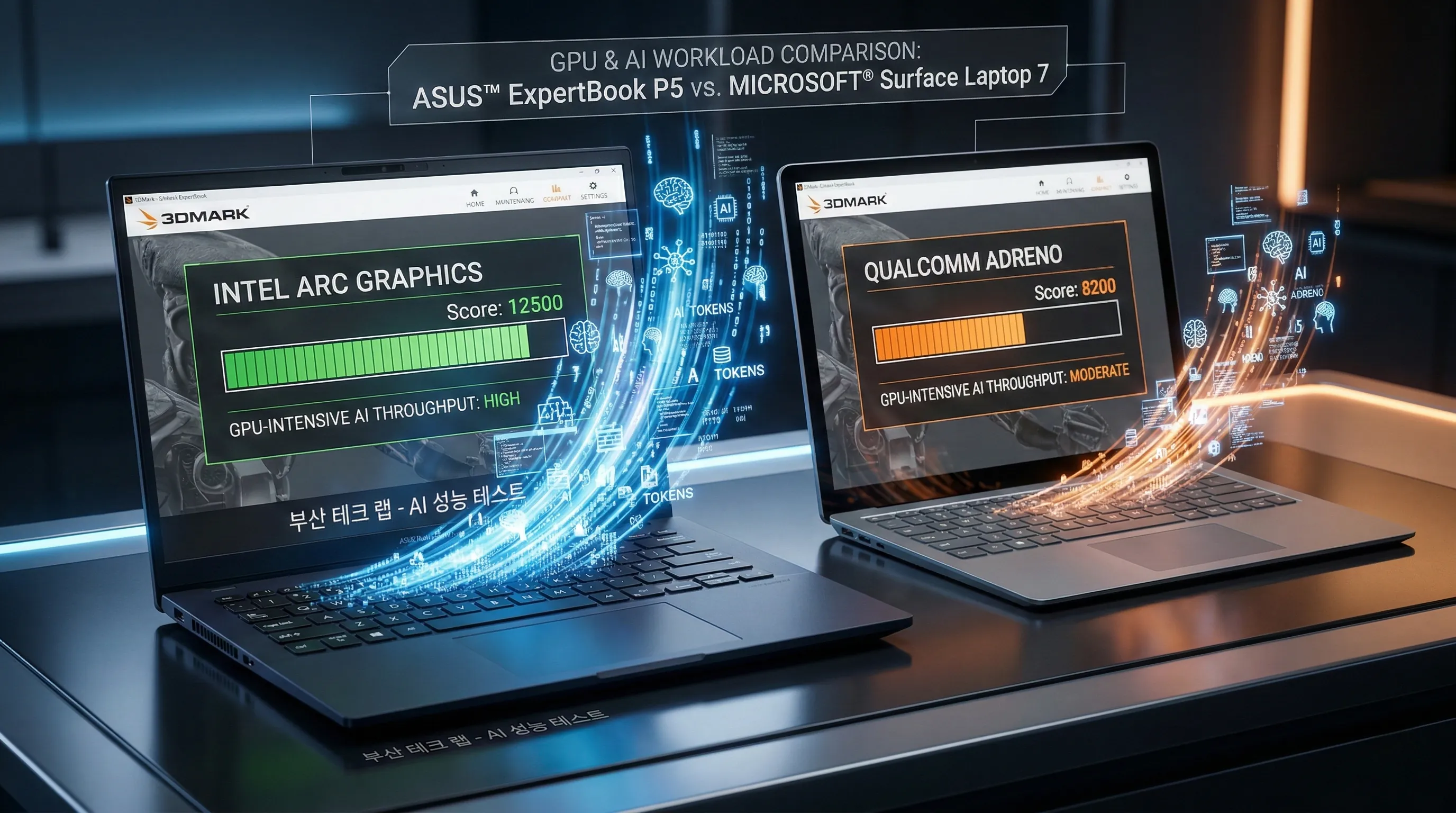
Based on available information, the Microsoft Surface Laptop (7th Edition) features a Qualcomm® Adreno™ GPU, paired with a Snapdragon® X Elite processor.
This architecture includes a Qualcomm® Hexagon™ NPU offering a dedicated 45 TOPS for AI-specific acceleration.
In direct comparison, integrated Intel Arc Graphics, found in the ASUS ExpertBook P5, often yield more impressive results in 3DMark benchmarks.
The ExpertBook P5 utilizes Intel® Core™ Ultra processors with an Intel® AI Boost NPU ranging from 40 to 47 TOPS.
Specifically, official notes for the Surface Laptop indicate that its performance in 3DMark is not particularly impressive compared to x86 alternatives.
Integrated Intel Arc Graphics consistently provide better results in graphical throughput tests and broader application support.
Furthermore, the Snapdragon platform may exhibit limitations in benchmarks and games, with some titles failing to start or throwing errors.
This highlights the current compatibility gap between the newer ARM-based Windows architecture and legacy x86 software.
Implications for GPU-Intensive AI Workloads
For users focused on GPU-intensive AI tasks, these benchmark distinctions carry significant weight for long-term productivity.
While the Surface's Snapdragon® X Elite provides a robust 45 TOPS NPU, tasks relying on the general-purpose GPU may encounter bottlenecks.
The noted benchmark performance suggests that the Adreno GPU might not deliver the same raw graphical horsepower as Intel Arc Graphics.
This means AI models requiring extensive GPU compute for inferencing—beyond what the NPU can handle—could see slower execution.
Systems with Intel Arc Graphics and the Intel® AI Boost NPU offer a more balanced approach for diverse workloads.
They potentially excel in both NPU-driven AI tasks and broader GPU-accelerated computing like video rendering or 3D modeling.
The ASUS ExpertBook P5 thus becomes a more predictable choice for professionals who require high graphical reliability.
Navigating Performance for AI Professionals
Community feedback indicates that the Adreno platform's limitations extend beyond just raw scores into compatibility challenges.
For professionals and developers considering the Surface Laptop 7, it is critical to discern if your AI tasks are NPU-optimized.
If your tools leverage the Snapdragon's Hexagon NPU, you will see excellent efficiency and performance.
However, if your workloads are highly dependent on GPU throughput for non-NPU operations, you may experience software friction.
Comparing against devices featuring Intel Arc Graphics is a recommended pro-tip for a smoother experience in legacy applications.
Understanding the precise nature of your AI tasks—whether NPU-bound or GPU-bound—will be key in mitigating performance discrepancies.
5. Seamless Synergy: Exploring the Device Ecosystems
Interconnected Architectures: Key Integration Features
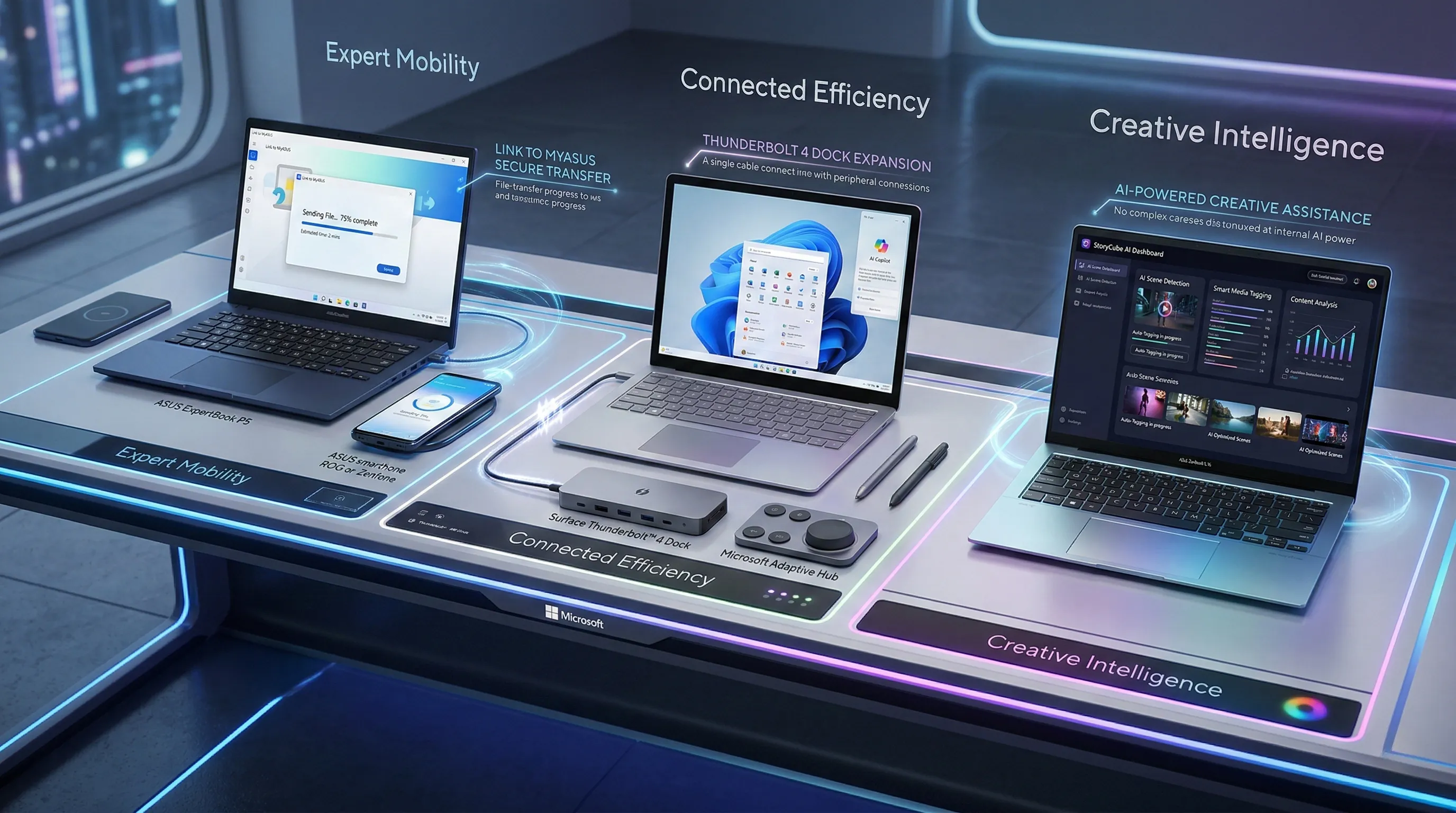
According to the official specifications, the ASUS ExpertBook P5 (P5405) enhances connectivity through its MyASUS software suite, specifically featuring Link to MyASUS.
This functionality is part of a broader set of features including system diagnostics, battery health charging, and WiFi SmartConnect.
The laptop is also equipped with Thunderbolt™ 4 ports, supporting high-speed display and power delivery, which are crucial for external accessory integration.
For the Microsoft Surface Laptop (7th Edition) - 15" Model, deep integration with its software and hardware ecosystem is a core brand attribute.
It comes with Windows 11 Pro pre-loaded, alongside pre-installed Microsoft 365 apps and trial offers for Business Standard or Premium versions.
Hardware integration is evident through its native compatibility with Microsoft adaptive accessories and Surface adaptive kits.
Connectivity options include USB-C®/USB4® ports that support 40Gbps data transfer, DisplayPort 1.4a, and the Surface Thunderbolt™ 4 dock.
A dedicated Surface Connect port is also available, providing a magnetic, proprietary solution for fast charging and docking.
Both ASUS models, the ExpertBook P5 and Zenbook S 16, feature Windows Hello IR cameras for secure, biometrically integrated login.
The ASUS Zenbook S 16 (UM5606) adds further value with specialized software like StoryCube for AI media management and GlideX for cross-device screen sharing.
The Surface Laptop 7 incorporates Windows Studio Effects, leveraging its camera and NPU for AI-powered auto framing, portrait blur, and eye contact.
Elevating Productivity and User Experience
The integration of Link to MyASUS in the ExpertBook P5 offers a seamless workflow between your laptop and mobile devices.
This allows for instant file transfers, screen mirroring, and call handling directly from your PC desktop.
This streamlines productivity by reducing the need to switch between devices for common notifications and tasks.
The Microsoft Surface Laptop's profound integration with the Microsoft 365 ecosystem provides an immediately productive environment out of the box.
This deep synergy ensures optimal performance and compatibility across Word, Excel, and Teams, enhancing overall user efficiency.
Its compatibility with Surface adaptive kits extends usability, providing tailored experiences for diverse accessibility needs.
The presence of a dedicated Copilot key on both the Zenbook S 16 and the Surface Laptop signifies direct access to AI-powered assistance.
This hardware-level integration allows users to summon AI help instantly, further streamlining complex digital tasks.
Features like Dolby Atmos and Omnisonic® speakers across these devices indicate an integrated approach to audio quality, perfecting the multimedia experience.
Strategic Ecosystem Considerations: A Pro-Tip
When evaluating device ecosystems, it's crucial to understand how deep software and hardware integration impacts your future flexibility.
Features like Link to MyASUS or the comprehensive Microsoft Surface integration are designed to create a highly cohesive user experience.
These tools often boost efficiency for those already invested in a particular brand's hardware or cloud services.
However, it is a critical pro-tip to consider the potential for vendor lock-in.
While a fully integrated ecosystem offers convenience and optimized performance, it can also limit your choices for third-party peripherals.
For instance, the Surface's deep ties with Microsoft adaptive accessories ensure seamless operation but may require verification for non-Microsoft hardware.
Always assess whether the benefits of deep brand integration align with your long-term hardware preferences before making a purchase.
6. Built to Last? Durability and Repairability Compared
Fortified Frameworks vs. Modular Mastery
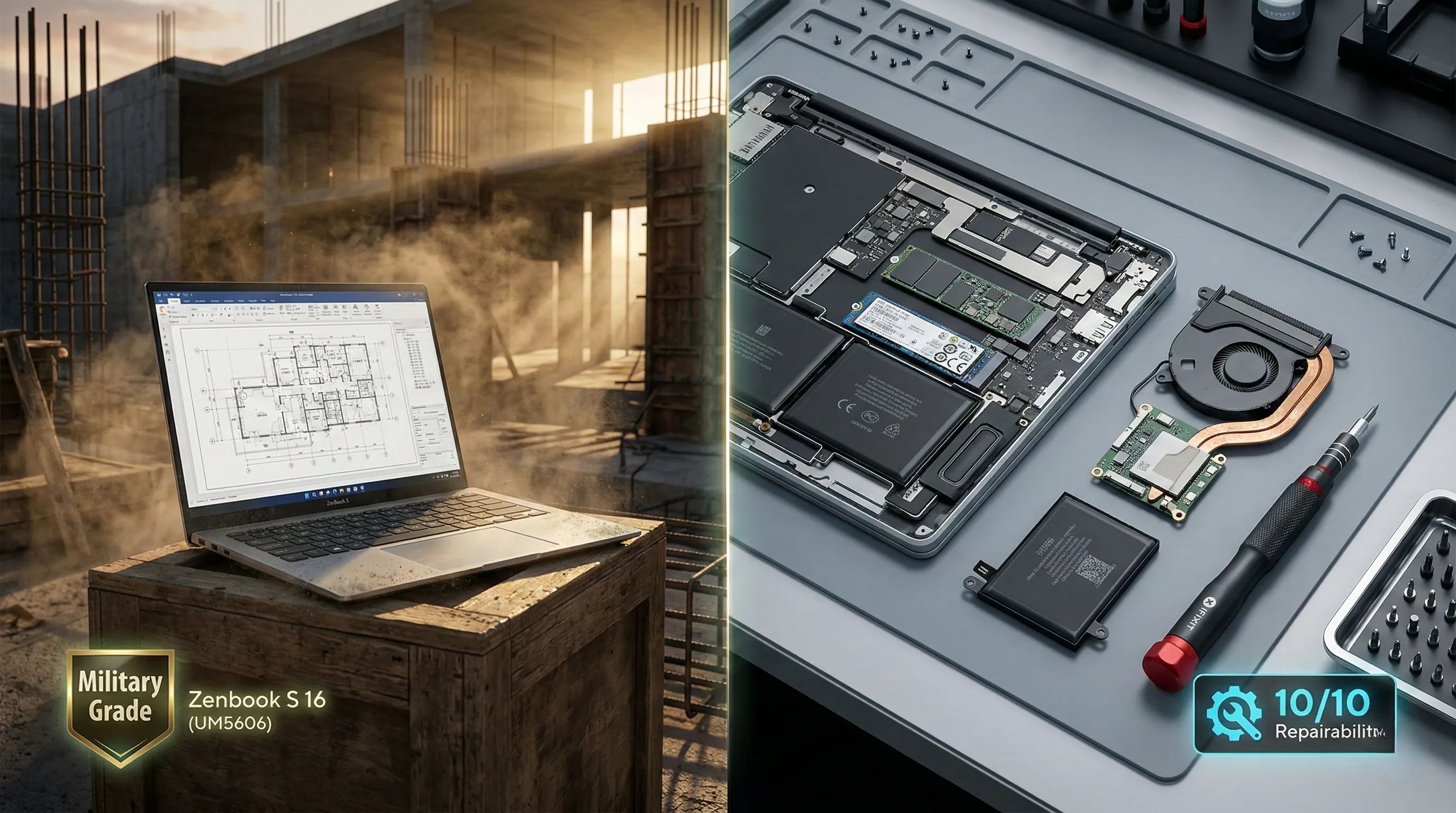
The ASUS Zenbook S 16 (UM5606) distinguishes itself through its strict adherence to the US MIL-STD 810H military-grade standard.
This certification, as per official specifications, signifies a design built for enhanced resilience against various environmental stressors and physical demands.
It is crafted using Ceraluminum™, a high-tech ceramic-aluminum hybrid that offers unparalleled scratch resistance and structural hardness.
In stark contrast, the Microsoft Surface Laptop (7th Edition) champions a modular design philosophy centered on user repairability.
According to its detailed feature list, the Surface Laptop boasts an extensive array of officially replaceable components.
These include the entire display assembly (with camera), the keyboard assembly (with haptic touchpad), and a removable Gen 4 SSD for storage.
Key power components like the battery are also listed as replaceable, significantly extending the device's potential lifespan.
Furthermore, core internal parts such as the motherboard module, Surface Connect port, audio jack, and even the thermal management module are designed for easy replacement.
The device's commitment to repairability is further underscored by the provision of easy-to-understand icons and official repair instructions included by default.
Endurance Engineering or Sustainable Servicing?
The Zenbook S 16's MIL-STD 810H rating presents a compelling value proposition for users who prioritize immediate, inherent ruggedness.
This engineering philosophy targets extending the laptop's lifespan through superior build quality and resistance to everyday wear and tear.
Community feedback frequently notes the Zenbook S 16's "durable casing" and "premium Ceraluminum™ feel," reinforcing its focus on a robust physical design.
Conversely, the Surface Laptop's extensive list of replaceable components offers a distinctly different path to long-term value and longevity.
The ability to easily swap out the SSD for upgrades or replace a failing battery extends the product's usable life without a full device replacement.
This approach leads to reduced electronic waste and potentially lowers the total cost of ownership over time by facilitating cost-effective repairs.
It effectively shifts the long-term value from a "built like a tank" mentality to a "perpetually maintainable and adaptable" device.
Weighing Your Long-Term Commitment
For professionals and users who frequently travel or operate in demanding conditions, the Zenbook S 16's military-grade durability offers considerable peace of mind.
Its sturdy construction is designed to prevent damage before it happens, making it ideal for those who are hard on their gear.
However, consumers who value the flexibility of user-initiated repairs and potential storage upgrades will find the Surface Laptop more attractive.
The Microsoft Surface Laptop's comprehensive repairability is a major win for users prioritizing extended ownership and environmental sustainability.
The Surface's design actively supports a sustainable, circular economy model, allowing for targeted component refreshes rather than total overhaul.
Consider your specific usage patterns and your preferences for maintenance versus raw durability to determine which design aligns with your investment.
7. What's in the Box? Unpacking Included vs. Optional Accessories
Your Core Essentials: What Ships Standard
For most of these advanced AI machines, you can expect the fundamental components to get you started right out of the box.
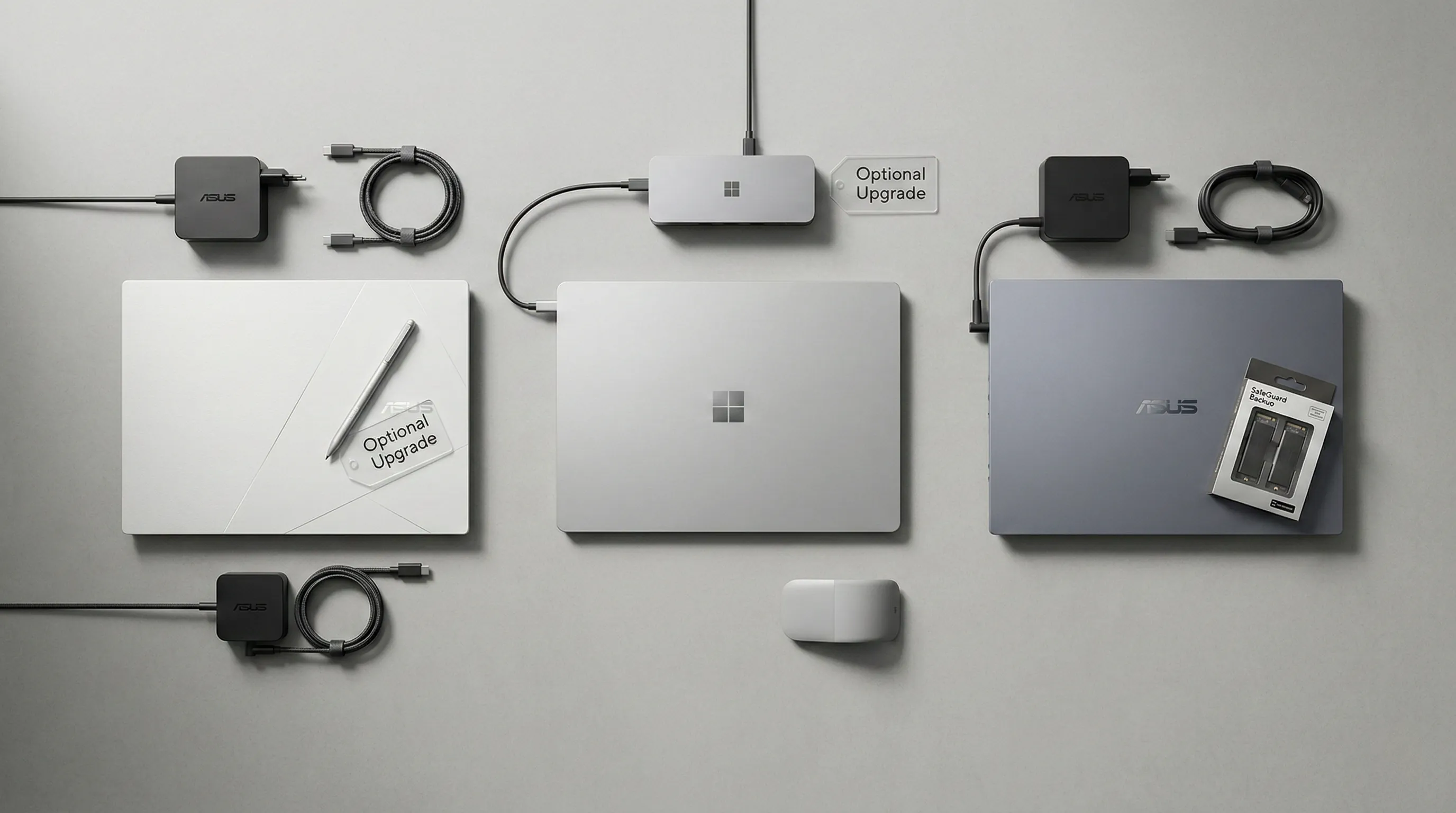
The ASUS ExpertBook P5 (P5405) comes equipped with its 65W AC Adapter, facilitating rapid power delivery via USB TYPE-C.
Similarly, the ASUS Zenbook S 16 (UM5606) includes a 68W AC Adapter, also leveraging TYPE-C for universal charging compatibility.
For the Microsoft Surface Laptop (7th Edition) - 15" Model, a 65W Surface Power Supply is included in the box.
Alongside the charger, you will find a Quick Start Guide and essential Safety and Warranty documents.
It is important to note, as highlighted in official specifications, that included accessories vary according to country and territory.
Therefore, verifying the exact box contents with a local retailer is a crucial step before completing your purchase.
Navigating Potential Hidden Costs and Enhancements
While the core devices are ready to go, several advanced features are explicitly stated as optional, representing additional investments.
For the ASUS Zenbook S 16, the specifications mention "Support NumberPad (Optional)", meaning this touch-based numeric keypad may not be standard on all models.
Furthermore, while the 3K OLED display features stylus support, a stylus is not typically listed as an included accessory.
This suggests it is an optional add-on for creators who require precision pen input for digital art or note-taking.
The ASUS ExpertBook P5 also flags a powerful upgrade called "SafeGuard Backup," which involves a Dual SSD configuration.
This is an additional purchase required before shipment, aimed at professionals who need redundant data security.
The Microsoft Surface Laptop (7th Edition) explicitly supports a vast array of external peripherals that are sold separately.
Its USB-C®/USB4® ports are designed to pair with the Surface Thunderbolt™ 4 Dock, which is essential for multi-monitor desktop setups.
Moreover, the device is fully compatible with the Surface Adaptive Kit, catering to specialized accessibility needs through separate acquisition.
Smart Buying: Verifying Your Purchase & Budgeting for Add-ons
Given the variances in bundled items, prospective buyers should exercise diligence when comparing prices on sites like Amazon.
A critical pro-tip is to meticulously review the specific product listing to confirm exactly which accessories are bundled in your region.
Do not assume every advertised capability, such as pen input or secondary storage, comes with the corresponding physical hardware in the box.
Budgeting for crucial optional items like a Surface Slim Pen or a Thunderbolt Docking Station is highly advisable.
These additional accessories can significantly enhance the user experience, especially for AI-intensive creative workflows.
However, they do represent extra costs beyond the base laptop price, which should be factored into your total investment.
8. Red Flags and Reality Checks: Potential Deal-Breakers
Under the Hood: The Unvarnished Truths
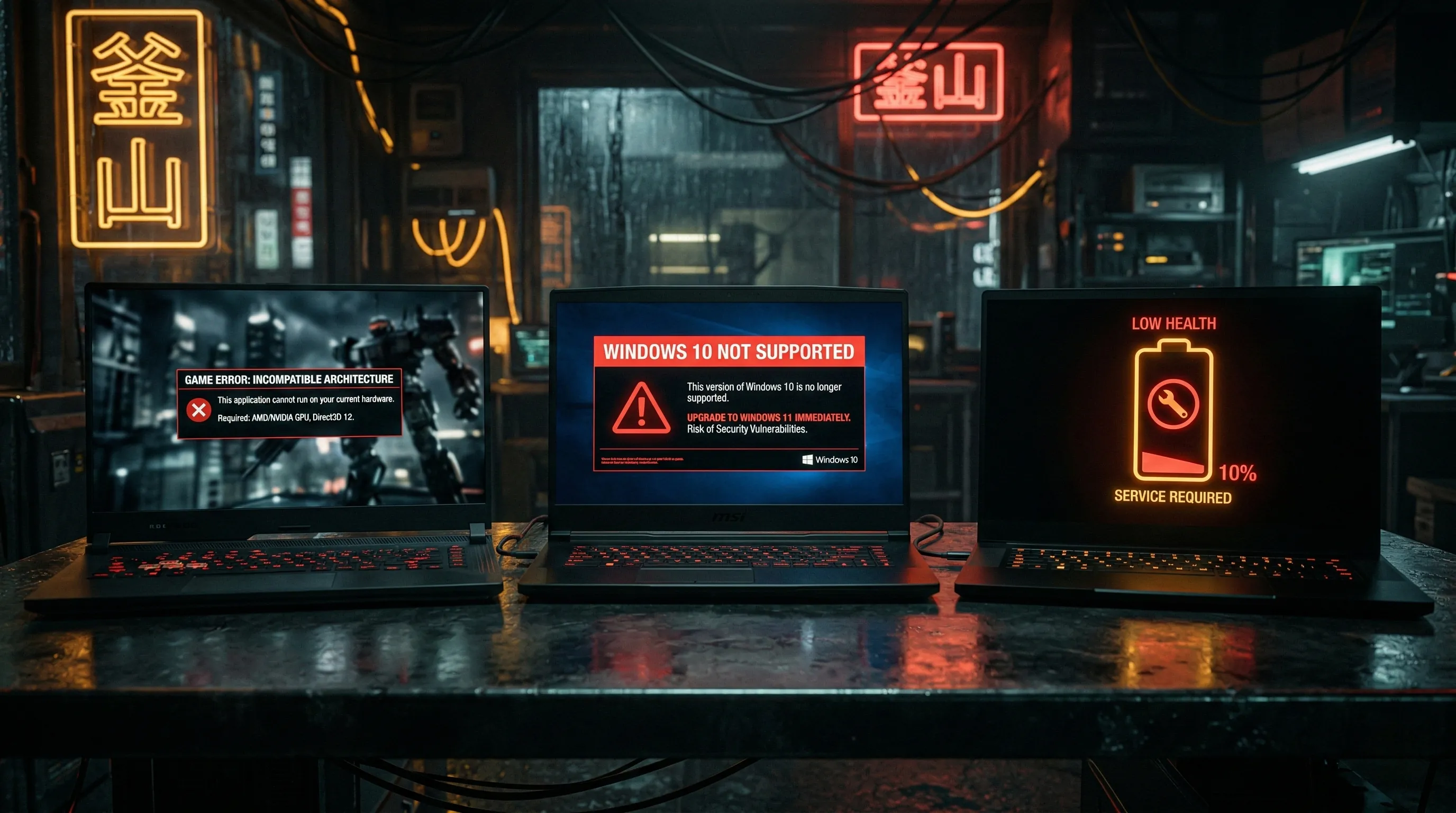
For the Microsoft Surface Laptop (7th Edition) - 15" Model, performance in the 3DMark benchmark is officially noted as "not particularly impressive."
Integrated Intel Arc Graphics often provide significantly better results in these standardized graphical tests.
Benchmarks and games, in particular, can expose the limitations of this Snapdragon-based platform.
Users have reported instances where titles fail to start or throw unexpected errors due to the ARM architecture.
Turning to the ASUS Zenbook S 16 (UM5606), official documentation states that it has only been tested for Windows 11 compatibility.
It explicitly warns that serious compatibility issues may be encountered if Windows 10 or older OS versions are installed.
Furthermore, a practical consideration for the Zenbook is that its battery life will naturally decrease over the device's lifetime.
This is a standard characteristic of high-capacity lithium-ion batteries, but crucial for long-term planning.
Real-World Roadblocks: Gaming, OS, and Lifespan Considerations
These benchmark findings for the Surface Laptop imply it might not be the optimal choice for high-end gaming.
Users expecting robust performance in graphically demanding applications may face frustrating launch failures.
The Zenbook S 16's strict Windows 11-only requirement is a significant factor for enterprise users.
Those accustomed to or requiring legacy Windows environments will face substantial operational hurdles.
The acknowledged decline in battery health for the Zenbook is a vital point for heavy mobile users.
It impacts the sustained portability of the device as it ages, requiring realistic expectations for endurance.
A Prudent Buyer's Guide to Avoiding Surprises
Prospective owners of the Microsoft Surface Laptop 7 should manage their expectations regarding raw graphics.
It is highly recommended to prioritize its strengths in AI productivity rather than demanding 3D workloads.
For those considering the ASUS Zenbook S 16, a firm commitment to Windows 11 is essential from the outset.
This ensures a seamless and supported experience without the risk of driver-level conflicts.
Understanding battery degradation as a natural process for both devices allows for smarter long-term planning.
Being aware of these reality checks will help you choose the machine that fits your actual daily needs.
9. Keeping It Running: A Look at Maintenance and Troubleshooting
Keeping Your Tech Shipshape: Tools and Replaceable Parts
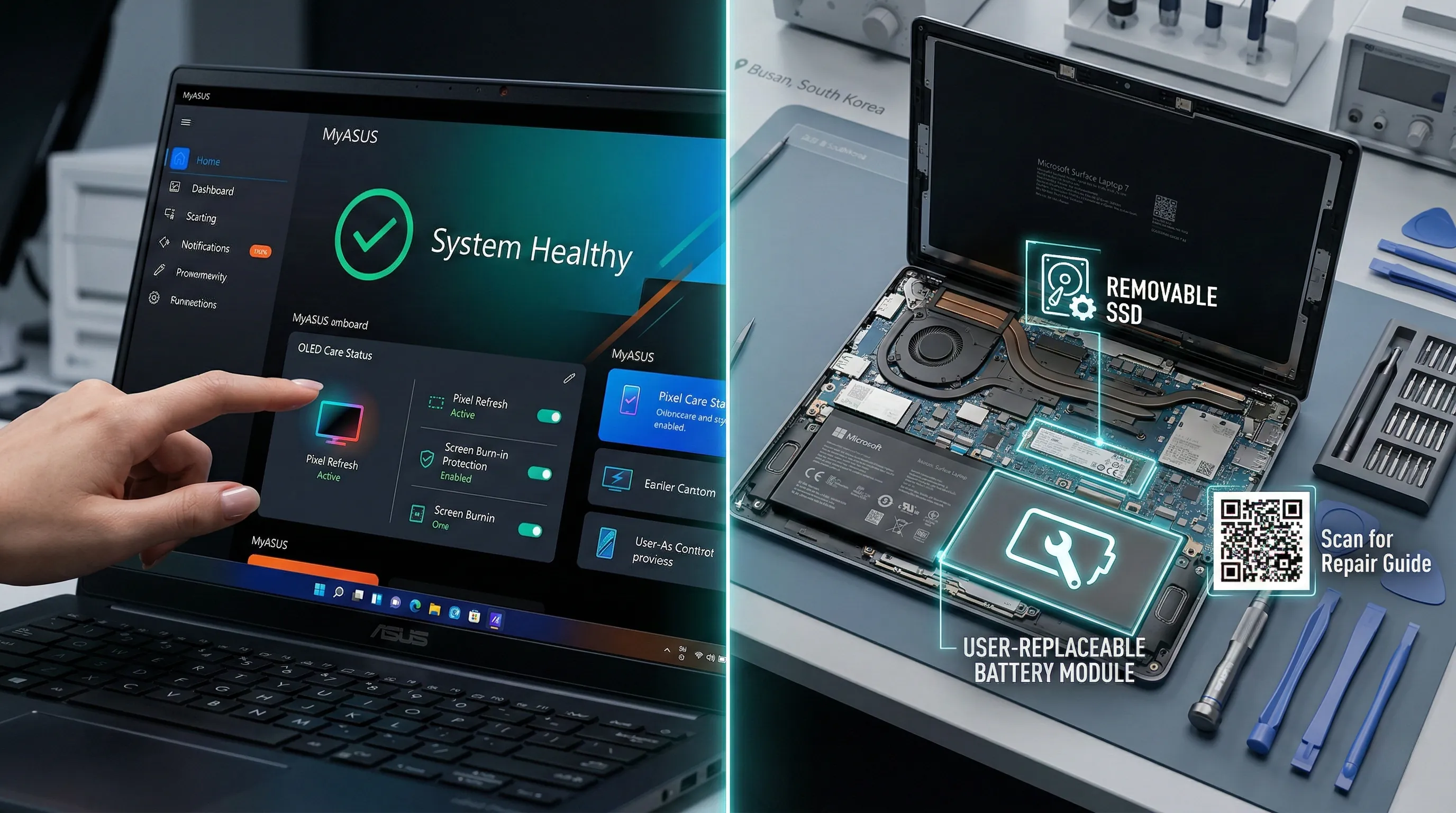
The MyASUS software suite is a foundational support tool available on both the ASUS ExpertBook P5 (P5405) and the ASUS Zenbook S 16 (UM5606).
This suite includes a crucial System Diagnosis function, which is integral for identifying potential hardware or software issues instantly.
For the ASUS Zenbook S 16, MyASUS further extends its utility with specific features like Battery Health Charging and comprehensive Fan Profile management.
It also offers efficient Live update capabilities and specialized ASUS OLED Care to specifically maintain display longevity and prevent burn-in.
Transitioning to the Microsoft Surface Laptop (7th Edition) - 15" Model, a significant emphasis is placed on pioneering user repairability.
According to official specifications, this model comes with official repair instructions provided by default, accompanied by easy-to-understand icons on the chassis.
A broad range of components are officially designated as replaceable components, setting a new standard for premium laptops.
These parts include the entire display assembly (camera included), the keyboard assembly (with haptic touchpad), and the removable Gen 4 SSD.
The battery is also listed as replaceable, along with the complete motherboard module encompassing the processor and memory.
Additional replaceable items consist of the Surface Connect port, the audio jack, the MicroSD reader, the speakers, and even the thermal management module.
Empowering Longevity: Real-World Maintenance Advantages
The integrated MyASUS suite on ASUS laptops provides users with a central, powerful hub for proactive device management and troubleshooting.
Its robust System Diagnosis capability is invaluable, allowing for swift identification of performance bottlenecks, thereby minimizing unproductive downtime.
Features such as Battery Health Charging actively work to extend the overall service life of the battery, effectively delaying the need for costly replacements.
Furthermore, Fan Profile management empowers users to fine-tune cooling performance and acoustic output, optimizing the laptop for quiet browsing or intense AI tasks.
The exceptional repairability built into the Microsoft Surface Laptop (7th Edition) addresses a paramount concern for modern device ownership: longevity and sustainability.
The ability to readily replace critical components like the display, battery, or SSD provides immense long-term value for the user.
This design philosophy not only supports cost-effective maintenance but also makes a substantial contribution to environmental responsibility by reducing electronic waste.
The inclusion of clear repair instructions by default ensures that users have the necessary guidance, fostering a more self-reliant approach to computing.
Smart Maintenance: A Pro-User's Perspective
For those considering ASUS laptops, the comprehensive and user-friendly nature of the MyASUS application stands out as a significant advantage.
It streamlines what could otherwise be complex diagnostic tasks into an accessible interface, ensuring a consistent and hassle-free user experience.
Regarding the Microsoft Surface Laptop (7th Edition), the extensive commitment to user-replaceable components sets a commendable benchmark.
This forward-thinking repairability empowers potential buyers with increased confidence, assuring them their investment is designed for an extended operational life.
It represents a strong pro-tip for consumers who prioritize long-term value, environmental consciousness, and the flexibility to maintain their hardware effectively.
Managing your AI PC’s health is no longer a chore; it’s a strategic advantage provided by these modern maintenance ecosystems.
10. Your Next AI Co-pilot: The Final Verdict for Engineers and Creators
Unveiling the AI Powerhouses: Core Specifications
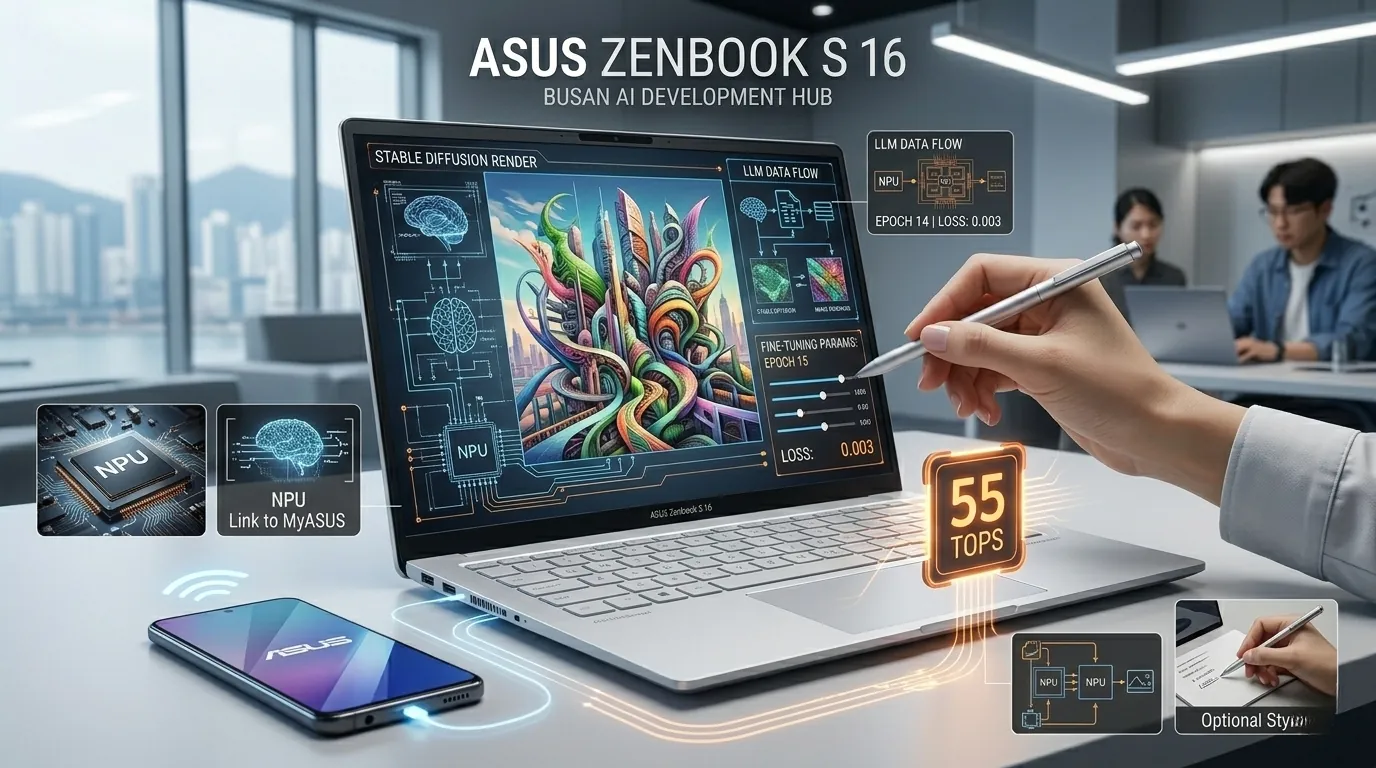
For those prioritizing raw NPU acceleration, the ASUS Zenbook S 16 (UM5606) stands out with its top-tier configuration.
According to official specifications, it boasts an AMD Ryzen™ AI 9 HX470 Processor delivering an impressive AMD XDNA™ NPU up to 55 TOPS.
For visual content creators on the go, the Zenbook S 16 also features a stunning 16.0-inch 3K (2880 x 1800) OLED display.
This screen is equipped with a 120Hz refresh rate, 1000nits HDR Peak Brightness, and 100% DCI-P3 color gamut.
It also includes touch screen capabilities and stylus support for precise creative work.
Despite its power, it remains highly portable, weighing in at just 1.50 kg (3.31 lbs).
For a versatile local AI workflow, the Zenbook S 16 configures with up to 32GB LPDDR5X RAM and a 1TB M.2 NVMe™ PCIe® 4.0 SSD.
Connectivity is robust, featuring 2x USB 4.0 Gen 3 Type-C ports and a high-speed SD 4.0 card reader.
The Microsoft Surface Laptop (7th Edition) - 15" Model offers a Snapdragon® X Elite processor with a 45 TOPS Qualcomm® Hexagon™ NPU.
It features a 15-inch PixelSense Flow™ display (2496 x 1664) with 10-point multi-touch and up to 600nits peak brightness.
This model supports up to 32GB LPDDR5x RAM and includes a convenient removable 1TB Gen 4 SSD.
The ASUS ExpertBook P5 (P5405) is set to offer an Intel® Core™ Ultra 7 Processor 258V with an Intel® AI Boost NPU up to 47 TOPS.
It will feature 32GB LPDDR5X Memory, a 1TB SSD, and a 14.0-inch WQXGA (2560 x 1600) display with 100% sRGB.
Notably, it is the lightest of the trio, starting from a remarkably portable 1.20 kg (2.65 lbs).
Real-World Impact: Matching Power to Purpose
When evaluating for raw NPU power, the ASUS Zenbook S 16 (UM5606) clearly leads with the highest stated 55 TOPS.
This translates to faster processing for on-device AI models, complex data analysis, and demanding generative AI applications.
This directly benefits engineers and developers who rely on cutting-edge local inference capabilities.
For visual content creation, the Zenbook S 16 again emerges as the superior choice due to its exceptional OLED display.
The 100% DCI-P3 color gamut and 0.2ms response time are critical for accurate color work and smooth editing workflows.
Its stylus support further enhances interactive creative possibilities away from the desk.
Considering the best overall package for a local AI workflow, the ASUS Zenbook S 16 provides a compelling blend of high-performance components.
Its leading NPU, powerful multi-core CPU, and fast storage position it as a highly capable machine for AI projects.
The inclusion of an SD 4.0 card reader and USB 4.0 ports facilitates the efficient data transfer essential for intensive professional workflows.
Community Insights & Pro-Tips for Informed Decisions
Community feedback for the ASUS Zenbook S 16 frequently highlights its "premium design" and "gorgeous screen."
This positive sentiment confirms its suitability for visual creators requiring a reliable and aesthetically pleasing laptop.
Regarding the Microsoft Surface Laptop (7th Edition), while it offers a "stunning PixelSense display," there are performance caveats.
Official troubleshooting notes indicate that 3DMark benchmarks are not particularly impressive on this platform.
Engineers and creators should proceed with caution for workflows sensitive to specific software compatibility on the Snapdragon X Elite.
A pro-tip for those considering the ASUS ExpertBook P5: be aware of its September 25, 2024 release date.
While its specifications promise a highly portable and secure device, it may not be available for immediate evaluation.
Therefore, for current AI workflow requirements, the Zenbook S 16 offers the most readily available, high-performing solution.
11. 💡 Tech Talk: Making Sense of the Jargon
- NPU (Neural Processing Unit): Think of the NPU as a special, super-efficient calculator inside your computer, specifically designed to quickly handle tasks that involve "thinking" like humans do, such as understanding speech, recognizing faces, or generating images. It helps your computer do AI stuff without getting tired or using too much power.
- LPDDR5X Memory on Package: Imagine LPDDR5X as lightning-fast, highly organized shelves right next to your computer's main brain (CPU/NPU). "On Package" means it's super close, letting information for big AI models flow back and forth incredibly quickly, which is crucial for running large AI programs like LLMs smoothly without lag and boosting overall AI performance.
🎁 Special Offers for You
Find the perfect Amazon Prime plan that fits your lifestyle and budget.
Standard Prime
Elevate your shopping experience. Fast, free delivery and exclusive streaming.
Prime for Students
Student life just got better. Get 6 months of Prime for $0 and 5% cash back.
Prime Access
All of Prime, half the price. Get full access for just $6.99/month.
📚 Related Posts
ASUS ROG NUC 14 vs. Minisforum UM890 Pro vs. Beelink SER8: The 2026 Definitive Mini PC Battle
As of February 2026, the computing landscape has undergone a tectonic shift.The "Mini PC" is no longer a niche compromise for office cubicles or simple media centers; it is a statement of high-performance efficiency.With the maturity of local Large Languag
tech.dragon-story.com
RTX 5060 Ti (2026) Showdown: ASUS vs. MSI vs. ZOTAC - The Ultimate Comparison
📜 Key Takeaways for the RTX 5060 Ti BattleASUS Dual OC: The undisputed versatility champion. It delivers nearly 97% of MSI’s performance in a much more compact frame, making it the most sensible choice for the majority of builds.MSI GAMING OC: The pre
tech.dragon-story.com
ElevenLabs vs. Open Source AI Voice (2026): The Definitive Guide for Faceless Channels
Key Takeaways for Faceless Content CreatorsElevenLabs v3 streamlines AI voice creation with instant cloning, a user-friendly web UI, and robust API, offering superior multilingual support and ease of use.Open-source options like RVC v3 and Coqui XTTS v4 pr
tech.dragon-story.com


