🚀 Key Takeaways
- The Samsung T9 and Crucial X10 Pro deliver peak performance with their USB 3.2 Gen 2x2 (20Gbps) interface, effectively doubling the transfer speed of the Samsung T7 Shield's USB 3.2 Gen.2 (10Gbps).
- Both the Samsung T9 and Crucial X10 Pro showcase impressive sequential read speeds of up to 2,000 MB/s (T9) and 2,100 MB/s (X10 Pro), backed by a robust 5-year limited warranty.
- For gamers and creators demanding top-tier speed and extended reliability, the Samsung T9 and Crucial X10 Pro stand out as the premier choices for rapid data transfer and storage.
Ready to elevate your gaming and creative workflows but constantly battling slow load times and sluggish file transfers?
Choosing the ultimate portable SSD can be a game-changer, literally, providing the speed and reliability you need to stay ahead.
In today's fast-paced digital world, external storage isn't just about capacity; it's about raw, unadulterated speed that keeps up with your demanding applications and massive files.
We dive deep into a head-to-head comparison of three powerhouses: the Samsung T9 Portable SSD, the Samsung T7 Shield, and the Crucial X10 Pro.
Discover which one truly delivers the blistering performance essential for gamers and creators alike.
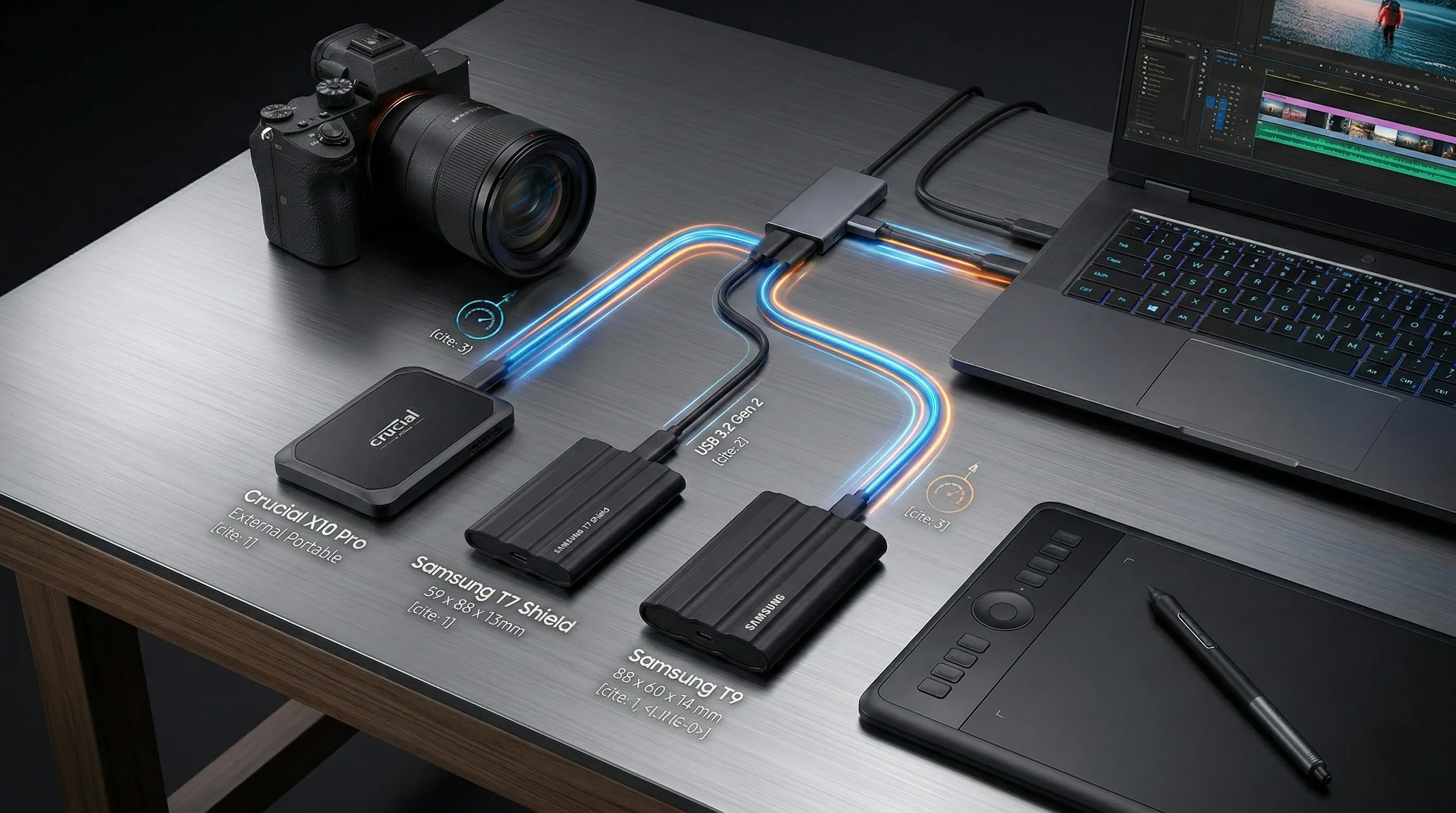
🏆 Top Picks & Recommendations

🛍️ Samsung T7 Shield (2TB)
Check the latest price and availability on Amazon.
👉 View on Amazon
🛍️ Samsung T9 Portable SSD (2TB)
Check the latest price and availability on Amazon.
👉 View on Amazon
🛍️ Crucial X10 Pro Portable SSD (2TB)
Check the latest price and availability on Amazon.
👉 View on AmazonHonest Verdict Box: Side-by-Side Comparison
| Feature | Samsung T7 Shield | Samsung T9 Portable SSD | Crucial X10 Pro Portable SSD |
|---|---|---|---|
| Interface | USB 3.2 Gen.2 (10Gbps) | USB 3.2 Gen 2x2 (20Gbps) | USB 3.2 Gen 2x2 (20Gbps) |
| Sequential Read Speed | Up to 1,050MB/s | Up to 2,000 MB/s | Up to 2,100 MB/s |
| Sequential Write Speed | Up to 1,000 MB/s | Up to 1,950 MB/s | Up to 2,000 MB/s |
| Dimensions | 59 x 88 x 13mm | 88 x 60 x 14 mm | Not available |
| Weight | 98g | 122 grams | Not available |
| Drop Resistance | Not explicitly specified (Robust build) | Up to 3-meter drop resistant | Not explicitly specified |
| Warranty | Limited 3-year warranty | Five (5) year limited warranty | 5-year limited warranty |
| Best For / Key Feature | YouTubers, 4K Video Editing, Compact, AES 256-bit encryption | Traveling Photographers, Ruggedness, Samsung Magician SW | Gamers, Fastest Speeds (requires Gen 2x2 port) |
1. Built for the Road: A Tale of Three SSDs
The Physical Blueprint: Size and Heft Unpacked
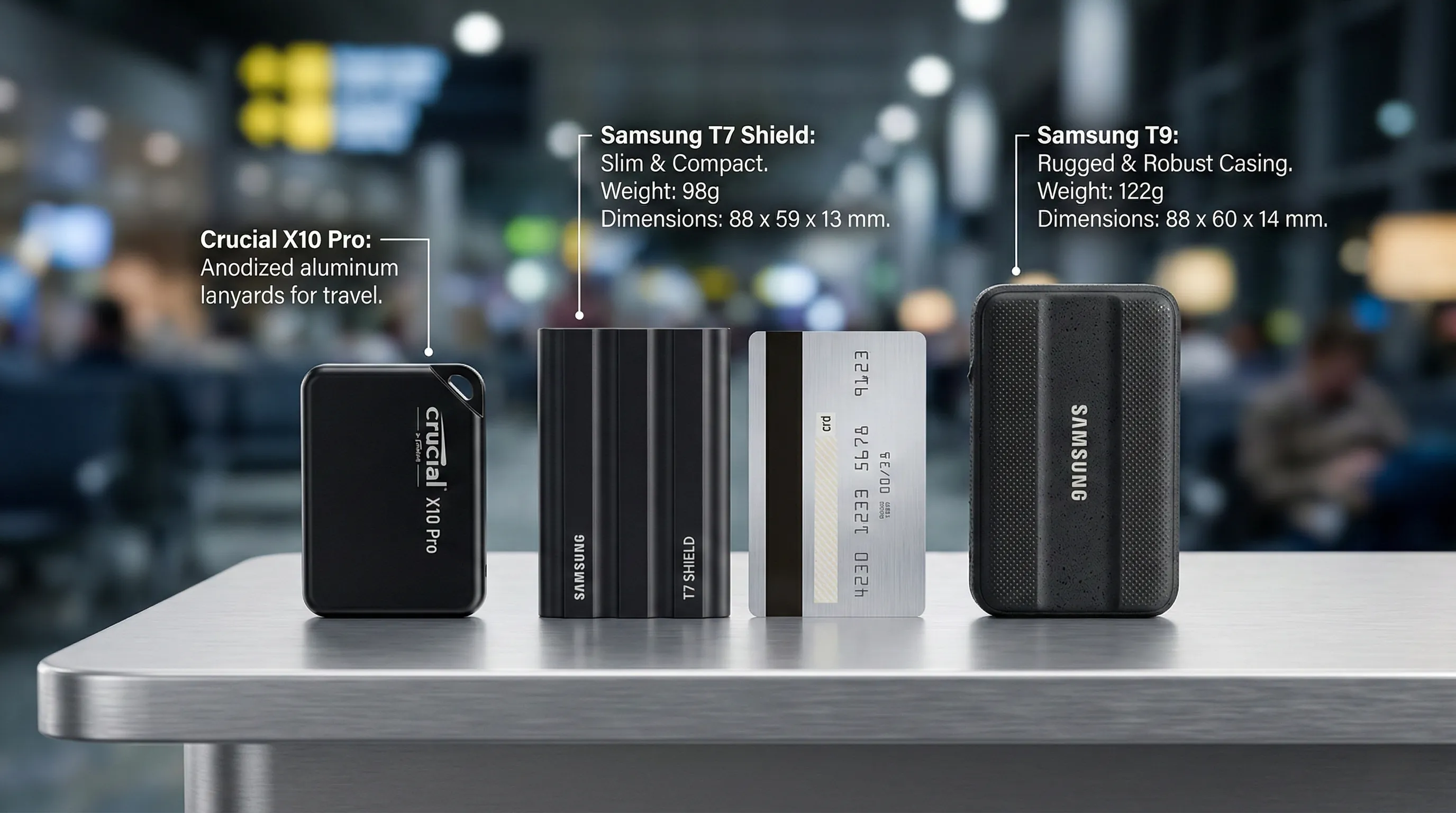
According to official specifications, the Samsung T7 Shield measures 59 x 88 x 13mm and weighs in at approximately 98g.
This makes it a notably compact and lightweight option for professionals on the move.
The Samsung T9 Portable SSD has dimensions of 88 x 60 x 14 mm and a weight of 122 grams.
It also boasts significant durability, engineered to be up to 3-meter drop resistant, as per its official specs.
For the Crucial X10 Pro Portable SSD, while confirmed as an External Portable form factor, specific dimensions and weight data are not available within the provided specifications.
Pocket, Pack, or Protect: Portability in Practice
The T7 Shield’s lighter weight and slim profile (13mm thickness) imply exceptional pocketability, making it an ideal choice for quick transfers or carrying discreetly.
Its design suggests it’s built for minimal impact on bag space or personal carry-on.
The T9, while slightly heavier at 122 grams and with a different footprint, compensates with enhanced ruggedness.
Its 3-meter drop resistance is a crucial benefit for professionals who operate in more demanding environments or frequently travel, providing peace of mind against accidental drops.
Though specific physical data for the X10 Pro is not provided, its designation as an External Portable SSD indicates an inherent design for mobility and ease of transport.
Choosing Your Travel Companion: A Professional's Guide
When selecting an SSD for professional travel, consider your primary need: extreme lightness and compactness or enhanced durability.
If every gram counts and pocketability is paramount, the Samsung T7 Shield, with its 98g weight and sleek dimensions, stands out.
However, for professionals needing robust protection against the rigors of travel and potential drops, the Samsung T9 Portable SSD, featuring 3-meter drop resistance and a slightly more substantial build, offers superior peace of mind.
The Crucial X10 Pro also serves as a portable option for those prioritizing its speed, although physical comparison points are not available in the provided data.
2. Need for Speed: Decoding the 2,000MB/s Promise
Unpacking the Raw Velocity Numbers
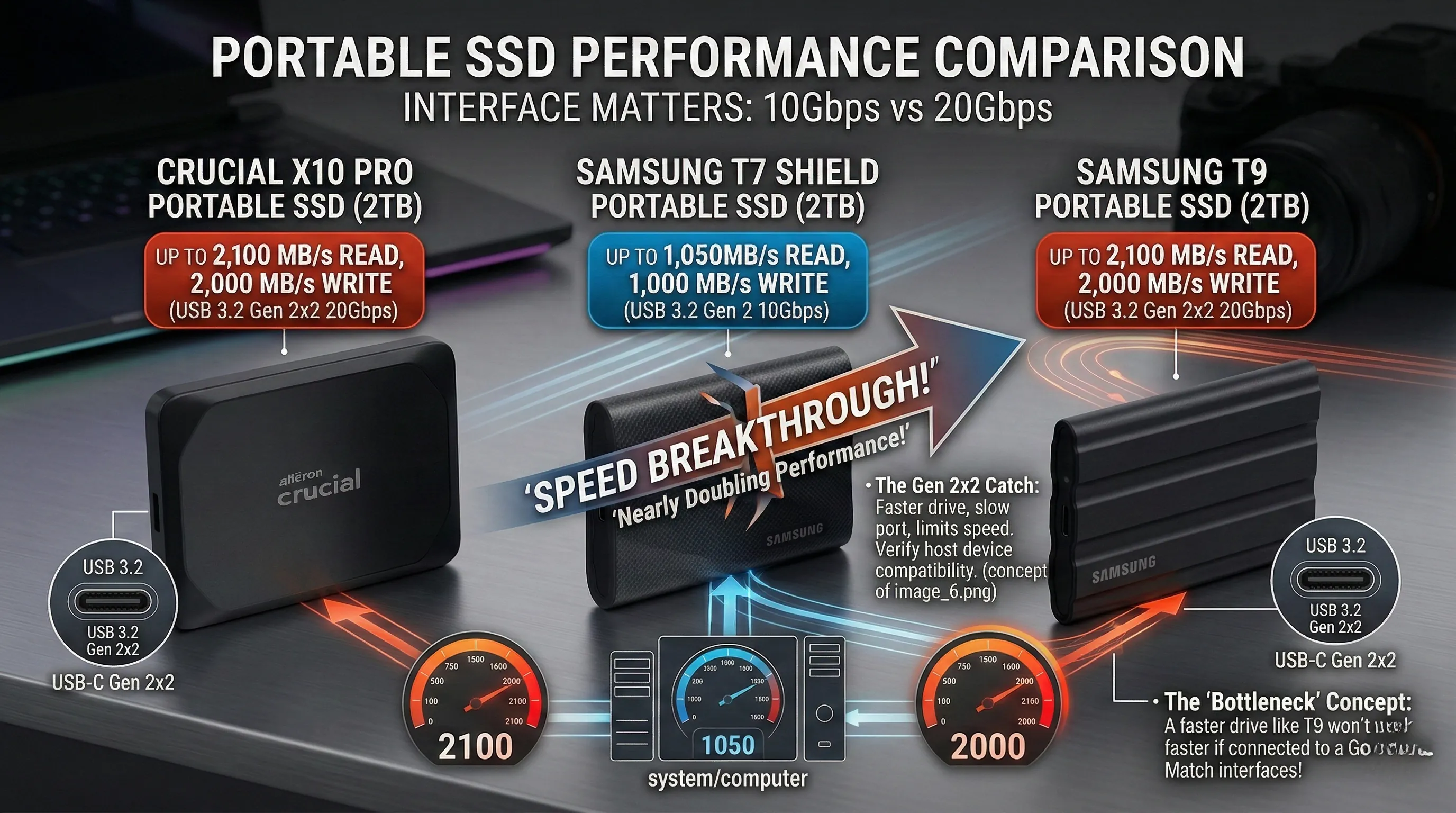
According to official specifications, the Samsung T7 Shield, a robust portable SSD, features a USB 3.2 Gen.2 (10Gbps) interface.
This interface allows for impressive sequential read speeds of up to 1,050MB/s and sequential write speeds of up to 1,000 MB/s.
In stark contrast, the newer Samsung T9 Portable SSD and Crucial X10 Pro Portable SSD elevate performance significantly.
Both the T9 and X10 Pro utilize the advanced USB 3.2 Gen 2x2 (20Gbps) interface, effectively doubling the theoretical bandwidth.
The Samsung T9 boasts sequential read speeds of up to 2,000 MB/s and sequential write speeds of up to 1,950 MB/s.
The Crucial X10 Pro pushes the envelope even further, with sequential read speeds listed at 2,100 MB/s and sequential write speeds at 2,000 MB/s based on its specs.
This represents a near two-fold increase in advertised speed capabilities compared to the T7 Shield's specifications.
Accelerating Your Workflow: What Double the Speed Means
The leap from 10Gbps to 20Gbps, reflected in the 2,000MB/s sequential speeds, translates directly into dramatically faster data transfers for demanding users.
For professionals working with large files such as 4K/8K video editing projects, high-resolution photos, or extensive game libraries, this speed increase is transformative.
Transferring a 100GB file could potentially take half the time on a T9 or X10 Pro compared to a T7 Shield, significantly reducing waiting times.
This enhanced performance means less time spent waiting for files to transfer and more time engaging with creative or productivity tasks.
From quick backups of massive datasets to loading graphically intensive games directly from the external drive, the faster interface drastically improves efficiency and user experience.
Maximizing Your 20Gbps Potential: A Crucial Pro-Tip
To fully harness the blistering speeds advertised by the Samsung T9 and Crucial X10 Pro, it is absolutely critical to connect them to a compatible host device.
The peak performance of 2,000MB/s or more is only achievable when your computer, laptop, or other device features a USB 3.2 Gen 2x2 port.
Connecting these drives to an older USB 3.2 Gen 2 (10Gbps) port will limit their speed to approximately 1,000MB/s, effectively matching the performance of a T7 Shield, despite the drive's higher capability.
Before purchasing, it is highly recommended to verify your device's USB port specifications to ensure you can unlock the full 20Gbps potential.
3. Beyond the Benchmarks: Built to Survive Your Workflow
Unpacking Durability Credentials
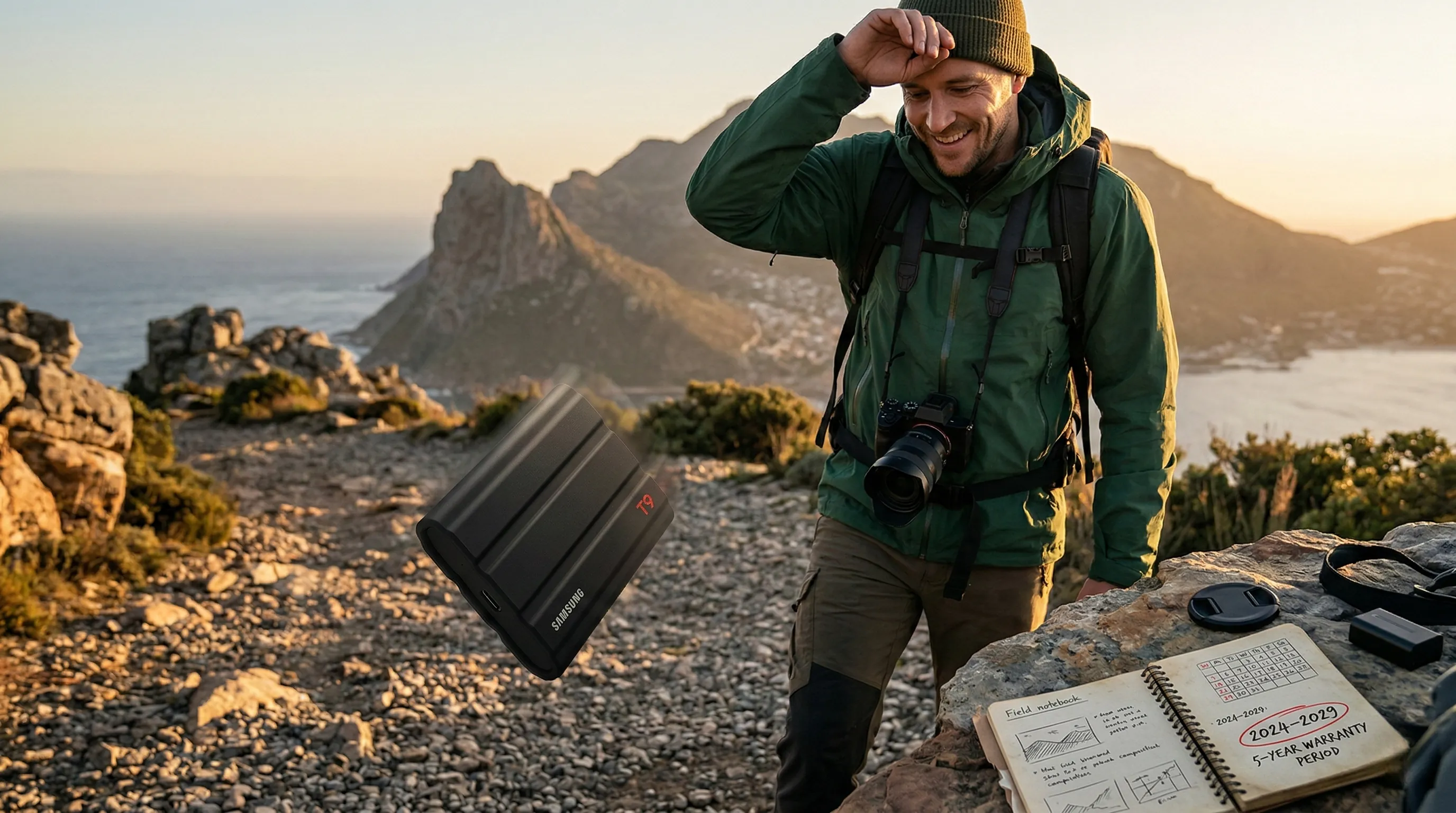
Based on the official product specifications, the Samsung T9 Portable SSD (1TB) boasts an impressive durability feature: it is rated for up to 3-meter drop resistance.
Regarding warranty coverage, the Samsung T9 Portable SSD (1TB) comes with a substantial Five (5) year limited warranty.
Similarly, the Crucial X10 Pro Portable SSD (2TB) also offers a 5-year limited warranty.
The Samsung T7 Shield (2TB) provides a respectable Limited 3-year warranty.
Long-Term Value for Creative Professionals
The T9's specific 3-meter drop resistance directly translates to enhanced protection against common accidents in dynamic work environments, offering significant peace of mind for creators and photographers who often work on location.
This feature is particularly valuable for protecting irreplaceable data during field shoots or travel where devices are more prone to accidental falls.
The availability of a five-year limited warranty for both the Samsung T9 and Crucial X10 Pro represents a substantial long-term investment safeguard.
For professionals who rely heavily on their storage solutions, this extended warranty period can greatly reduce the total cost of ownership and assure continued functionality over many projects.
Even the three-year limited warranty on the Samsung T7 Shield provides a solid level of post-purchase support, although it is shorter than the T9 and Crucial X10 Pro.
Strategic Gear Selection for Lifespan
For creators and photographers, assessing durability features like drop resistance and the length of the limited warranty is paramount for strategic gear selection.
According to manufacturer specifications, the T9's explicit drop rating provides an objective metric for those prioritizing physical resilience against impacts.
When evaluating long-term value, the distinction between a 3-year and a 5-year warranty can signify crucial differences in a product's expected operational lifespan and manufacturer support.
Professionals frequently on the move or working in demanding conditions might find the T9's specific drop resistance and its 5-year warranty a compelling combination for safeguarding their valuable data assets.
4. The Samsung Advantage: Unlocking Performance with Magician Software
Integrated Management for Your Samsung SSD
The Samsung Magician Software is consistently highlighted as a core feature across Samsung's portable SSD lineup, including the Samsung T7 Shield and the Samsung T9 Portable SSD.
Specifically, for the T9 Portable SSD, it is identified in its features as the dedicated "Management SW".
This integration means users have direct access to a utility designed to interact with their drive for enhanced control.
Sustaining Peak Health and Performance
The primary value added by the inclusion of Samsung Magician Software is its role in facilitating drive maintenance and optimization.
While detailed functionalities are not outlined in the provided product specifications, management software of this nature is typically developed to help users monitor key aspects of their SSD.
This includes assessing the drive's health status, which contributes to ensuring long-term reliability and data integrity.
Furthermore, it often provides tools to optimize performance, helping the drive maintain its impressive sequential read and write speeds, such as the T7 Shield's up to 1,050MB/s read and 1,000 MB/s write, or the T9's up to 2,000 MB/s read and 1,950 MB/s write.
Such capabilities aim to extend the drive's lifespan and ensure consistent high-speed operation for critical tasks like large file transfers or content creation.
Pro-Tip: Leverage Magician for Optimal Drive Longevity
For owners of the Samsung T7 Shield or T9 Portable SSD, a valuable pro-tip is to regularly engage with the Samsung Magician Software.
Utilizing its features, as they become available or are updated, can be crucial for proactive drive management.
According to general best practices for SSD care, routine checks through management software can help identify potential issues early and apply recommended optimizations, thus safeguarding your valuable data and ensuring the drive continues to deliver its advertised performance over its warranty period.
Remember, the T7 Shield comes with a limited 3-year warranty, while the T9 Portable SSD offers a robust five (5) year limited warranty.

5. The Gen 2x2 Catch: Is Your System Ready for Max Speed?
Decoding the 20Gbps Advantage
The `Samsung T9 Portable SSD` and `Crucial X10 Pro Portable SSD` are engineered for exceptional speed capabilities.
According to official specifications, the `Samsung T9` boasts sequential read speeds up to `2,000 MB/s` and sequential write speeds up to `1,950 MB/s`.
The `Crucial X10 Pro` further pushes these limits, with sequential read speeds up to `2100 MB/s` and sequential write speeds up to `2000 MB/s`.
These impressive performance figures are achieved through their reliance on the `USB 3.2 Gen 2x2 (20Gbps)` interface.
For context, devices like the `Samsung T7 Shield` utilize `USB 3.2 Gen 2 (10Gbps)`, delivering up to `1,050MB/s` read and `1,000MB/s` write speeds.
Unleashing True Potential
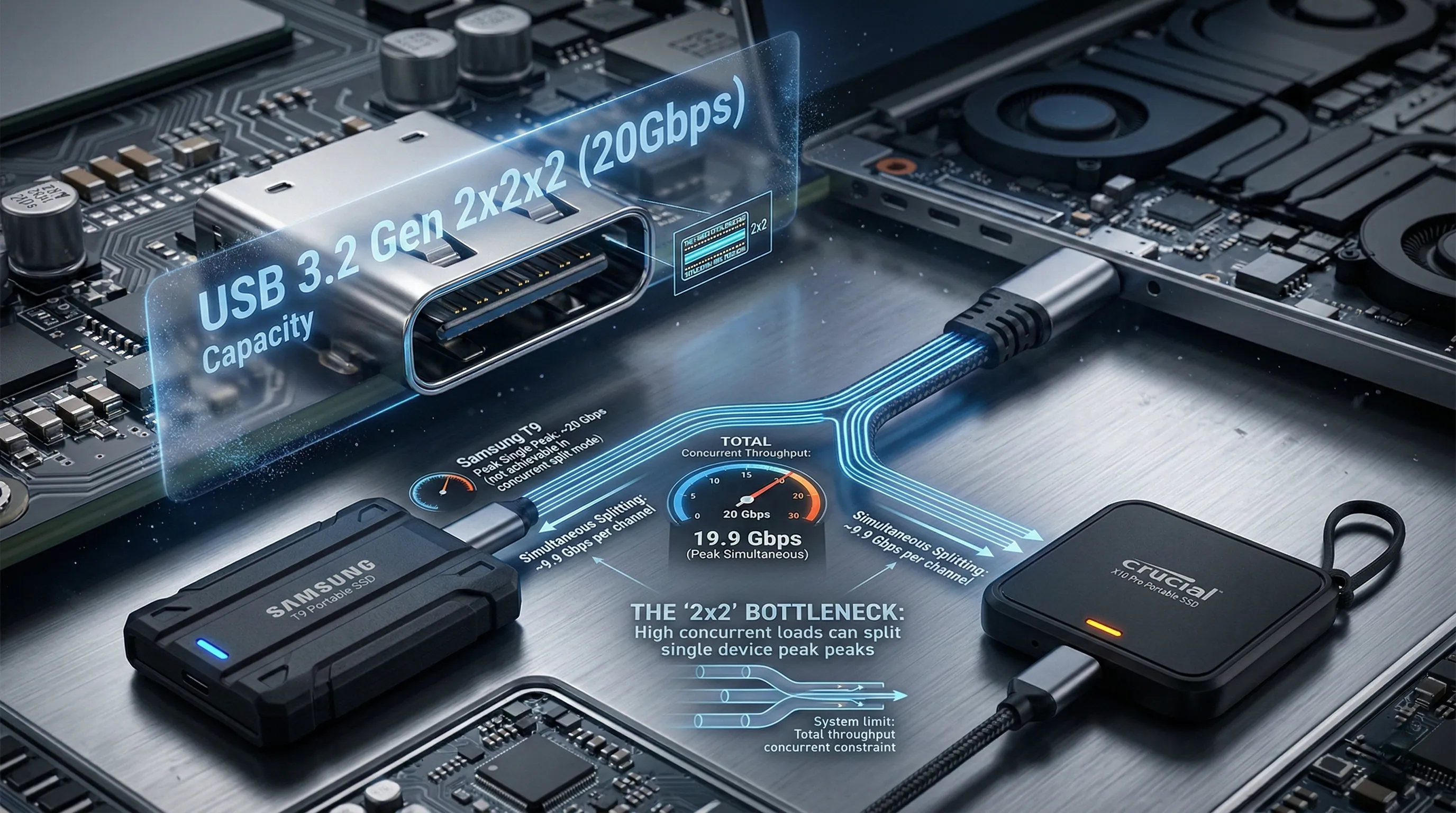
The core benefit of the `USB 3.2 Gen 2x2` interface is its ability to double the theoretical bandwidth compared to the more common `USB 3.2 Gen 2` standard.
This means users can experience significantly faster large file transfers, quicker project loads for creative professionals, and smoother data handling for demanding applications.
However, to fully realize the `20Gbps` performance of the `Samsung T9` and `Crucial X10 Pro`, your host system must also feature a compatible `USB 3.2 Gen 2x2` port.
Without this matching port, the drive will automatically operate at the speed of the slower compatible interface, typically `USB 3.2 Gen 2 (10Gbps)`.
This effectively halves the potential throughput, limiting the drive to speeds comparable to older generation SSDs, such as the `Samsung T7 Shield`, and preventing you from experiencing the advertised maximum speeds.
Compatibility Check: Your Pro-Speed Checklist
Before investing in a `Samsung T9` or `Crucial X10 Pro`, it is crucial to verify your device's `USB` port capabilities.
Based on common industry standards, look for `USB 3.2 Gen 2x2` specifications in your computer's motherboard or laptop documentation.
Many current systems only feature `USB 3.2 Gen 2` ports, which, while fast, will not allow these drives to reach their maximum advertised speeds of `20Gbps`.
For desktop users, adding a dedicated `USB 3.2 Gen 2x2 PCIe expansion card` is an option to upgrade system compatibility and unlock full speeds.
Ensure your setup is `Gen 2x2` ready to truly experience the `20Gbps` performance and the full benefits of these high-speed portable SSDs.
6. The Final Verdict: Matching the Perfect SSD to Your Passion
Choosing the right portable SSD isn't just about raw speed; it's about finding the perfect partner for your creative workflow or gaming adventures.
Here's a tailored breakdown to help you pick the ideal drive based on your specific passion and needs.
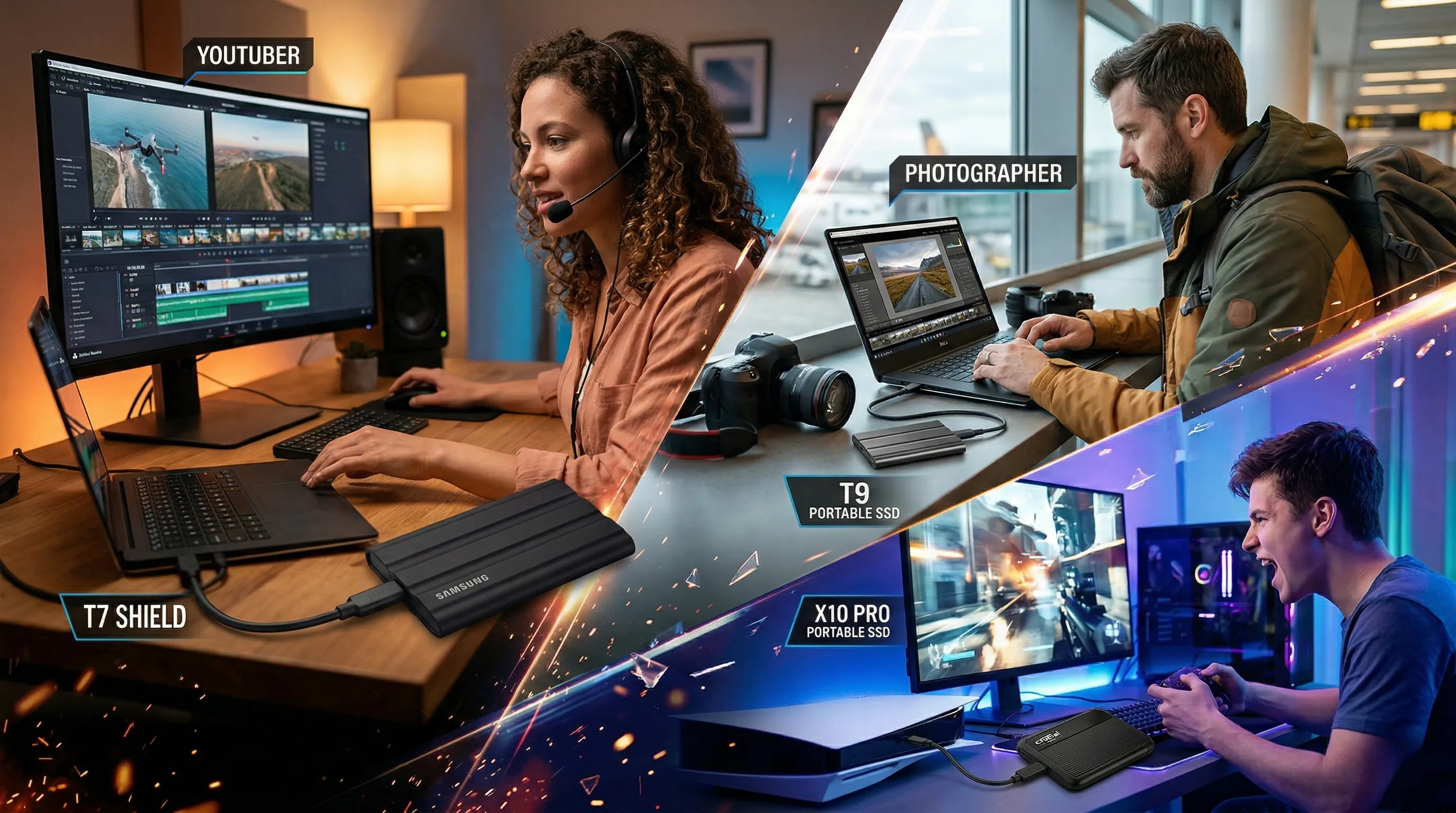
The Director's Cut: Best Value for YouTubers Editing 4K Video
For content creators, especially YouTubers working with demanding 4K footage, balancing performance with affordability is key.
The Samsung T7 Shield (2TB) stands out as an excellent option for its blend of speed, capacity, and robust build.
Unveiling the Specs for Seamless Production
According to official specifications, the Samsung T7 Shield offers a Sequential Read speed of up to 1,050MB/s and a Sequential Write speed of up to 1,000 MB/s.
It utilizes a USB 3.2 Gen.2 (10Gbps) interface and comes with a substantial 2TB capacity, allowing ample room for large video files.
Its compact dimensions of 59 x 88 x 13mm and a light weight of 98g make it highly portable.
Additionally, it features AES 256-bit hardware encryption for data security.
Why it Fuels Your Creative Flow
These specifications translate directly into a highly efficient workflow for 4K video editing.
The robust read and write speeds ensure smooth playback, quick transfers of large media libraries, and reduced rendering times, all critical for high-volume content creation.
The 2TB capacity provides generous space for multiple projects without constant offloading, making it a reliable workhorse for creators on a budget who still demand strong performance.
Its hardware encryption adds a layer of peace of mind for valuable project files.
A Creator's Pro-Tip for Optimal Editing
For maximizing the Samsung T7 Shield's performance with your editing software, ensure your host device supports UASP Mode, which is supported by this drive.
This feature can significantly enhance transfer speeds for large video files, streamlining your editing and export processes.
The Globetrotter's Vault: Most Reliable for Traveling Photographers
Traveling photographers need a drive that can withstand the rigors of the road while keeping their invaluable captures secure.
The Samsung T9 Portable SSD (1TB) excels in reliability and data protection, making it an ideal choice for adventurers.
Hardy Specs for the Harshest Journeys
Based on its specifications, the Samsung T9 Portable SSD boasts impressive durability, featuring up to 3-meter drop resistance.
It incorporates robust AES 256-bit hardware encryption to protect sensitive data.
Despite its resilience, it remains portable with dimensions of 88 x 60 x 14 mm and a weight of just 122 grams.
Furthermore, it comes with a reassuring Five (5) year limited warranty, underscoring its long-term reliability.
Safeguarding Your Visual Masterpieces on the Go
The T9's explicit 3-meter drop resistance is a game-changer for photographers who frequently move their gear, providing critical protection against accidental falls.
Its hardware encryption ensures that your high-resolution photos and client work remain confidential, even if the drive is lost or stolen.
The compact size and relatively light weight mean it won't add unnecessary bulk to your camera bag.
The generous five-year warranty offers prolonged assurance for a professional tool.
A Photographer's Pro-Tip for Data Resilience
While the Samsung T9 offers excellent physical durability and encryption, for absolute peace of mind, always implement a robust 3-2-1 backup strategy for your most critical photographic work.
Use the T9 for field capture and primary transport, but always aim to have two additional copies (e.g., cloud storage, home NAS) when feasible.
The Gamer's Edge: Fastest for Cutting Down Load Times
For gamers, every second counts, especially when it comes to cutting down lengthy load screens for sprawling open-world titles or competitive esports.
The Crucial X10 Pro Portable SSD (2TB) delivers blistering speeds designed to get you into the action faster.
Unleashing Turbocharged Gaming Performance Specs
The Crucial X10 Pro operates on a high-speed USB 3.2 Gen-2 2x2 (20Gb/s) interface, delivering exceptional data transfer rates.
Its official specifications indicate a phenomenal Sequential Read speed of up to 2100 MB/s and a Sequential Write speed of up to 2000 MB/s.
Available in a 2TB capacity, it provides ample space for an extensive game library.
Transforming Load Screens into Lightning-Fast Transitions
These industry-leading speeds directly translate into dramatically reduced game load times, smoother texture streaming, and faster asset loading within games.
Gamers can experience a noticeable improvement in their gameplay fluidity, minimizing frustrating waits and allowing more time immersed in their virtual worlds.
The 2TB capacity means you can store multiple AAA titles without constantly uninstalling and reinstalling games.
The USB 3.2 Gen-2 2x2 interface unlocks the full potential of compatible systems, offering a significant upgrade over traditional external drives.
A Gamer's Pro-Tip for Maximum Speed
To fully harness the blazing speeds of the Crucial X10 Pro, ensure your gaming PC, laptop, or console has a USB 3.2 Gen-2 2x2 compatible port.
Connecting it to an older USB port will limit its performance to the maximum speed of that older interface, negating its primary advantage for rapid load times.
7. 💡 Tech Talk: Making Sense of the Jargon
- USB 3.2 Gen.2 (10Gbps): Imagine a one-lane highway for data where your files can travel at a speedy 10 billion bits per second.
- USB 3.2 Gen 2x2 (20Gbps): Now picture that same super-fast highway, but it’s been upgraded to two lanes working together, allowing twice as much data to zoom through at an incredible 20 billion bits per second, making your transfers lightning quick!
🎁 Special Offers for You
Find the perfect Amazon Prime plan that fits your lifestyle and budget.
Standard Prime
Elevate your shopping experience. Fast, free delivery and exclusive streaming.
Prime for Students
Student life just got better. Get 6 months of Prime for $0 and 5% cash back.
Prime Access
All of Prime, half the price. Get full access for just $6.99/month.
📚 Related Posts
ASUS ROG NUC 14 vs. Minisforum UM890 Pro vs. Beelink SER8: The 2026 Definitive Mini PC Battle
As of February 2026, the computing landscape has undergone a tectonic shift.The "Mini PC" is no longer a niche compromise for office cubicles or simple media centers; it is a statement of high-performance efficiency.With the maturity of local Large Languag
tech.dragon-story.com
The 2026 iPad Showdown: Choosing Between the M5 Pro, M3 Air, and A17 Pro Mini
🔑 Key Takeaways for the 2026 iPad Lineup:The iPad Pro (M5) is built for peak performance and professionals, featuring the Ultra Retina XDR display and Wi-Fi 7.The iPad Air (M3) offers a large screen and solid performance for most users, balancing featur
tech.dragon-story.com
RTX 5060 Ti (2026) Showdown: ASUS vs. MSI vs. ZOTAC - The Ultimate Comparison
📜 Key Takeaways for the RTX 5060 Ti BattleASUS Dual OC: The undisputed versatility champion. It delivers nearly 97% of MSI’s performance in a much more compact frame, making it the most sensible choice for the majority of builds.MSI GAMING OC: The pre
tech.dragon-story.com


