- Project Genie introduces **Generative Interactive Environments (GIEs)**, creating fully playable digital worlds from simple prompts using an AI model trained on extensive video data.
- The Genie API v1 is currently available as a **Developer Preview** through Google Cloud's Vertex AI, requiring specific GCP project and Python environment setup for access.
- Creating a GIE involves providing an image prompt, sending it to the API, and then streaming user actions to receive subsequent frames for real-time interaction.
- Mastering GIE generation means carefully crafting clear image prompts and leveraging API parameters like `style_guidance_strength` and `physics_profile` to fine-tune world characteristics.
- Debugging GIEs often involves refining ambiguous prompts, understanding AI interpretation, and implementing client-side strategies such as prediction to mitigate latency and improve user experience.
Creating interactive digital worlds once demanded extensive manual effort from artists and engineers.
Today, Generative Interactive Environments (GIEs), pioneered by Project Genie, are transforming this process.
Genie, a powerful AI model, generates fully playable environments directly from a simple image or text prompt, learning interactivity and physics from vast video data.
As of 2026-01-30, Project Genie's API v1 is available in a Developer Preview, offering a new approach to building interactive experiences.
Project Genie represents a significant departure from traditional game development workflows, focusing on rapid ideation and emergent complexity.
Unlike older procedural generation methods that relied on pre-made assets, Genie learns the fundamental principles of interaction and art style directly from unlabeled video data, enabling it to create novel, controllable worlds from scratch.
Comparison: Traditional Game Development vs. Generative Interactive Environments (Genie)
Understanding the shift Genie brings means comparing its workflow to established methods.
| Feature | Traditional Game Development (Pre-GIE) | Generative Interactive Environments (Genie) |
|---|---|---|
| World Creation | Manual level design, asset placement, tile-mapping, scripting. | AI generation from a single image or text prompt. |
| Prototyping Speed | Weeks to months for a playable prototype. | Minutes to hours for multiple playable prototypes. |
| Asset Pipeline | Requires separate creation of sprites, backgrounds, physics objects. | Unified generation of visuals, physics, and basic interactivity. |
| Required Skills | Specialized roles: Level Designer, 2D Artist, Physics Programmer. | Creative prompter, AI integrator, systems designer. |
| Interactivity | Explicitly programmed and scripted behaviors. | Emergent behaviors learned from video data, fine-tuned via parameters. |
| Scalability | Content creation is linear; more content requires more manual work. | Infinite content potential; generating new worlds is computationally cheap. |
Setting Up Your Project Genie Workspace: 2026 Edition
Accessing Project Genie currently requires acceptance into its Developer Preview program via Google Cloud Platform's Vertex AI.
Once accepted, you'll need to configure your environment.
Here are the prerequisites and setup steps.
Prerequisites:
- You need an active Google Cloud Project with billing enabled.
- The Generative Interactive Environments API (or a similarly named service) must be enabled for your project within the Google Cloud Console.
- Set up authentication, preferably using a service account with `Vertex AI User` and `Genie API User` IAM roles.
Download the generated JSON key file for this service account.
- A Python environment with Python 3.11+ is recommended.
Install the official Google Cloud client library:pip install --upgrade google-cloud-aiplatform
- For smooth client-side rendering of received frames, a dedicated GPU like an NVIDIA RTX 3060 or AMD RX 6700 XT (or newer) is recommended for development.
Environment Setup Steps:
- Ensure you have the Google Cloud CLI installed and configured.
- Authenticate your environment by setting the `GOOGLE_APPLICATION_CREDENTIALS` environment variable to the path of your downloaded service account JSON key:
export GOOGLE_APPLICATION_CREDENTIALS="/path/to/your/key.json" - Verify your setup by running a simple Python script to list available models in Vertex AI, confirming authentication is functional.
From Image Prompt to Playable World: Your First Genie Creation
Let's create a basic 'Hello World' GIE to demonstrate the process of transforming a static image into an interactive experience.
We'll use a simple child's drawing as our input prompt for this tutorial.
1. Prepare Your Image Prompt:
Create a simple PNG image.
It should clearly depict a ground, a few platforms, and a distinct character.
Save this image as `prompt.png` in your project directory.

2. Write the Python Script:
Create a file named `create_world.py`.
This script will call the Genie API v1 to generate the initial frame and set up an interactive session.
# create_world.py - As of Jan 2026
# NOTE: This is a conceptual representation of the API.
# Actual library names and methods may differ.

import base64
from google.cloud import aiplatform

# Initialize the Vertex AI client for the Genie model
aiplatform.init(project='your-gcp-project-id', location='us-central1')

# Hypothetical model endpoint for Genie v1
GENIE_MODEL_ENDPOINT = "projects/genie-pioneers/locations/us-central1/endpoints/genie-v1-interactive"

# Load and encode the image prompt
with open("prompt.png", "rb") as image_file:
    encoded_string = base64.b64encode(image_file.read()).decode("utf-8")

# Define the generation parameters
parameters = {
    "prompt_image": encoded_string,
    "output_resolution": "512x512",
    "action_set": "platformer_basic" # 'left', 'right', 'jump'
}

# Create a Genie client and start a session
# In a real scenario, this would likely be an async or streaming connection
# For simplicity, we'll represent it as a single call to create a session ID.

gen_session = aiplatform.Endpoint(GENIE_MODEL_ENDPOINT).predict(instances=[parameters])

session_id = gen_session.predictions[0]['sessionId']
initial_frame = gen_session.predictions[0]['initial_frame_base64']

print(f"Successfully created Genie session: {session_id}")
print("Received initial frame. The world is ready for interaction.")

# To interact, you would now use another function:
# next_frame = get_next_frame(session_id, action='jump')
# This would be implemented in your game loop.
3. Run and Interact:
After running this script, you will receive a `session_id`.
Your client application's game loop would then follow these steps:
- Decode and display the `initial_frame` received from the API.
- Listen for user input, such as arrow keys or the spacebar.
- On detecting input, send the corresponding action (e.g., `'jump'`, `'left'`) along with the `session_id` to the Genie API.
- Receive, decode, and display the next interactive frame returned by the API.
This sequence creates a playable loop, transforming your static drawing into a dynamic, interactive experience.
Mastering Genie Prompts: Fine-Tuning World Generation & Physics
Generating a playable world is just the initial step.
Mastering Genie requires treating prompt creation as both an art and a science, as the quality of your input directly influences the coherence and style of the output.
Advanced Image Prompting Strategies:
- Clarity and Contrast:
Ensure your controllable character is visually distinct from the background.
Employ strong silhouettes and contrasting colors to help the AI identify game elements.
- Compositional Guidance:
The arrangement of elements within your prompt image significantly impacts generation.
Platforms placed higher in the image are more likely to be interpreted as reachable areas.
- Style Injection:
Genie can effectively mimic various art styles.
A pixel art prompt will typically yield a pixelated world, while a watercolor painting input will likely result in a softer, more painterly aesthetic. - Implied Interactivity:
Draw elements that suggest interaction, such as trampolines, ladders, or water.
While not guaranteed, the model may interpret these and assign unique physical properties, leading to interesting emergent behaviors.

Leveraging API Parameters (As of Q1 2026):
The Genie API v1 (Developer Preview) includes several experimental parameters to fine-tune generation beyond the initial prompt.
These offer powerful ways to modify the generated world's characteristics.
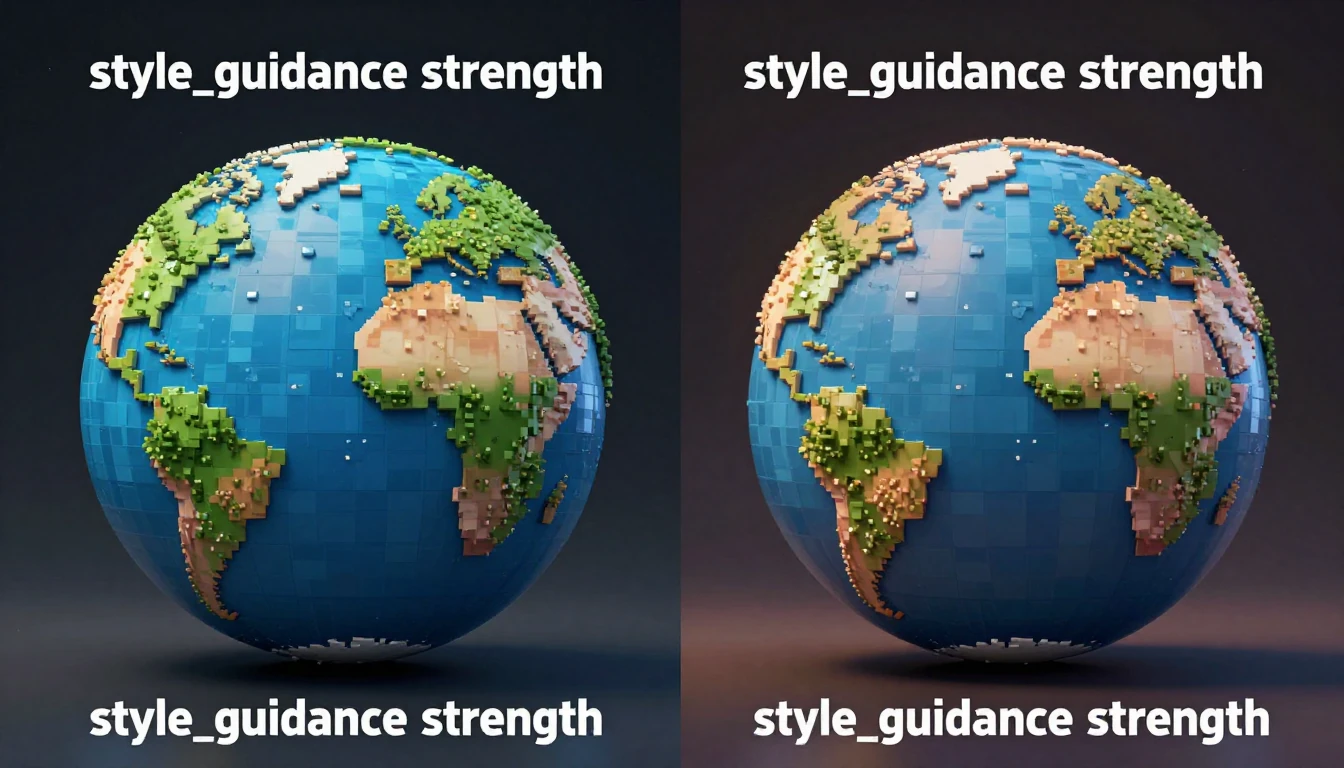
- `style_guidance_strength` (float, 0.0 to 1.0):
This parameter controls how strictly the model adheres to the art style of the prompt image.
Lower values allow for more creative interpretation, while higher values enforce a closer match.
- `physics_profile` (string):
This is a preset parameter for world physics.
Rumored values include `'default'`, `'low_gravity'`, `'slippery'`, and `'heavy_character'`, providing a powerful way to alter the feel of the generated game.
- `negative_prompt_text` (string):
Use this to describe elements or behaviors you want Genie to avoid.
For example: `'blurry textures, inconsistent gravity, character gets stuck'`. - `action_set_id` (string):
This defines the available controls for the interactive environment.
`'platformer_basic'` is the standard action set, but an experimental `'jetpack_controls'` has been observed in some documentation, adding a 'thrust' action option.
Connecting Genie to Your Tools: Integration with Game Engines & Web Frameworks
Integrating a cloud-based GIE like Genie into an existing application pipeline typically requires a client-server architecture.
Your application, whether built in Unity, Godot, or a web browser, acts as a client that streams user input and receives frames from the Genie API.
Best Practices for Integration:
- Asynchronous API Calls:
Avoid making blocking API calls within your main game loop.
Utilize asynchronous requests to send user actions and receive new frames, preventing the game from freezing due to network latency.
- Client-Side Prediction (Advanced):
To minimize the perception of network latency, implement client-side prediction.
For instance, when a user initiates a jump, locally animate the character moving upwards immediately, *before* receiving the authoritative next frame from the Genie API.
Once the real frame arrives, snap the character to the correct position, creating the illusion of zero-latency interaction. - State Management vs. Frame Streaming:
The Genie API v1 primarily provides a stream of image frames.
For more complex integrations, a rumored `get_world_state` API endpoint might eventually provide structured data (e.g., character coordinates, object properties), potentially allowing you to render the scene with native game objects instead of solely displaying a video stream.
Example: Unity Integration (Conceptual)
A C# script attached to a `GenieController` object would manage the connection.
It would likely use `UnityWebRequest` or a WebSocket library to communicate with a simple backend server, which then securely forwards requests to the Genie API.
Received Base64 frames would be converted into textures and applied to a screen-filling quad.
Example: Web Framework Integration (React/Three.js)
A JavaScript client could use `fetch` or a WebSocket connection to send actions.
The received Base64 image frame would then be decoded and drawn onto an HTML5 `
Debugging Genie's Quirks: Addressing Unwanted Behaviors & Generation Failures
Working with an emergent AI system such as Genie presents a unique set of debugging challenges.
Here are some common problems and potential solutions.
- Problem: Incoherent or 'Melted' Worlds
- Cause:
The input prompt is too ambiguous, low-resolution, or visually cluttered, making it difficult for the AI to interpret distinct elements. - Solution:
Simplify your prompt image.
Increase the contrast between the foreground, character, and background.
Use clean lines and clear, recognizable shapes.
- Cause:
- Problem: Unpredictable or Janky Physics
- Cause:
The model has misinterpreted the geometry of your prompt, or the training data for a specific interaction was sparse. - Solution:
Use the `physics_profile` parameter to guide the model towards desired physics behaviors.
Modify the prompt image to make platforms flatter and more distinct.
Consider using a negative prompt like `'character falls through floor'` to discourage unwanted interactions.
- Cause:
- Problem: High Latency / Slow Frame Updates
- Cause:
This can stem from network connection issues or high load on the Genie API servers. - Solution:
Implement client-side prediction, as discussed previously, to mask latency.
Reduce the `output_resolution` parameter in your API call to request smaller frames, which can significantly reduce bandwidth requirements.
- Cause:
- Problem: Character Becomes Uncontrollable
- Cause:
The model might have generated a world state from which it cannot infer a valid next move based on your action set, leading to a "stuck" state. - Solution:
This is an inherent challenge with emergent GIEs.
The current best practice is to include a 'reset' function in your client that requests a fresh world generation, either with the same or a new prompt.
- Cause:
Navigating the Unforeseen: Ethical Implications of Infinite AI Worlds
The power to generate infinite interactive content comes with significant ethical responsibilities.
As developers building on Genie, it's crucial to consider the broader implications of this technology.
- Inherited Bias:
Genie's foundational model was trained on vast amounts of internet video data.
This data can contain biases related to character designs, environments, and even implied objectives.
It is critical to audit generated worlds for potentially harmful stereotypes or exclusionary content before any public release.
- Intellectual Property:
As of 2026, the legal landscape for AI-generated content is still developing.
Questions persist regarding whether the output belongs to the user who provided the prompt, Google, or if it constitutes a derivative work of the training data.
Prompts based on copyrighted characters or art could lead to legal challenges.
- Impact on Human Creativity:
While Genie is an immensely powerful tool for creators, it also raises concerns about the potential devaluation of traditional skills like level design and 2D art.
The industry will need to adapt to a new paradigm where creative direction, prompt engineering, and curation become paramount skills. - Responsible Deployment:
Because worlds are generated on-the-fly, it is impractical to manually review every possible outcome.
Developers must implement robust safety filters and accessible reporting mechanisms for users to flag problematic or unsafe generated content.
Genie's Horizon: Exploring Non-Gaming Frontiers for Interactive AI
While Genie's initial demonstrations focus on 2D platformers, its core technology—creating interactive environments from prompts—holds profound implications far beyond gaming applications.
- Education & Simulation:
A history teacher could have students draw a medieval castle and then explore it interactively, or a science student could sketch a cell diagram and navigate inside it.
Genie can create dynamic, hands-on learning tools on-demand, offering personalized educational experiences.
- Robotics & Autonomous Agent Training:
Training agents to handle novel environments is a major challenge in robotics.
With Genie, researchers could generate millions of varied, interactive training scenarios (e.g., 'a cluttered warehouse', 'an obstacle course'), significantly accelerating sim-to-real transfer for robots.
- Rapid Prototyping:
An architect could sketch a floor plan and then 'walk' through it virtually to gain an immediate feel for the space.
A UX designer could draw a wireframe for an app and instantly create an interactive mockup to test user flows, iterating much faster than traditional methods. - Therapeutic and Assistive Technology:
Custom interactive worlds could be generated to aid in cognitive therapy, exposure therapy (e.g., simulating a crowded space from a simple drawing), or simply to create calming, personalized digital sandboxes for relaxation.
The horizon for GIEs is not merely about creating infinite games, but about fundamentally transforming how we learn, build, and interact with the digital world itself.


