🚀 Key Takeaways
- Canvas in AI Mode offers a dedicated, dynamic space to organize plans and projects over time, empowering users to create custom, interactive AI-powered tools directly within Search.
- This powerful feature is available for everyone in the U.S. in English, conveniently located right in Search, and allows users to build and refine prototypes that pull the freshest information from the web and Google’s Knowledge Graph.
- From supporting creative writing and coding tasks to enabling the creation of dashboards for studying or trip planning, Canvas in AI Mode is designed to help you get things done and bring your ideas to life.
Welcome to the next evolution of productivity: Canvas in AI Mode.
This groundbreaking feature is now available for everyone in the U.S. in English, seamlessly integrated right in Search.
Imagine a dedicated, dynamic space where you can not only organize your plans and projects over time but also build your own custom, AI-powered tools with unprecedented ease.
Canvas in AI Mode is your new command center, offering robust support for a diverse range of tasks, from creative writing and coding tasks to drafting complex documents.
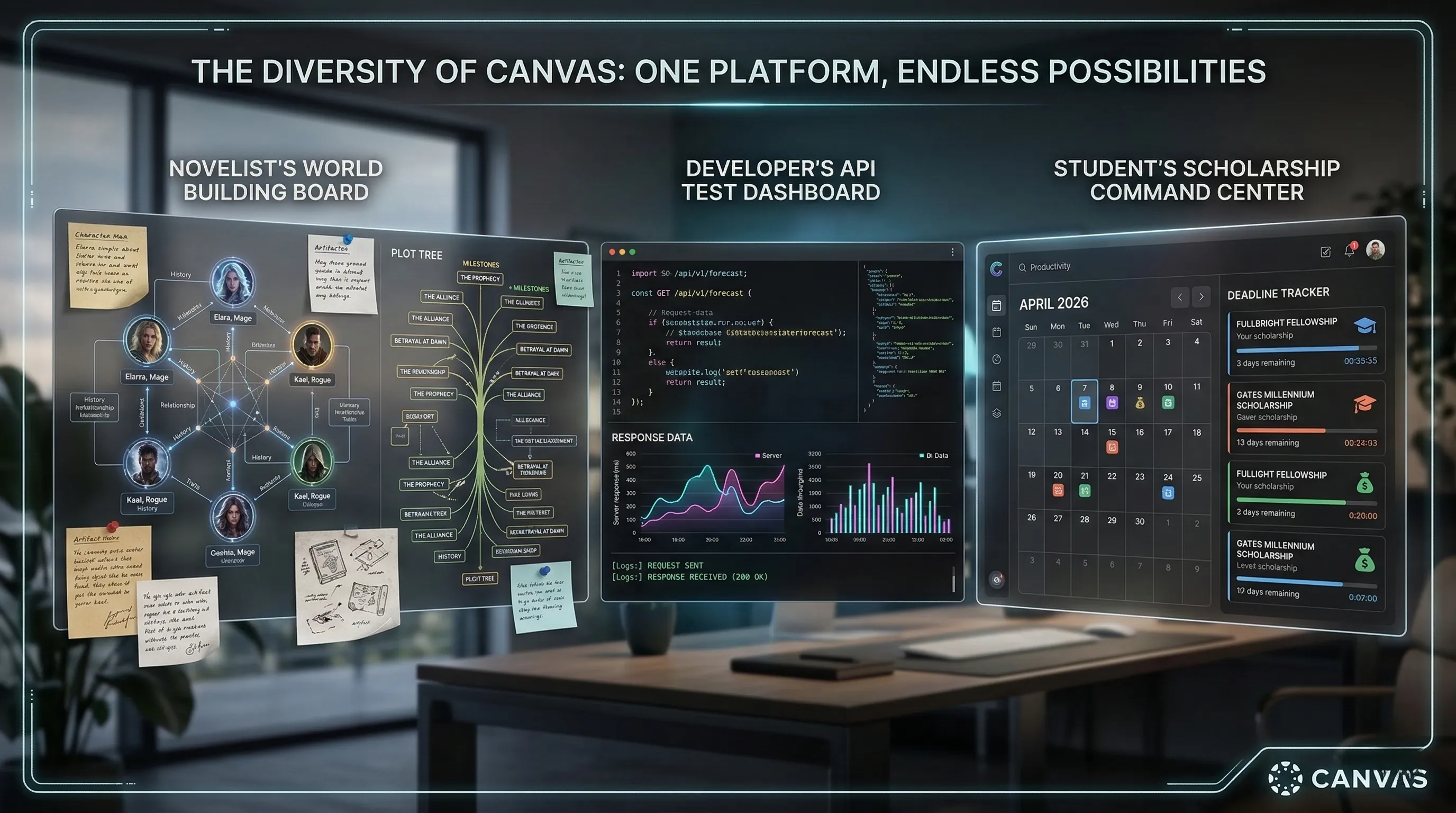
Whether you're a student planning academic scholarships, a developer prototyping new ideas, or anyone looking to streamline their workflow, this feature is designed to empower you to bring ideas to life.
The magic truly comes alive as you describe what you want to create and instantly receive a working prototype.
These prototypes are intelligent, pulling the freshest information from the web and Google’s Knowledge Graph, and you can even toggle to view their underlying code.
With the ability to test functionality and refine prototypes through conversational follow-ups, Canvas in AI Mode is here to help you get things done with cutting-edge AI.

At a Glance: Key Details
Quick Overview
| Feature | Detail |
|---|---|
| Availability | Everyone in the U.S., in English |
| Access Point | Directly in Search, via the tool menu (+) in AI Mode |
| Primary Goal | Organize plans & projects over time; create custom, interactive AI-powered tools |
| Data Source | Freshest information from the web and Google’s Knowledge Graph |
| Key Use Cases | Creative writing, coding tasks, drafting documents, trip planning, studying, building dashboards (e.g., for scholarships) |
| Tool Refinement | Test functionality, view underlying code, refine with conversational follow-ups |
1. Quick Start: Accessing Your New AI-Powered Project Hub
Canvas in AI Mode is a dedicated, dynamic workspace engineered to transform the way you organize projects and bring ideas to life.
By integrating a flexible workspace directly into Google Search, it eliminates the friction between finding information and taking action.
🔹 Unlocking the Canvas Workspace
Currently available for users in the U.S. (English), Canvas functions as your personalized command center for complex tasks.
To begin, simply toggle to AI Mode within Search and select the Canvas option from the tool menu (+).
This one-click access allows you to transition instantly from a simple query to a fully functional project environment.
Whether you are a developer prototyping code or a writer drafting a novel, Canvas provides the dedicated space needed for long-term organization.
🔹 Seamless Integration: From Search to Solution
The true power of Canvas lies in its ability to pool the freshest information from the web and Google’s Knowledge Graph.
As soon as you describe what you want to create, Canvas generates a working prototype informed by real-time data.
Unlike static documents, these tools are interactive and adaptive, allowing you to build everything from travel itineraries to scholarship tracking dashboards.
This seamless integration ensures that your projects are always backed by the most accurate and up-to-date facts available on the internet.
🔹 Pro-Tip: Precision in the First Prompt
To maximize the efficiency of Canvas, start with a clear and specific description of your desired outcome.
The more detail you provide in your initial prompt—such as specific constraints for a coding task or tone requirements for creative writing—the more accurate your first prototype will be.
Don't worry about perfection on the first try; you can always refine the results through conversational follow-ups within the dynamic side panel.
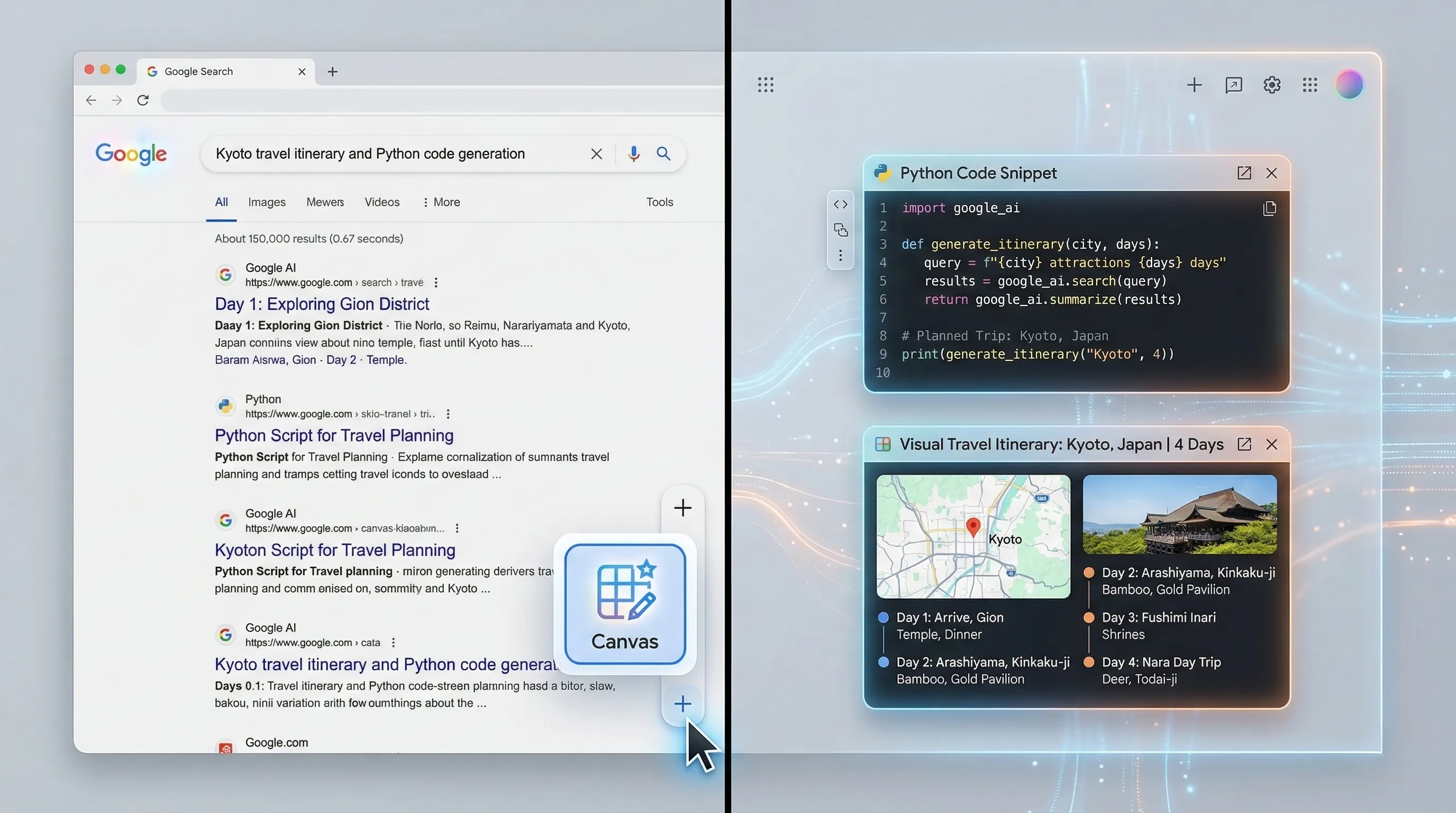
2. From Concept to Code: Building and Refining Your AI Tools
Canvas in AI Mode transforms the static search experience into an interactive development environment.
The transition from a raw idea to a functional tool happens in minutes, bridging the gap between natural language and executable code.
🔹 Rapid Prototyping: The "Describe and Receive" Workflow
The journey begins when you describe your vision in the AI Mode side panel.
Whether you need a scholarship tracking dashboard or a custom Python data visualizer, simply tell Canvas what you want to achieve.
Within seconds, you receive a working prototype that pulls real-time data from the web and Google’s Knowledge Graph.
This instantaneous generation allows you to test functionality immediately, turning abstract concepts into tangible, interactive assets without writing a single line of code.
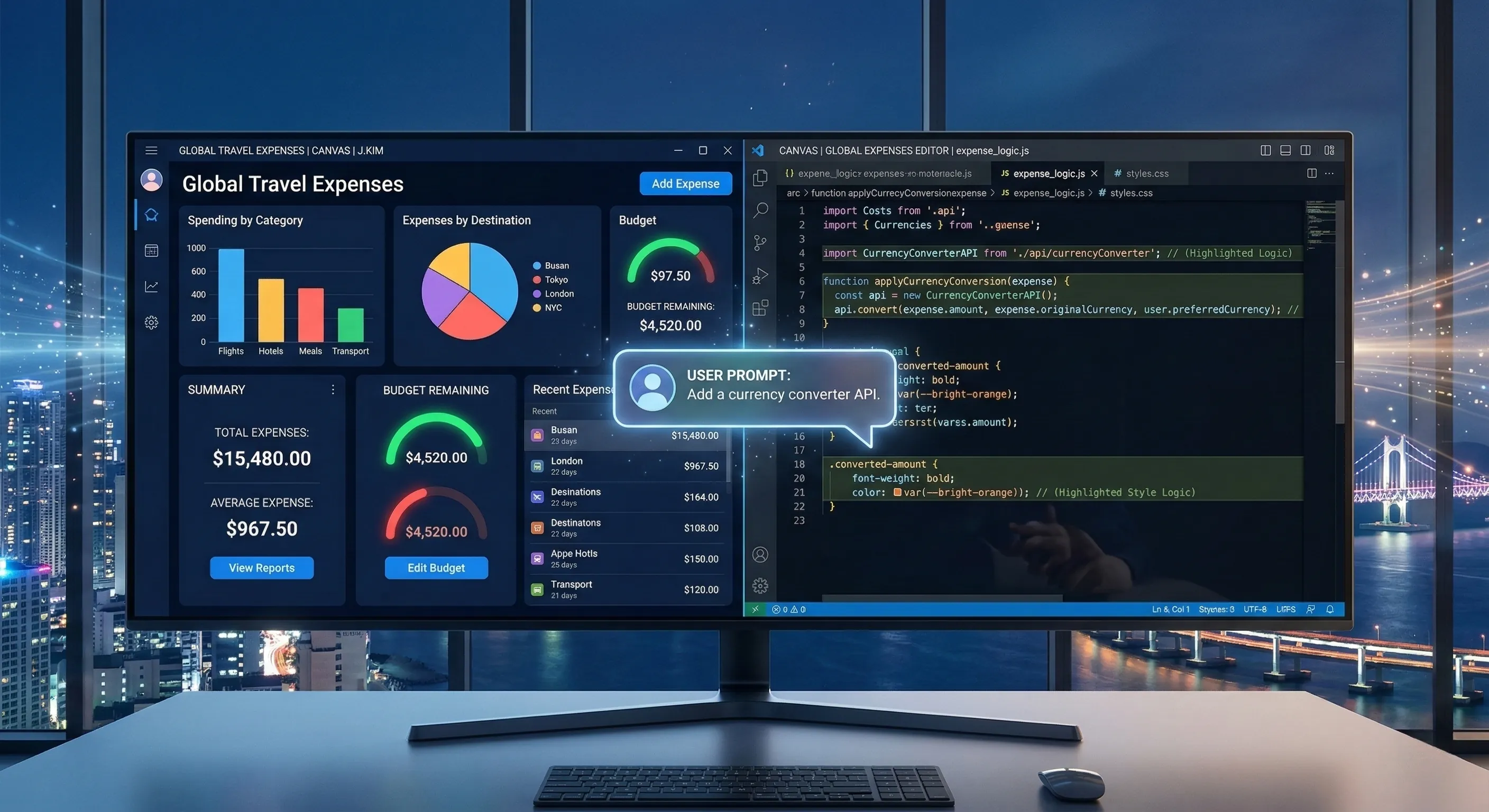
🔹 The "Under the Hood" Edge: Granular Customization
For those who want ultimate control, Canvas offers the ability to toggle and view the underlying code.
This feature is a game-changer for developers and advanced users who need to see exactly how the tool’s logic is structured.
By viewing the code, you can identify specific functions to modify—such as changing a sorting algorithm or adding an API error-handling mechanism.
This transparency ensures that your custom tools are not just "AI-generated," but are precisely optimized for your specific requirements.
🔹 The Iterative Refinement Loop
The true magic of Canvas lies in its conversational refinement loop.
If the first prototype isn't perfect, you can simply ask for changes through natural language follow-ups.
You might say, "Add a column for application status" or "Change the graph to a scatter plot," and the code updates automatically in real-time.
This interplay between high-level conversation and low-level code access provides the ultimate developer's edge, ensuring every tool you build is polished to perfection.
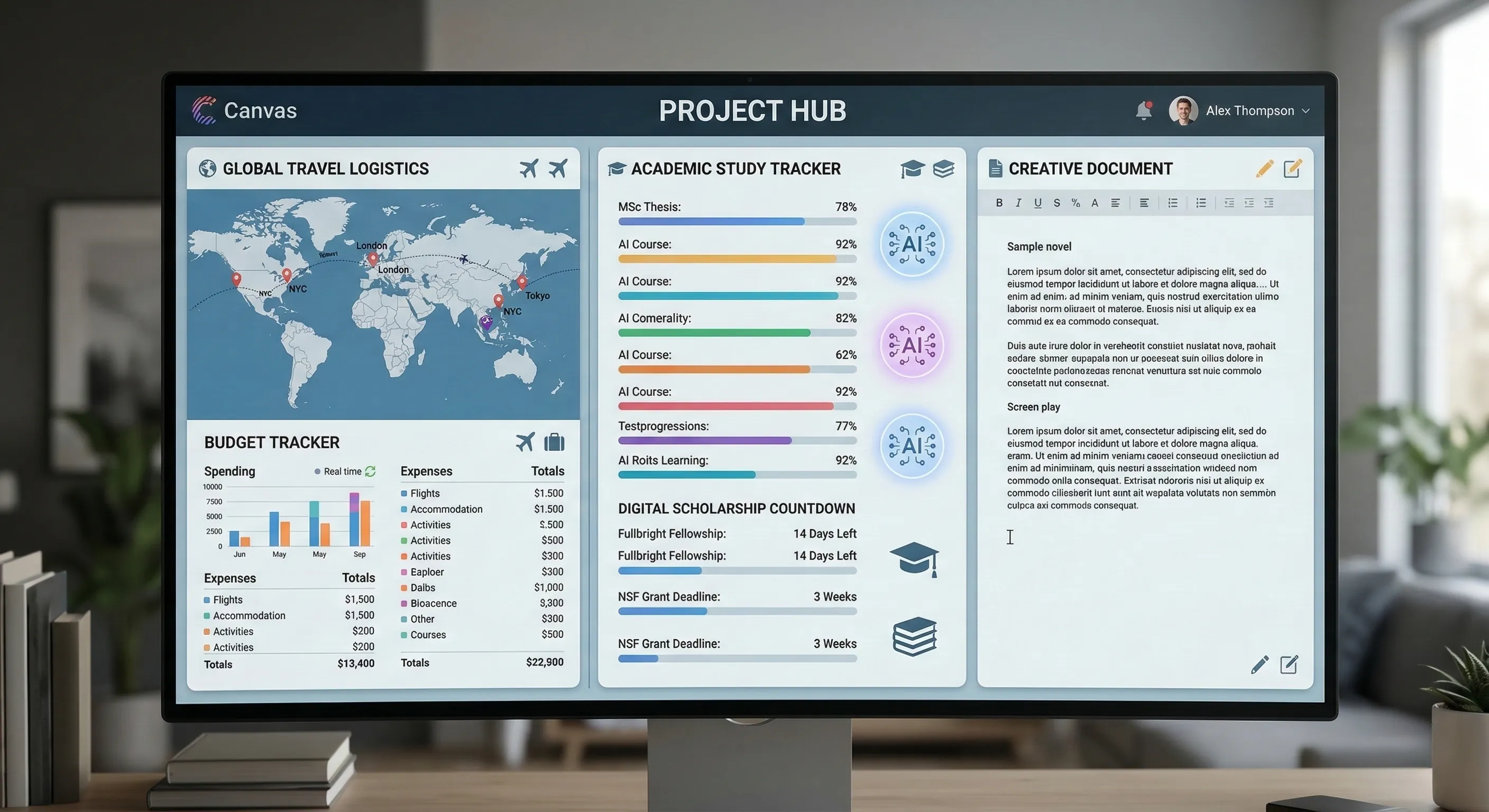
3. The Ultimate Project Hub: Your Central Command Center
Canvas in AI Mode is more than a simple workspace; it is a long-term project hub designed to evolve alongside your ideas.
By providing a centralized command center, it transforms fragmented search results into a cohesive, actionable plan.
🔹 Beyond One-Off Searches: Persistence Over Time
The true value of Canvas lies in its ability to organize complex projects over time.
Unlike traditional AI chats that disappear, Canvas acts as a persistent workspace where you can track progress and store evolving documents.
This makes it the perfect environment for multi-stage workflows, such as managing a quarter-long research project or coordinating a global product launch.
Your hub stays dynamic, allowing you to add new sections, re-organize layouts, and update data as your goals shift.
🔹 Real-World Utility: From Logistics to Creativity
Canvas excels at handling high-stakes logistics, such as planning an international trip with multiple destinations.
It functions as your travel dashboard, syncing flight schedules, hotel bookings, and daily itineraries into one interactive view.
For students and researchers, Canvas serves as a study command center where you can visualize complex data.
Imagine a dashboard that tracks academic scholarship deadlines alongside your study schedule and essay drafts.
Its versatility extends to creative writing and document drafting, providing a distraction-free space to build narratives from scratch.
🔹 Mastering the Adaptive Workflow
To fully integrate Canvas into your daily routine, think of it as an adaptive digital blueprint.
Leverage the real-time web integration to keep your data current—ask Canvas to update flight prices or refresh scholarship requirements with a single prompt.
You can even build miniature custom tools within your hub to automate repetitive parts of your workflow.
Regularly testing and refining these internal tools ensures your command center remains perfectly tuned to your specific needs.
By centralizing every aspect of a project, Canvas empowers you to bring complex ideas to life with surgical precision.
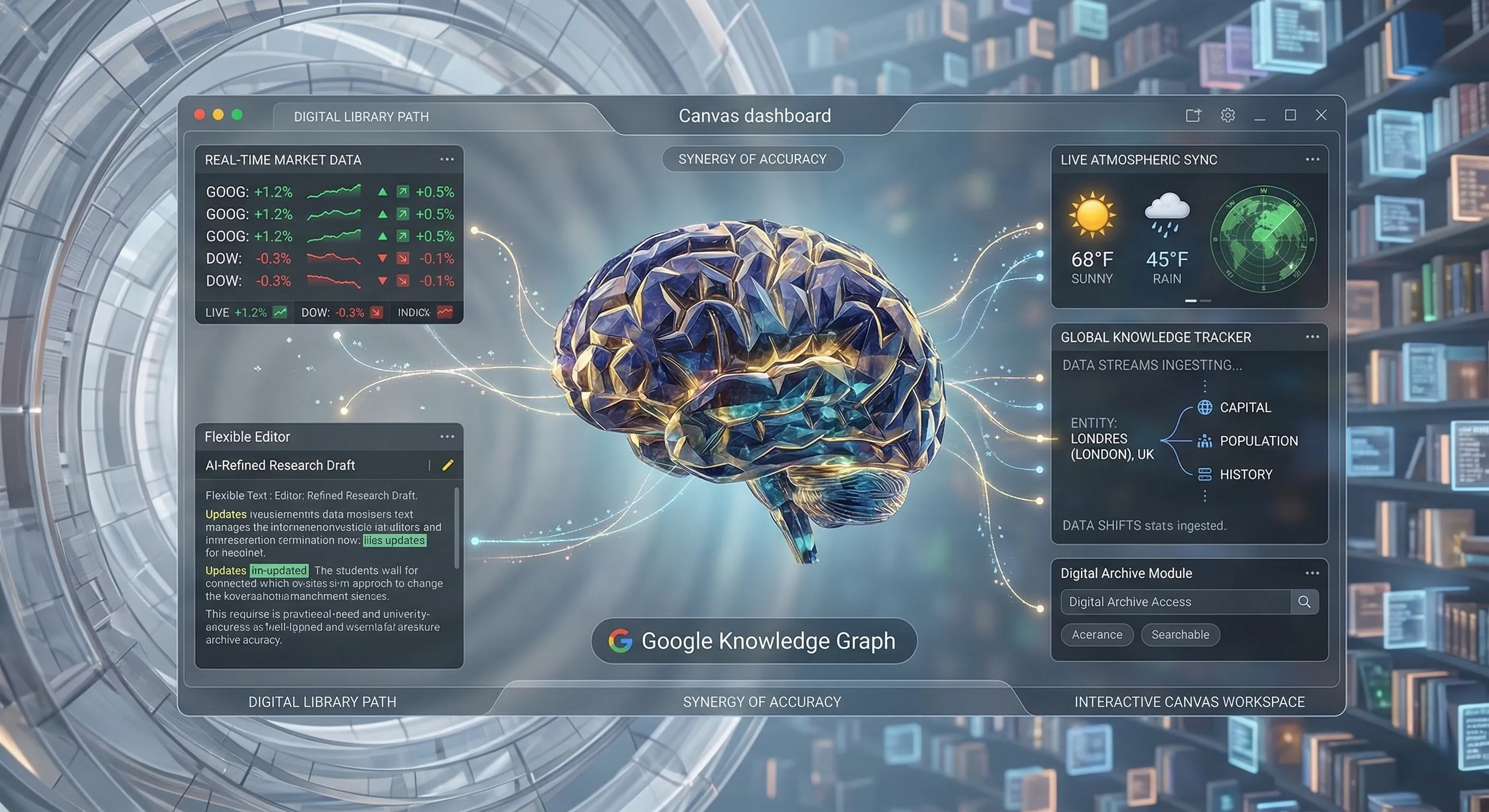
4. Data Synergy: The Power of the Google Knowledge Graph
What sets Canvas in AI Mode apart from traditional tools is its direct umbilical cord to the world's most organized data repository.
By merging the freshest web data with Google’s massive Knowledge Graph, your projects remain grounded in verified facts.
🔹 The "Live Library" Advantage
A project is only as good as the data behind it.
Canvas doesn't just "guess" information; it taps into an extensive, real-time data ecosystem to ensure every widget you build is functional and accurate.
Whether you are tracking live flight prices for a complex itinerary or monitoring global market trends, the system cross-references billions of entities.
This synergy ensures that your plans are continuously informed by the most current global information, even as the world changes.
🔹 Dynamic Insights: Beyond Static Documents
Traditional planning tools are static from the moment you save them.
However, Canvas prototypes are inherently dynamic, meaning they can be steered to retrieve even more specific, real-time insights as your project evolves.
By using conversational follow-ups, you can "ask" your dashboard to refresh specific data points or include newly published requirements for a project.
This process directly contributes to the goal of bringing ideas to life with verified, up-to-the-minute information that traditional AI models might lack.
🔹 Pro-Tip: Mastering the "Live" Query
To get the most out of this data synergy, be highly specific about the timeframes in your initial prompt.
Mentioning keywords like "current," "latest," or "live" guides Canvas to prioritize the freshest sections of the web over historical data.
Regularly testing and refining the data retrieval through the side panel ensures that your custom tool remains a reliable source of truth.
5. Real-World Inspiration: Unlocking the Versatility of Canvas
Canvas in AI Mode empowers you to move beyond simple queries and into the realm of active creation and organization.
By transforming search results into a single, cohesive project, it solves the problem of disjointed research and scattered information.
🔹 Creative Writing and Academic Mastery
For students and researchers, Canvas serves as an interactive learning environment that adapts to your workflow.
Beyond just organizing study materials, it allows you to draft complex essays and structure academic papers with ease.
A standout application is the scholarship tracking dashboard, which visualizes requirements and deadlines to ensure you never miss a critical opportunity.
Creative writers can also leverage the dynamic space to brainstorm narratives, build character trees, and develop intricate plotlines in one distraction-free hub.
🔹 The Developer’s Rapid Prototyping Playground
For those in the tech sector, Canvas drastically reduces development friction by turning ideas into functional models in seconds.
The ability to test and refine prototypes through natural conversation means you can iterate on logic without the need for manual recoding.
It functions as a high-speed sandbox, allowing developers to experiment with custom API integrations or data visualization tools on the fly.
By bridging the gap between a concept and a functional model, Canvas fosters a culture of rapid innovation and precise customization.
🔹 Mastering Complex Logistics and Life Planning
Planning a multi-destination international trip often becomes a nightmare of endless browser tabs and scattered notes.
Canvas transforms this process into a cohesive logistics command center, syncing every detail from flight schedules to budget trackers.
Because it pulls the freshest data from the web, your travel plans remain accurate and up-to-date with current availability.
The true power of this versatility is the ability to build personalized solutions for any complex data-tracking need you might encounter in your daily life.
🔹 Pro-Tip: Embracing Continuous Development
To truly master Canvas, treat your initial creations as evolving starting points rather than finished products.
Always engage with conversational follow-ups to fine-tune the functionality and design of your custom dashboards.
Experiment with describing complex data visualization needs; the synergy between the AI and Google’s Knowledge Graph makes it ideal for dynamic tracking.
Remember, Canvas is a space for continuous growth, where your tools can always be enhanced and adapted to meet your changing needs.
8. 💡 Tech Talk: Making Sense of the Jargon
- Prototype:
- Imagine you want to build a really cool new LEGO robot.
Instead of building the whole thing perfectly right away, you first quickly put together just the important parts—like the body and legs—to see if they move and fit together.
That’s a prototype: a quick, working first version of your AI tool or dashboard that you can test and improve before making it final. - Google’s Knowledge Graph:
- Think of Google’s Knowledge Graph as a giant, super-organized digital encyclopedia that knows almost everything about the world.
It stores billions of facts about famous people, places, and events, and more importantly, it understands how they all relate to each other.
When your AI tool in Canvas needs fresh, accurate information, it’s like asking this super-encyclopedia to pull in the most reliable facts from across the web. - Low-Code / No-Code:
- This describes the magic of building things without needing to be a professional programmer.
No-code means you can create a tool just by describing it in plain English.
Low-code (like the code toggle in Canvas) allows you to peek at the "secret recipe" of your tool and make small, precise tweaks to the ingredients. - Dynamic Side Panel:
- Think of this as your AI Assistant's workbench that sits right next to your main search results.
It’s an interactive space where you can talk to your project, watch it grow, and refine every detail in real-time.
Instead of jumping between different apps, you get to stay in the flow and finish your tasks in one unified view.
📚 Related Posts
Project Genie: The Definitive 2026 Guide to Building AI-Powered Interactive Worlds
Key Takeaways:Project Genie introduces **Generative Interactive Environments (GIEs)**, creating fully playable digital worlds from simple prompts using an AI model trained on extensive video data.The Genie API v1 is currently available as a **Developer Pre
tech.dragon-story.com
Gemini's AI Music Feature: The Ultimate Guide to Lyria 3
🚀 Key TakeawaysGemini's new AI music feature, powered by Lyria 3, allows users to effortlessly create custom 30-second music tracks from text descriptions or even images, generating instrumental audio or tracks with lyrics and unique cover art.Lyria 3,
tech.dragon-story.com
The 2026 Definitive Guide to AI-Powered Genetic Conservation
Key Takeaways:AlphaFold 3 Transforms Conservation: The latest AlphaFold 3 prediction model dramatically accelerates protein structure determination, moving conservation genomics beyond slow, expensive traditional methods.Setting Up Your Workbench: Efficien
tech.dragon-story.com


