🚀 Key Takeaways
- Experience a revolution with next-gen AI features powered by Smarter Galaxy AI and One UI 8.5, promising an efficient and user-friendly intelligent experience.
- Enjoy unparalleled visual fidelity and security with a Built-in Privacy Display featuring True 10-bit panels, capable of showcasing over a billion vibrant colors.
- The enhanced S Pen performs significantly better than its predecessor, offering a powerful tool with seemingly 'magical' new functionalities.
- Benefit from a brightest-in-class camera and an adaptive battery that intelligently manages unused apps, significantly improving battery life.
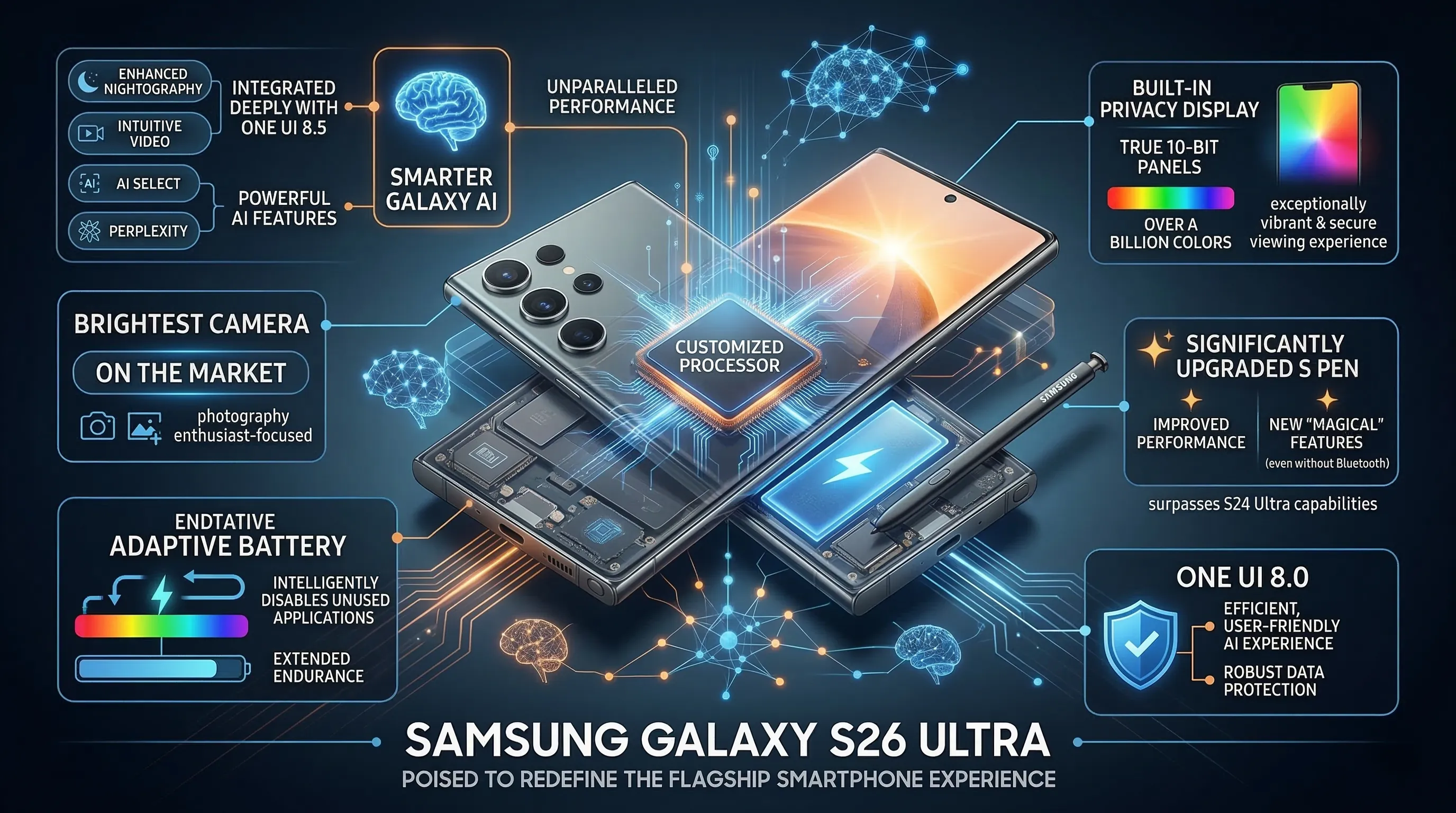
The Samsung Galaxy S26 Ultra is poised to redefine the flagship smartphone experience, heavily leveraging its next-gen AI features and a customized processor to deliver unparalleled performance. Central to its innovation is the Smarter Galaxy AI, integrated deeply with One UI 8.5, promising a suite of powerful, intelligent capabilities from enhanced Nightography to intuitive video and user interactions like AI Select, Perplexity, and Now Nudge.
Beyond its robust AI core, the S26 Ultra boasts a stunning Built-in Privacy Display, a technological marvel with True 10-bit panels capable of rendering over a billion colors for an exceptionally vibrant and secure viewing experience. Photography enthusiasts will appreciate the claim of the brightest camera on the market, while the S Pen sees a significant upgrade, offering substantially improved performance and new 'magical' features that surpass the S24 Ultra's capabilities even without Bluetooth.
While its design largely maintains the familiar aesthetic of last year's model, the S26 Ultra focuses on internal advancements, including an adaptive battery that intelligently disables unused applications to extend endurance. Paired with One UI 8.0 for an efficient, user-friendly AI experience and robust data protection, the S26 Ultra aims to deliver a comprehensive, high-end mobile experience, albeit with some user sentiment noting questionable camera decisions and potential feature loss compared to its predecessor.
1. Igniting the Core: Unlocking the Galaxy S26 Ultra's Foundational Power
🔹 The Silicon Heartbeat
Powering on the S26 Ultra for the first time feels less like a setup and more like an initiation.
Beneath the glass, Samsung's new customized processor is the silent star of the show, laying the groundwork for everything that follows.
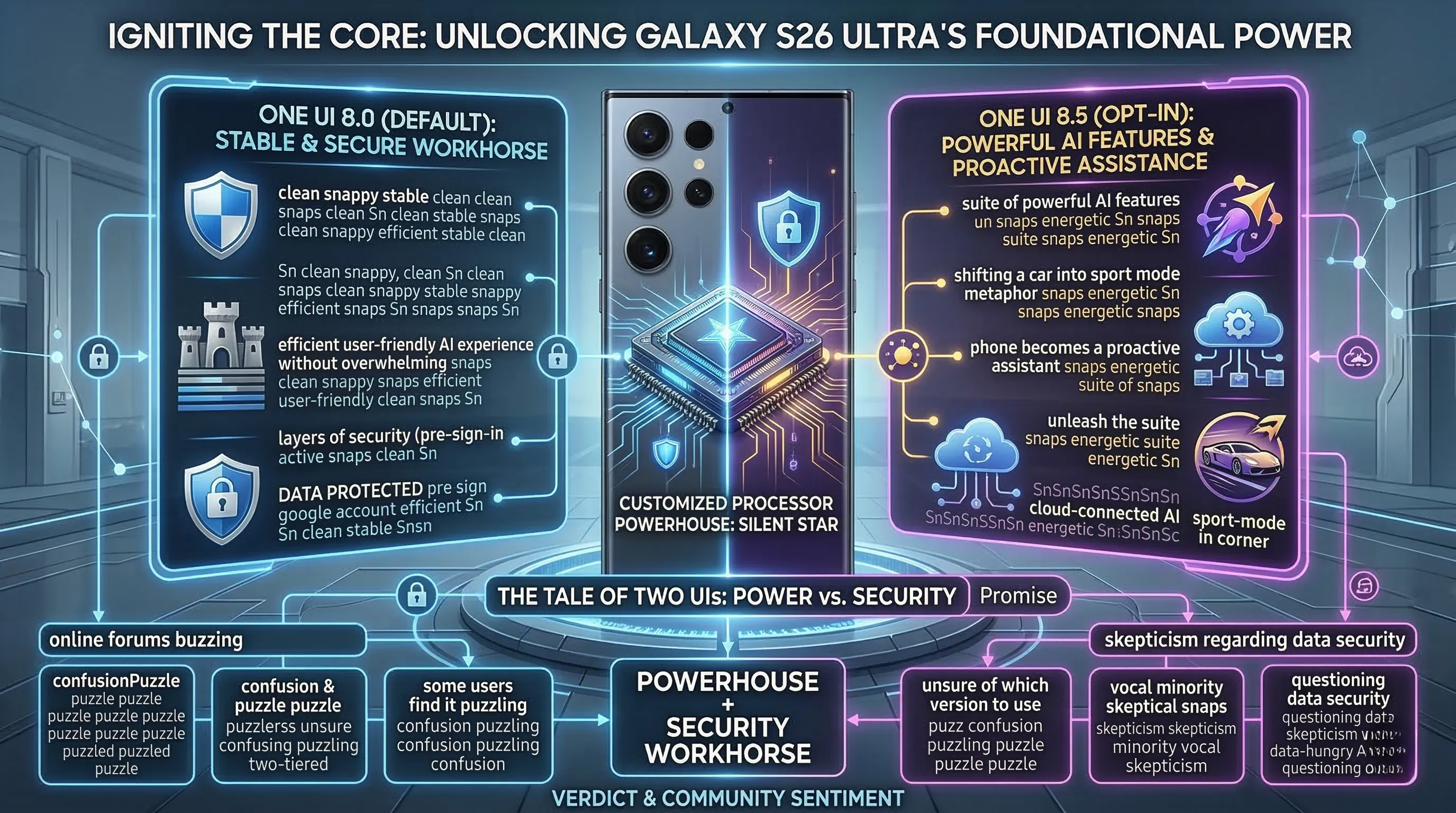
The initial boot sequence is managed by One UI 8.0, a deliberate choice by Samsung to present a stable, efficient, and immediately familiar experience right out of the box.
From the very first prompt, the emphasis is clear: this device is built with a fortress-like mentality, promising to keep your data protected with layers of security that are active before you even sign into your Google account.
It's a foundational promise that the entire user experience is built upon.
🔹 A Tale of Two UIs
Daily driving the S26 Ultra is an interesting dance between two software philosophies.
Out of the box, One UI 8.0 is the workhorse; it’s clean, snappy, and designed to provide an efficient and user-friendly AI experience without overwhelming you.
This is your secure, reliable daily driver, ensuring that core tasks are smooth and your digital life is locked down.
However, the true power of that customized processor is unlocked when you opt-in to the One UI 8.5 experience, which unleashes the suite of powerful AI features.
It feels like shifting a car into sport mode; the phone becomes a proactive assistant, yet even with these advanced cloud-connected features, the core promise of data protection remains, working tirelessly in the background.
🔹 The Verdict & Community Sentiment
Ultimately, the core of the S26 Ultra is a powerhouse wrapped in a promise of security.
The decision to ship with the stable One UI 8.0 and offer the more advanced 8.5 as a secondary layer is a smart move, catering to both casual users and power-hungry enthusiasts.
That bespoke processor hums along, handling every task without a stutter, making the software experience feel incredibly fluid.
However, online forums are buzzing with a recurring theme: confusion.
Some users find the two-tiered One UI approach puzzling, unsure of which version they "should" be using to get the most out of their expensive device.
While the claim that it keeps data protected is a huge selling point, a vocal minority remains skeptical, questioning how secure their data truly is when engaging with the device's most powerful and data-hungry AI tools.
2. A Glimpse into Tomorrow: Navigating the S26 Ultra's Visionary Display & Intuitive UI
🔹 A Private Canvas of a Billion Colors
Samsung is making a bold statement with the S26 Ultra’s screen, and it's not just about brightness.
They’ve engineered a Built-in Privacy Display that feels like a piece of science fiction brought to life.
Forget clumsy screen protectors; this is a hardware-level solution, using a new technology that meticulously controls how individual pixels disperse light, effectively shielding your content from prying eyes on the train or in a cafe.
This groundbreaking privacy feature is layered onto a foundation of sheer visual excellence.
The display boasts True 10-bit panels, a spec that translates to an astonishing capability of displaying over a billion colors.
This isn't just a number; it means gradients are flawlessly smooth, and photos look so true-to-life they almost feel three-dimensional.
🔹 Real-World Performance & Use Cases
A stunning display is only as good as the software that runs on it, and this is where the S26 Ultra truly connects the dots.
The experience begins with One UI 8.0, which provides an efficient and user-friendly foundation, but it’s the evolution to One UI 8.5 that makes this device feel next-gen.
Navigation is buttery smooth, with every swipe and tap feeling responsive and intentional on the vibrant canvas.
One UI 8.5 presents this vibrant world through an incredibly clean dashboard, giving you an at-a-glance overview of your digital life without feeling cluttered.
This intuitive layout means less time is spent digging through menus and more time is spent actually using the powerful features the phone has to offer.
🔹 The Verdict & Community Sentiment
Across forums and early hands-on feedback, the sentiment is overwhelmingly clear: the display looks absolutely excellent.
The marriage of the practical, hardware-based privacy screen with the sheer spectacle of a billion-color panel creates an experience that feels both futuristic and fundamentally useful.
While One UI 8.0 set a solid stage, the refinements in One UI 8.5 are what make the day-to-day interaction a genuine pleasure.
Samsung has delivered a screen that not only dazzles the eyes but also intelligently protects your information, making it one of the most compelling and complete display packages on the market today.

3. Beyond Imagination: Dissecting the S26 Ultra's Groundbreaking AI, Camera & S Pen Innovations
🔹 The Intelligent Core: A Trinity of AI, Light, and Precision
Samsung has woven its next-generation AI into the very fabric of the S26 Ultra, creating a trinity of innovation centered on intelligence, photography, and productivity.
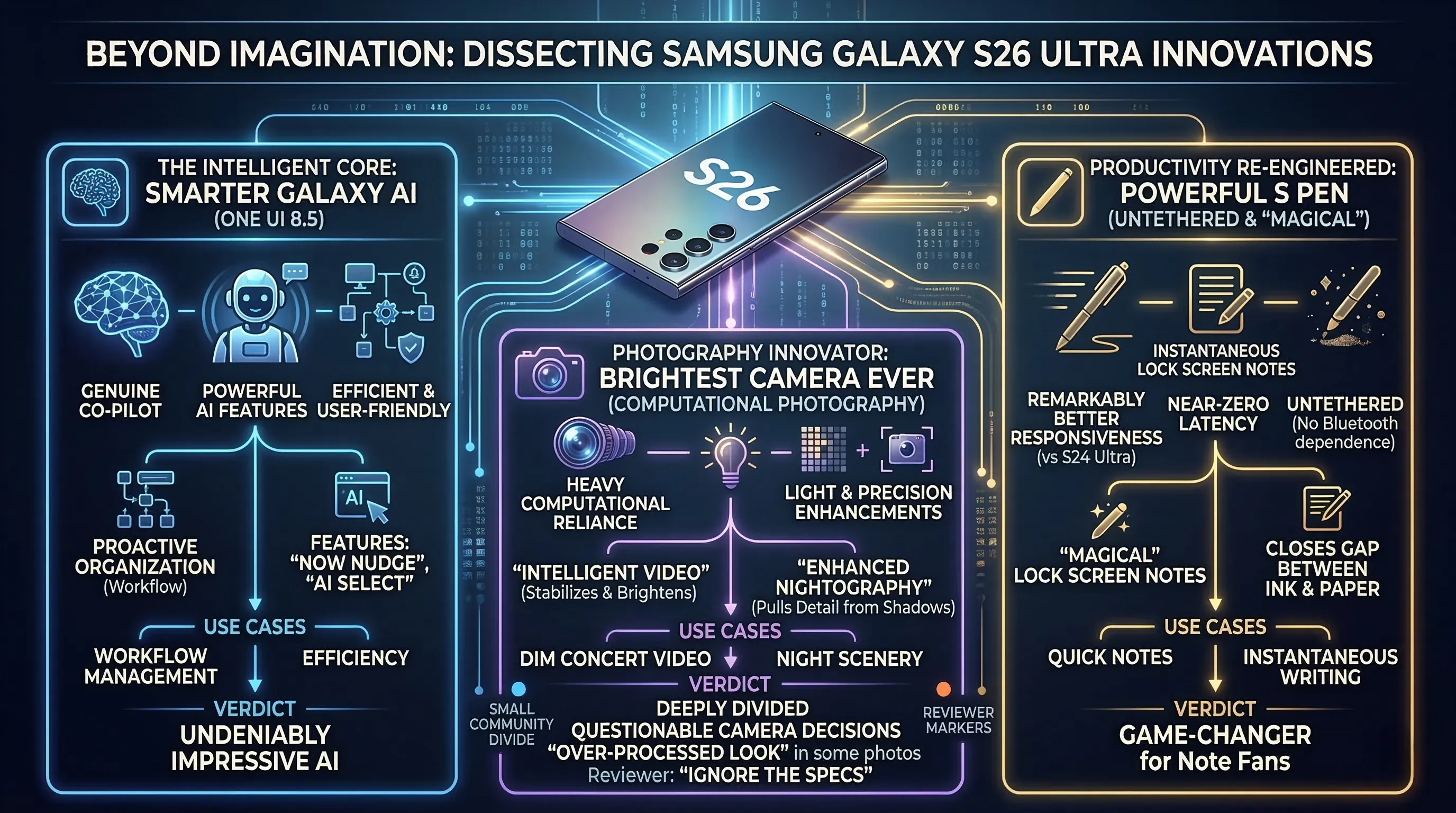
At its heart is the vastly Smarter Galaxy AI, supercharged by the new One UI 8.5, which promises a suite of powerful AI features that feel less like gimmicks and more like a genuine co-pilot for your digital life.
This intelligence directly feeds into what Samsung dubs its brightest camera ever, a system that leans heavily on computational power to deliver its promised enhancements.
And then there’s the S Pen, which has been re-engineered into a truly powerful tool with 'magical' features, now boasting a responsiveness that is remarkably better than the S24 Ultra's, even when operating completely untethered without a Bluetooth connection.
🔹 Real-World Performance & Use Cases
In practice, the S26 Ultra’s intelligent core transforms daily tasks.
Shooting a video of a friend's band in a dimly lit club, the Intelligent video feature kicks in, stabilizing my shaky hands and brightening the scene without turning it into a grainy mess.
Later, scrolling through the footage, the Enhanced Nightography truly flexes, pulling out details in the shadows I couldn’t even see with my own eyes.
The AI isn't just for creatives; features like 'Now Nudge' and 'AI Select' proactively organize your workflow, making the entire One UI 8.0 experience feel uniquely efficient and user-friendly.
Pulling out the S Pen is where the magic becomes tangible; jotting a quick note on the lock screen feels instantaneous, with a near-zero latency that finally closes the gap between digital ink and real paper, a massive leap forward that doesn't rely on a battery-draining connection.
🔹 The Verdict & Community Sentiment
Ultimately, the S26 Ultra's soul lies in this trifecta of intelligent hardware and software.
The next-gen AI features are undeniably impressive, and the fact that the S Pen works much better than the S24 Ultra's S Pen is a game-changer for long-time Note fans.
However, the community is deeply divided.
Forums are buzzing with complaints about what many are calling questionable camera decisions, with some users feeling that the reliance on AI processing comes at the cost of raw optical quality, leading to a strange, over-processed look in some photos.
This has led to a growing sentiment among reviewers and tech enthusiasts to 'IGNORE THE SPECS', arguing that the real story is in the software experience, for better or worse, and that the on-paper promises don't fully capture the controversial reality of using the device.
4. Unleashing the Beast: Pro-Level Tricks for Mastering Your S26 Ultra
🔹 Your AI & Privacy Command Center
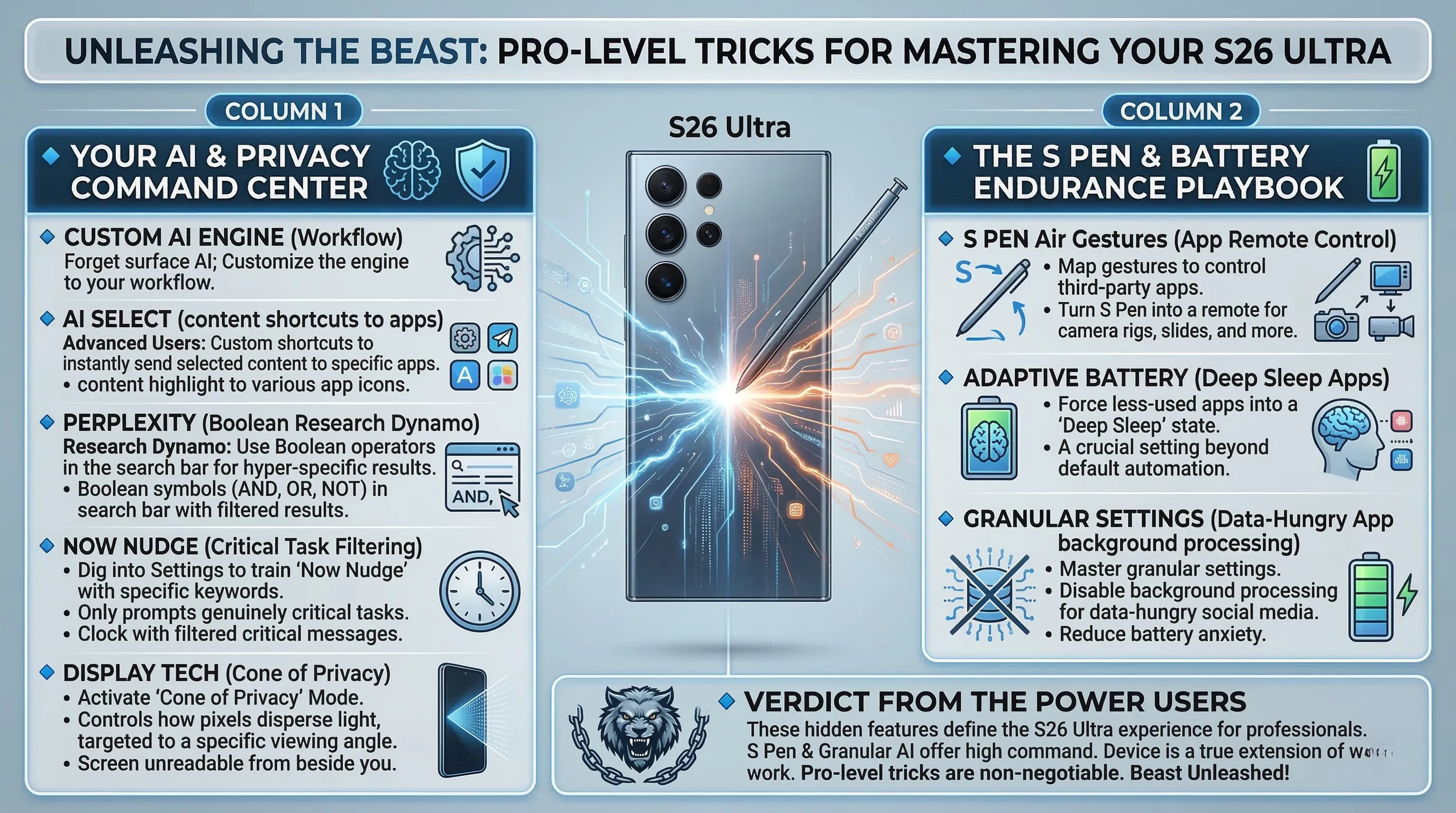
Forget the surface-level AI; the real power lies in customizing the engine to your workflow.
The new AI Select isn't just for copying text; advanced users can create custom shortcuts to instantly send selected content to specific apps, bypassing several taps.
Similarly, Perplexity becomes a research dynamo when you learn to use its boolean operators directly in the search bar for hyper-specific results.
Pro-tip: Dig into settings to train Now Nudge with specific keywords, so it only prompts you for genuinely critical tasks instead of nagging you about minor events.
And that new display technology isn't just for show; you can activate a 'cone of privacy' mode, where the new tech that controls how pixels disperse light is targeted to a specific viewing angle, keeping your screen unreadable to anyone beside you.
🔹 The S Pen & Battery Endurance Playbook
The redesigned S Pen is far more than a simple stylus; it's a powerful tool with 'magical' features for those who look.
Beyond simple note-taking, you can map its air gestures to control third-party apps, turning it into a remote for everything from your camera rig to your presentation slides.
To fuel these marathon sessions, you must master the battery settings.
The Adaptive battery feature works best when you proactively force your less-used apps into a "deep sleep" state, a crucial setting that goes beyond the default automation.
Combining this with other granular settings to improve battery life, like disabling background processing for data-hungry social media, is the key to pushing through a demanding day without battery anxiety.
🔹 Verdict from the Power Users
These less obvious features are what truly define the S26 Ultra experience for professionals.
The S Pen's deeper capabilities and the granular AI controls like AI Select and Perplexity offer a level of command that standard users might never touch.
Online communities are already filled with enthusiasts sharing custom S Pen macros and guides on how to manually train the Adaptive battery feature for maximum longevity.
While casual users might not notice these hidden depths, for anyone looking to make their device a true extension of their work, mastering these pro-level tricks is non-negotiable.
Samsung has built a beast; it's up to you to unleash it.
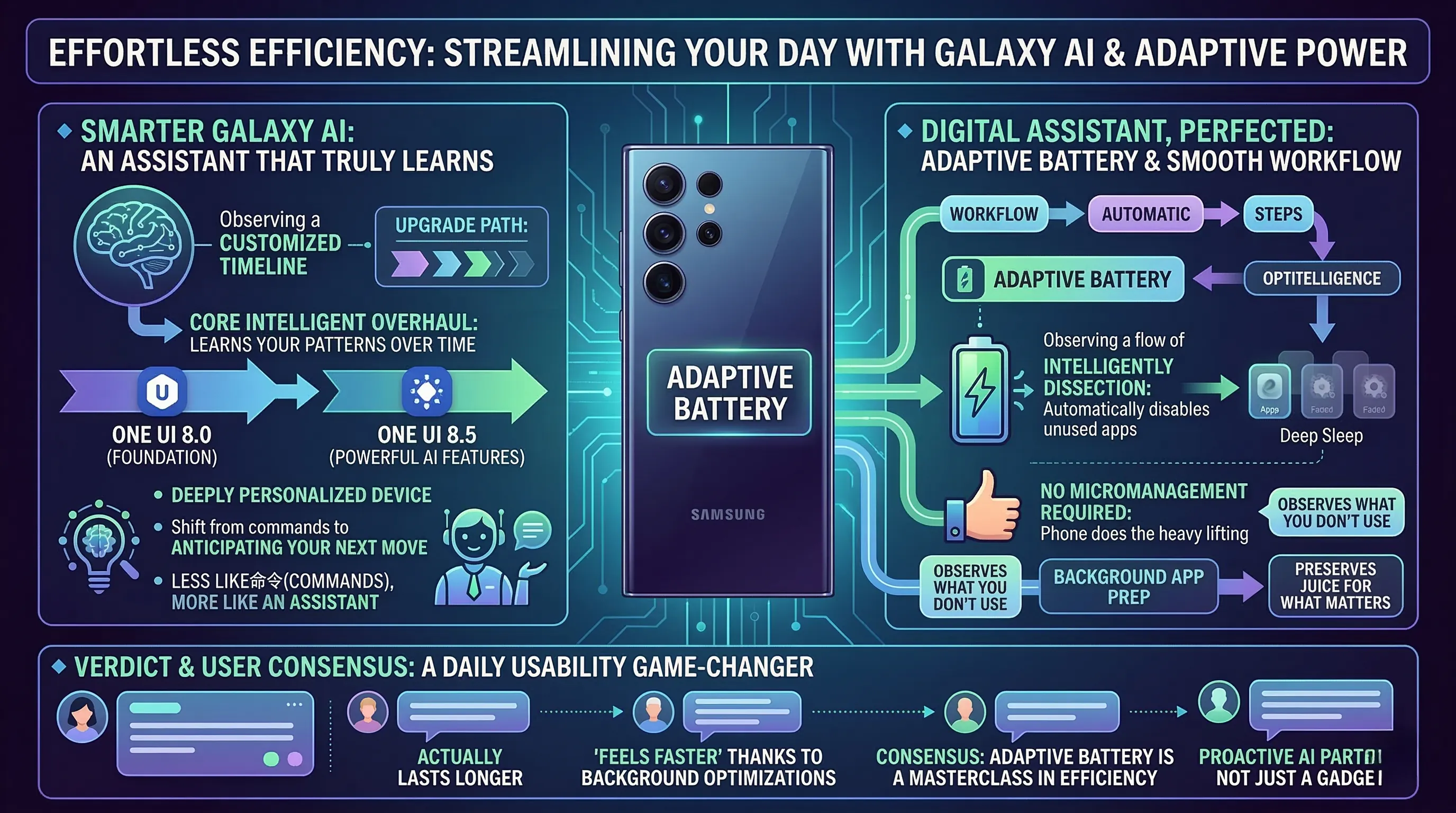
5. Effortless Efficiency: Streamlining Your Day with Galaxy AI & Adaptive Power
🔹 AI That Actually Learns You
Samsung is throwing around the term Smarter Galaxy AI, and for once, it’s not just marketing fluff.
This isn't about isolated features; it’s a complete overhaul of the phone’s core intelligence, starting with the foundation of its efficient and user-friendly AI experience in One UI 8.0.
The system genuinely learns your patterns, and as it upgrades to One UI 8.5, you unlock a suite of truly powerful AI features that feel less like commands and more like an assistant anticipating your next move.
It's a subtle but profound shift that makes the entire device feel cohesive and deeply personalized over time.
🔹 Your Digital Assistant, Perfected
In practice, this intelligent core translates into a remarkably smooth daily workflow.
The phone recognizes your most-used app sequences and preps them in the background, but the real star is the Adaptive battery feature.
Instead of you having to manually hunt down power-hungry apps, the AI simply observes what you don't use and automatically disables unused apps, putting them into a deep sleep to preserve juice.
After a few days of learning my habits, I found my standby battery life was noticeably better without me ever touching a single toggle.
For those who want more control, the enhanced settings to improve battery life offer granular options, but the beauty is that you don't need to micromanage—the phone does the heavy lifting for you.
🔹 The Verdict & Community Sentiment
The consensus is clear: the integration of AI and power management is a game-changer for daily usability.
While some online forums are tired of the "AI" buzzword, actual users are reporting that the phone just *feels* faster and lasts longer, thanks to these background optimizations.
The Adaptive battery feature, in particular, is being hailed as a masterclass in set-it-and-forget-it efficiency.
Ultimately, this combination of a smarter, more proactive AI with intelligent resource management makes the S26 Ultra feel less like a device you operate and more like a partner that works to make your day flow with less friction.
6. Navigating the Shadows: Addressing the S26 Ultra's Controversies & User Concerns
🔹 Familiarity Breeds Contempt?
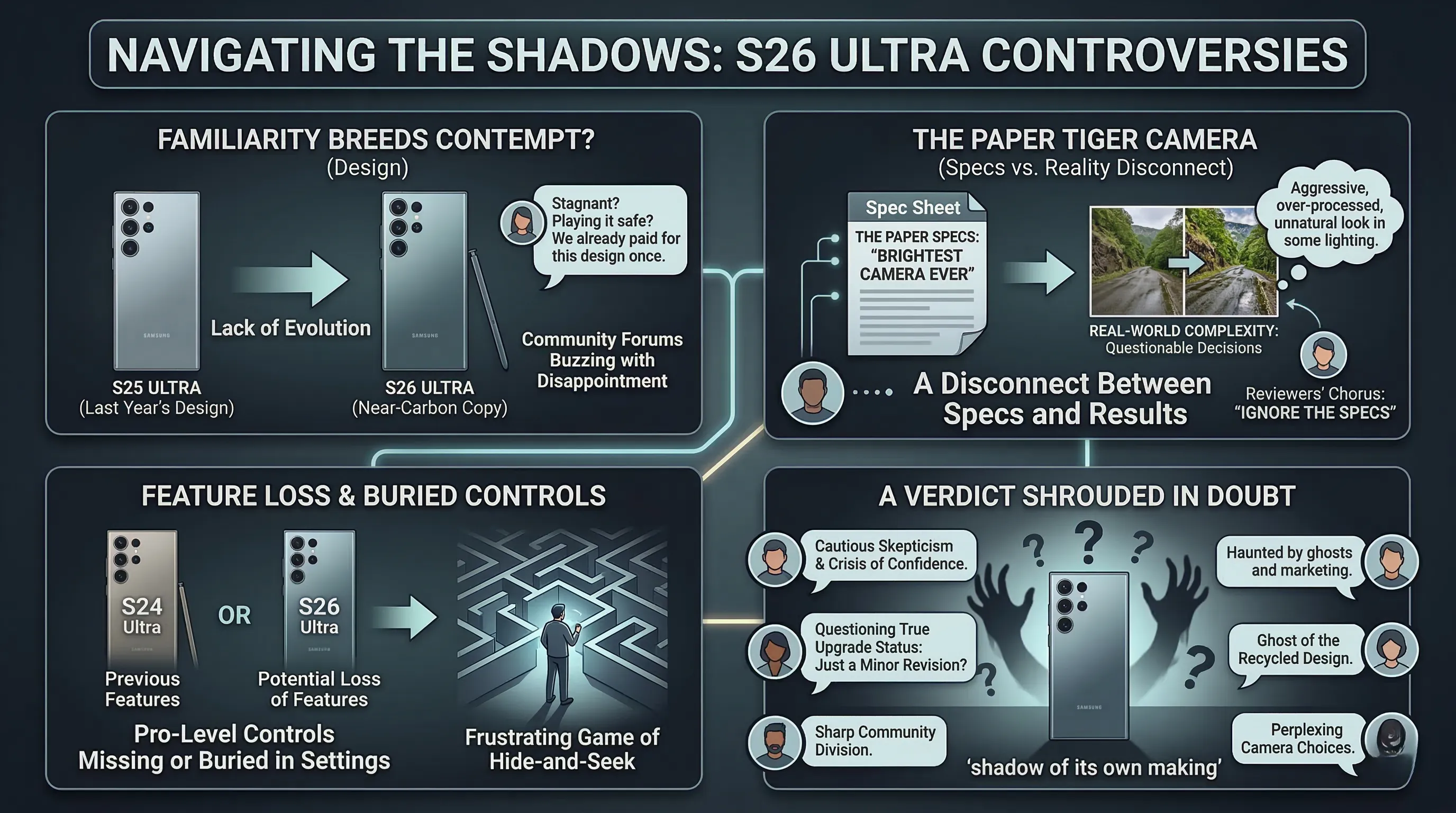
While some may call it classic, many users are calling it stagnant.
The Samsung Galaxy S26 Ultra’s design is, to put it bluntly, a near-carbon copy of last year’s model.
For a premium flagship commanding a top-tier price, this lack of evolution feels like a missed opportunity and has left many long-time fans feeling underwhelmed.
While consistency has its merits, the community forums are buzzing with disappointment, questioning if Samsung is playing it too safe in an industry that thrives on innovation.
It's a solid, well-built phone, but it’s a design we’ve already paid for once before.
🔹 The Paper Tiger Camera
On paper, Samsung touts its "brightest camera" ever, but in the real world, the story is far more complex.
Users are flooding forums with complaints about what they're calling questionable camera decisions, particularly with software processing that can feel overly aggressive or unnatural in certain lighting.
This disconnect is fueling a growing chorus of reviewers who are advising potential buyers to 'IGNORE THE SPECS', a damning piece of advice for any flagship.
Worse still are the whispers of a potential loss of features compared to the S24 Ultra, with some pro-level controls and specific shooting modes reportedly missing or buried.
This has forced many users into a frustrating game of hide-and-seek within the settings menu just to replicate functionality that was once front-and-center.
🔹 A Verdict Shrouded in Doubt
Ultimately, the S26 Ultra is a device haunted by the ghosts of its predecessor and the specter of its own marketing.
The sentiment online is one of cautious skepticism, with many potential buyers holding off, spooked by the recycled design and the perplexing camera software choices.
When the prevailing wisdom from experts is to distrust the spec sheet, it creates a crisis of confidence.
Is this phone a true upgrade, or is it a minor revision that asks for a major investment while potentially taking a few steps back?
The community remains sharply divided, and for now, the S26 Ultra sits in a shadow of its own making.

7. 💡 Tech Talk: Making Sense of the Jargon
- Galaxy AI: Think of this as your phone having a super-smart assistant built right into its core, not just an app. It helps with complex tasks like editing photos and videos, understanding your commands, and even predicting what you need, making the phone feel incredibly intuitive and personalized.
- Built-in Privacy Display: Imagine your phone screen having a secret shield that only allows you, the person directly in front, to see what's on it. This technology uses a special pixel arrangement to control how light disperses, making it much harder for someone peeking from the side to view your screen.
- True 10-bit Panels: This refers to the display's ability to show an incredible range of colors. While a typical screen might show millions of colors (8-bit), a 10-bit panel can display over a billion distinct shades. It's like upgrading from a basic box of crayons to a professional artist's palette, offering smoother gradients and richer, more lifelike images.
- Adaptive Battery: This feature is like having a very clever energy manager inside your phone. Instead of just letting apps drain power in the background, the adaptive battery learns your usage patterns and automatically identifies and "puts to sleep" apps you rarely use, saving significant battery life throughout the day.
📚 Related Posts
Faster, Smarter, Better: Is the Fire TV Stick 4K Max (2nd Gen) Worth It?
🚀 Key TakeawaysExperience lightning-fast performance and incredibly fluid navigation thanks to its powerful quad-core processor and advanced GPU, making app launches and content streaming seamless.Dive into a world of visual and auditory brilliance with
tech.dragon-story.com
Samsung T9 Portable SSD vs SanDisk Extreme Portable SSD – Speed Test & Comparison
🚀 Key TakeawaysUnrivaled Speed: The Samsung T9 and Crucial X10 Pro lead with read/write speeds up to 2,000MB/s and 2,100MB/s respectively, making them ideal for high-bandwidth tasks like 4K/8K video editing and large file transfers.Rugged Durability for
tech.dragon-story.com
Finding Your Perfect Match: Which Mechanical Keyboard is Best for Your Workflow?
🚀 Key TakeawaysThe market for developers offers highly customizable options like the Keychron K2 V2 and Ducky One 3, alongside ergonomic and premium choices such as the Logitech MX Mechanical Mini and HHKB Professional HYBRID Type-S.Key features enhanci
tech.dragon-story.com


