Key Takeaways: Manus v2.5 'Prometheus' vs. Operator v4.0
- Manus (v2.5 'Prometheus') offers deep customization and control, ideal for teams comfortable with infrastructure management and novel AI research.
It’s a developer-first, open-core framework. - Operator (v4.0) provides a managed, enterprise-grade platform for scalable, asynchronous workflows, reducing operational overhead.
It’s a PaaS solution focusing on convenience and reliability. - Initial setup for Manus focuses on a Python environment, while Operator centers on its cloud platform and client library.
- Manus uses an imperative, code-first approach for task execution, whereas Operator uses a declarative, API-driven model for asynchronous execution.
- For high-throughput, asynchronous backend workloads, Operator's auto-scaling architecture excels, despite slightly higher initial latency.
Manus offers lower latency for single-tenancy tasks but requires manual scaling.
Welcome to the definitive guide on selecting the right AI agent to power, automate, and scale your backend operations in 2026.
The choice is no longer if you should use an AI agent, but which one.
Today, we're diving into the two leading contenders: the highly customizable, open-core Manus, and the enterprise-grade, managed Operator.

1. The Backend AI Agent Dilemma: Manus vs. Operator
Choosing a backend AI agent is a foundational architectural decision.
This agent will become the central nervous system for automating complex workflows, from data processing and API orchestration to incident response and infrastructure management.
Making the wrong choice can lead to scalability bottlenecks, high maintenance overhead, and security vulnerabilities.
Manus (v2.5 'Prometheus') enters the scene as a champion for developers.
It's an open-core framework designed for maximum flexibility and deep integration.
Think of it as a powerful toolkit for building bespoke AI agents that are perfectly tailored to your specific backend logic and infrastructure.
Its promise is ultimate control and customizability.
You can learn more about its capabilities on the Manus Documentation.
Operator (v4.0) represents the managed, platform-as-a-service (PaaS) approach.
It offers a highly reliable, scalable, and secure environment where you configure and deploy agents with less operational overhead.
Its promise is speed-to-market and enterprise-grade stability, abstracting away the complexities of scaling and maintenance.
Visit the Operator Website for more details.
This guide will walk you through every critical aspect, from initial setup to advanced scaling, to help you make the right decision for your project.
2. Getting Started: Prerequisites & Initial Setup
Let's get both agents up and running.
The initial setup highlights their core philosophical differences.

Manus: The Developer's Sandbox
Manus assumes you're comfortable in a standard Python environment.
Prerequisites:
- Python 3.12+
pipandvirtualenv- An API key from a supported LLM provider (e.g., OpenAI, Anthropic).
Step-by-step Setup:
- Create and activate a virtual environment:
python -m venv manus_env source manus_env/bin/activate - Install the Manus SDK:
pip install manus-sdk==2.5.1 - Configure Environment Variables:
Manus loads configuration from environment variables.
Set your LLM provider key.
export OPENAI_API_KEY='sk-your-key-here' export MANUS_AGENT_NAME='my-backend-agent' - Initialize a Project (Optional):
For complex projects, Manus provides a CLI.
manus init my_data_processor
This creates a standard project structure with folders for custom tools, logs, and configurations.
Operator: The Managed Platform
Operator's setup is centered around its cloud platform and client library.
Prerequisites:
- Python 3.10+
- An active Operator Platform account and a generated Secret Key.
Step-by-step Setup:
- Create and activate a virtual environment:
python -m venv operator_env source operator_env/bin/activate - Install the Operator Client:
pip install operator-client==4.0.2 - Configure Environment Variables:
Set your Operator credentials.
export OPERATOR_SECRET_KEY='op_sec_your-secret-key-here' export OPERATOR_ENDPOINT='https://api.operator.com/v4' - Log in via CLI to verify:
The client includes a CLI for managing tasks and configurations on the platform.
operator login
# Expected Output: Successfully authenticated for workspace 'your-workspace'.
3. First Task Execution: A Comparative 'Hello World'
A simple task, like fetching and summarizing a web page, reveals the different interaction patterns.
Manus 'Hello World'
Manus uses an imperative, code-first approach.
You instantiate an agent, give it tools, and run a task directly.
# run_manus_task.py
import manus

# Manus automatically discovers built-in tools like 'fetch_web_page'
# if the `manus-tools-web` package is installed.
pip install manus-tools-web

# 1. Instantiate the agent
agent = manus.Agent(name="web_summarizer")

# 2. Define and execute the task in natural language
prompt = "Fetch the content from 'https://example.com' and summarize its main points."
result = agent.run(prompt)

# 3. Print the final result
print(result.output)
Execution: python run_manus_task.py
Operator 'Hello World'
Operator uses a declarative, API-driven approach.
You define a task and submit it to the platform for asynchronous execution.
# run_operator_task.py
import operator_client
import time

# 1. Initialize the client
client = operator_client.init()

# 2. Create and submit the task to the Operator cloud
# The platform has pre-configured tools like 'web.fetch_and_summarize'.
task_submission = client.tasks.create(
    name="web_summarizer_task",
    agent_id="op_agent_abc123", # ID of a pre-configured agent in the UI
    instructions="Fetch and summarize https://example.com",
    is_async=True
)

print(f"Task submitted with ID: {task_submission.id}")

# 3. Poll for the result (in a real app, you'd use webhooks)
while True:
    status = client.tasks.get(task_submission.id)
    if status.state == 'COMPLETED':
        print(status.result['summary'])
        break
    elif status.state == 'FAILED':
        print(f"Task failed: {status.error}")
        break
    time.sleep(2)
Execution: python run_operator_task.py
4. Deep Dive: Core Architectures
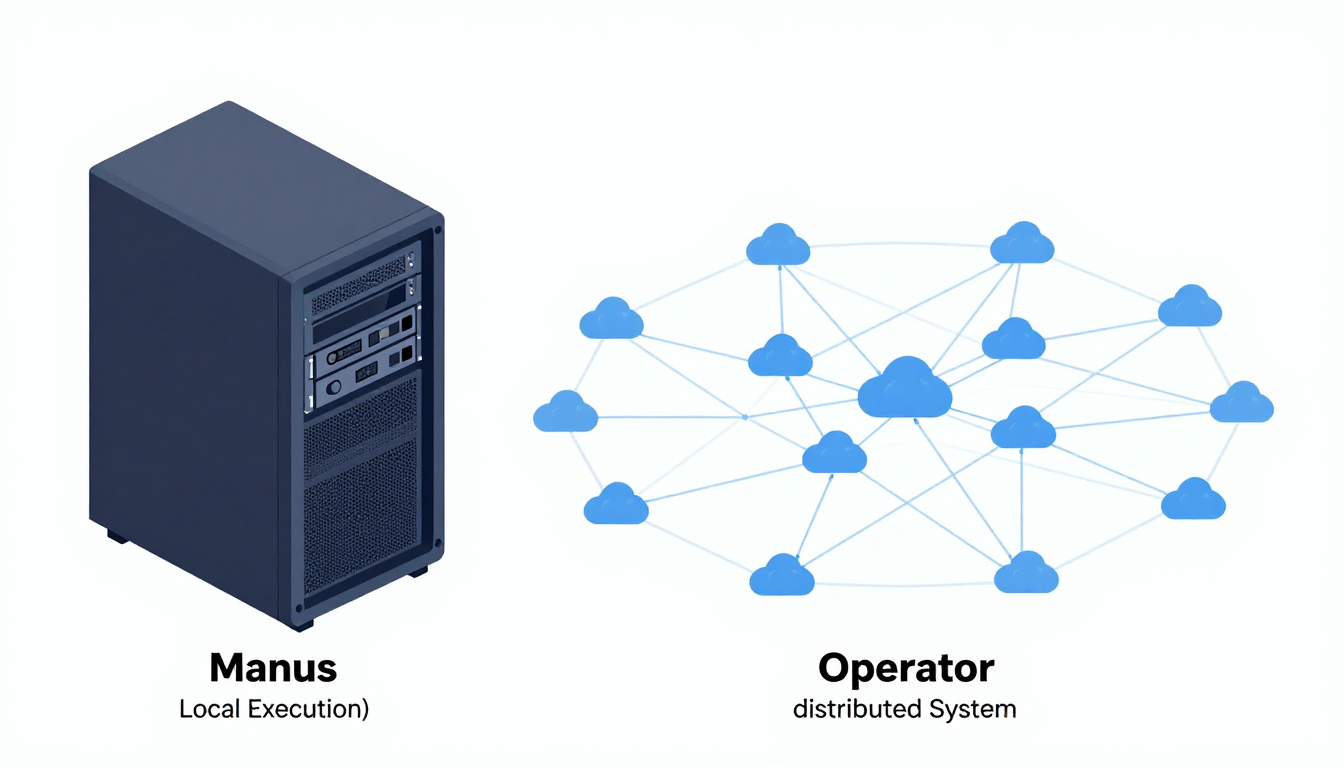
Here’s a breakdown of the core architectural components for each agent.
| Component | Manus (v2.5 'Prometheus') | Operator (v4.0) |
|---|---|---|
| Core Engine | Local, in-process execution loop. Highly stateful. |
Distributed, stateless task execution engine. |
| Planner | Pluggable planning module (e.g., ReAct, Chain-of-Thought). | Managed, proprietary orchestration and planning engine. |
| Tool Integration | Via Python decorators (@manus.tool).Discovered at runtime. |
Via REST API, pre-built connectors, or uploaded code bundles. |
| Memory | In-memory, file-based, or pluggable (Redis, Vector DB). | Managed short-term (context) and long-term (vector) memory. |
| State Management | Developer-managed. State is held within the Agent object. |
Platform-managed. State is persisted automatically. |
| Workflow | Defined imperatively in code by chaining agent.run() calls. |
Defined declaratively via YAML/UI as a 'Workflow'. |
Manus Architecture:
Manus is designed like a classic software library.
Its modularity is its greatest strength.
You can swap out the planner, memory provider, or even the core execution loop.
This makes it ideal for researchers and teams needing to control every aspect of the agent's behavior.
The trade-off is that you are responsible for scaling and persistence.
More technical details can be found on the Manus GitHub repository.
Operator Architecture:
Operator is built as a cloud-native distributed system.
When you submit a task, it's ingested by a load balancer, placed in a queue, and picked up by a fleet of workers.
This architecture provides immense scalability and resilience out-of-the-box but offers less introspection and control over the agent's moment-to-moment decision-making process.
5. Real-world Use Case: Automating Data Processing
Let's consider a practical scenario: creating a workflow that fetches a daily sales CSV from an S3 bucket, validates its schema, and inserts valid rows into a PostgreSQL database.

Manus Implementation
With Manus, you'd define each step as a custom tool.
# tools/data_tools.py
import manus
import pandas as pd
import boto3
from sqlalchemy import create_engine

@manus.tool
def download_csv_from_s3(bucket: str, key: str) -> str:
    """Downloads a CSV from S3 and returns its local path."""
    # ... boto3 implementation ...
    local_path = f"/tmp/{key.split('/')[-1]}"
    s3.download_file(bucket, key, local_path)
    return local_path

@manus.tool
def validate_and_load_to_postgres(file_path: str, table_name: str) -> dict:
    """Validates a sales CSV and loads it into Postgres."""
    # ... pandas and sqlalchemy implementation ...
    # Returns a dict with {'inserted_rows': count, 'errors': [...]}
    return result

# main.py
agent = manus.Agent(name="data_pipeline")
agent.add_tools([download_csv_from_s3, validate_and_load_to_postgres])

prompt = f"""
Automate the data pipeline for today's sales data:
1. Download 'sales_2026_01_15.csv' from the 'my-sales-bucket' S3 bucket.
2. Validate and load the data from that file into the 'daily_sales' postgres table.
"""
result = agent.run(prompt)
print(result.output)
Operator Implementation
With Operator, you'd define a workflow in a YAML file that references pre-built connectors and a small, serverless custom function for validation logic.
1. UI/API Setup:
- Connect your AWS S3 bucket via the Operator UI.
- Connect your PostgreSQL database via the Operator UI.
- Upload a Python script for custom validation logic as
validate_sales_data.
2. Workflow Definition (workflow.yaml):
name: DailySalesPipeline
trigger:
  type: schedule
  cron: "0 1 * * *" # Run daily at 1 AM

steps:
  - id: fetch_s3_data
    connector: operator/s3@v1
    action: download_file
    with:
      bucket: "my-sales-bucket"
      key: "sales_{{ time.today_iso }}.csv"

  - id: validate_data
    function: user/validate_sales_data@v1
    input: "{{ steps.fetch_s3_data.output.file_content }}"

  - id: load_to_db
    connector: operator/postgres@v2
    action: bulk_insert
    with:
      table: "daily_sales"
      data: "{{ steps.validate_data.output.valid_rows }}"
      on_conflict: "do_nothing"
Deployment: operator workflow deploy workflow.yaml
6. Advanced Configuration: Customizing Tools
Both platforms allow you to extend their capabilities with custom tools, but their approaches differ significantly.

Manus: The Python Decorator
Extending Manus is as simple as writing a Python function and adding a decorator.
It automatically parses the function signature, types, and docstring to make the tool available to the agent.
# tools/internal_api_tool.py
import manus
import requests

@manus.tool
def get_user_profile(user_id: int) -> dict:
    """Fetches a user's profile from the internal company API.

    Args:
        user_id: The integer ID of the user.

    Returns:
        A dictionary containing the user's profile information.
    """
    response = requests.get(f"https://api.internal/users/{user_id}")
    response.raise_for_status()
    return response.json()

# In your main script:
agent.add_tools([get_user_profile])
agent.run(f"Get the profile for user 42 and tell me their email address.")
Operator: The API Endpoint or Git Repository
Operator extends its capabilities by treating custom tools as external, addressable services.
You can register two main types of custom tools:
- An External API:
Provide an OpenAPI specification for any REST API, and Operator will learn how to call it. - A Serverless Function:
Upload a zip file with your code (e.g., Python, Node.js) and ahandlerfunction.
Operator manages its deployment and execution.
UI Path for Serverless Function: Operator Console > Functions > Create Function > Upload Code > main.py
# main.py (to be uploaded to Operator)
def handler(event: dict) -> dict:
    """Operator calls this function with task parameters."""
    user_id = event.get('user_id')
    if not user_id:
        return {'error': 'user_id is required'}

    response = requests.get(f"https://api.internal/users/{user_id}")
    response.raise_for_status()
    return response.json()
7. Performance & Scaling: Benchmarking Backend Workloads
Understanding how each agent performs under load is crucial for backend operations.
Here's a quick benchmark comparison.

| Metric | Manus | Operator |
|---|---|---|
| Simple Task Latency | Low (~200ms + LLM latency) | Medium (~800ms + LLM latency) |
| Cold Start | N/A (in-process) | High (~2-5 seconds for first task in a workflow) |
| Throughput (Concurrent Tasks) |
Limited by local server resources. | High (auto-scales to thousands of tasks/sec) |
| Resource Consumption | High per-process memory usage. | Pay-per-use, efficient resource sharing. |
| Scaling Strategy | Manual: Requires Kubernetes, Docker, etc. | Automatic: Managed by the Operator platform. |
Analysis:
- Manus excels in low-latency, single-tenancy scenarios.
If you need immediate execution for a specific task and manage your own infrastructure, Manus is faster and more direct. - Operator is built for high-throughput, asynchronous workloads.
The initial latency is higher due to its distributed nature, but it can handle massive volumes of concurrent tasks without any manual scaling intervention.
Check the Operator pricing page for details on resource consumption.
8. Troubleshooting & Debugging
Encountering issues is part of development.
Knowing how to debug each platform can save significant time.

Common Manus Errors
ToolNotFoundException:
The agent's planner decided to use a tool that wasn't registered.
Solution: Ensureagent.add_tools()was called or that your tool's file is discoverable.LLMResponseParsingError:
The LLM output was not in the expected format (e.g., malformed JSON for a tool call).
Solution: Improve the prompt with more explicit formatting instructions or try a different LLM model.- Memory/State Issues:
Since you manage state, debugging often involves inspecting the agent's memory object (agent.memory.get_history()).
Common Operator Errors
429 APILimitExceeded:
You've exceeded the task submission rate for your pricing tier.
Solution: Upgrade your plan or implement client-side rate limiting with backoff.PermissionDeniedError:
The secret key or the configured agent does not have permission to access a specific connector or function.
Solution: Check IAM roles and permissions in the Operator Console.- Debugging:
Operator provides a detailed logging and tracing UI.
You can view every step of a task, including tool inputs/outputs and planner reasoning, in the task's detail view in the web console.
More information is available in the Operator Documentation.
9. Decision Framework: Choosing Your Agent
Making the right choice depends on your specific needs, team, and project goals.
Here's a framework to help.
| Factor | Choose Manus if... | Choose Operator if... |
|---|---|---|
| Team Expertise | You have a strong DevOps/Python team comfortable with managing infrastructure. | You want to empower backend developers without adding DevOps overhead. |
| Use Case | You need fine-grained control, custom agent logic, or are doing novel AI research. | You are building scalable, asynchronous workflows (e.g., data pipelines, notifications). |
| Time to Market | Slower initial setup, but faster iteration on custom logic. | Faster to deploy standard workflows using pre-built connectors. |
| Scalability | You need to build and manage your own scaling solution (e.g., Kubernetes). | You need out-of-the-box, hands-off scaling for high-volume tasks. |
| Cost Model | Self-hosted (compute costs) + LLM token costs. Predictable if self-hosted. |
Tiered SaaS pricing (per task, per active agent) + LLM token costs. Predictable PaaS. |
| Ecosystem & Tools |
You rely on a vibrant open-source community and want to write most tools yourself. | You prefer a curated set of enterprise-grade, secure connectors and a managed platform. |
| Control vs. Convenience |
You prioritize maximum control over the entire agent lifecycle. | You prioritize maximum convenience and reliability over granular control. |
Final Recommendation:
- For Startups and R&D Teams:
Manus is often the better choice.
Its flexibility allows for rapid prototyping of novel agent behaviors, and the cost can be lower if you already have infrastructure.
The control it offers is essential when your competitive advantage is the agent's unique logic. - For Enterprises and Scale-ups:
Operator is the safer, more scalable bet.
Its managed nature reduces operational risk, ensures compliance and security, and allows teams to focus on business logic rather than infrastructure.
Its asynchronous, workflow-based model is a natural fit for most enterprise backend automation tasks.


