🚀 Key Takeaways
- Anthropic's new 'Agent View' for Claude Code significantly boosts developer productivity by centralizing the management of multiple AI agent tasks and conversations on a single, intuitive screen, enabling developers to orchestrate complex projects with ease and intervene only when crucial judgment is required.
Anthropic has unveiled "Agent View" for its Claude Code product, a powerful new feature designed to revolutionize how developers interact with multiple AI agents.
Released on May 11 as a Research Preview, this innovation is currently available to users on Pro, Max, and Team plans, marking a significant step towards more efficient AI-assisted development workflows.
The primary goal of Agent View is to dramatically enhance developer productivity by eliminating the cumbersome need to manage numerous terminal windows or tmux sessions.
It provides a unified terminal dashboard that centralizes the management of multiple AI agent tasks and conversations on a single screen.
This allows developers to run new agents in the background and intervene only when the AI requires judgment, effectively positioning them as orchestra conductors directing their AI assistants.
With Agent View, developers gain the ability to oversee various AI subagents, monitor task progress through status indicators (working, completed, waiting for input), and quickly preview results without diving into full sessions.
Each row on the dashboard represents a complete Claude Code conversation, offering streamlined navigation and direct response capabilities within the same screen, ensuring workflow continuity.
This feature is accessed simply by running the `claude agents` command in the terminal or using arrow keys on the session screen, promising a substantial quality-of-life upgrade for complex parallel development tasks.

1. Anthropic Unveils 'Agent View' for Claude Code: An Overview
This section serves as the foundational introduction to our main topic, "Anthropic Unveils 'Agent View' for Claude Code."
Here, we will dissect the fundamental details of this new feature, establishing precisely what it is, who is behind it, its current development status, and the specific steps required to access it.
Understanding these core facts is essential before we can explore its deeper capabilities and impact on the developer workflow.
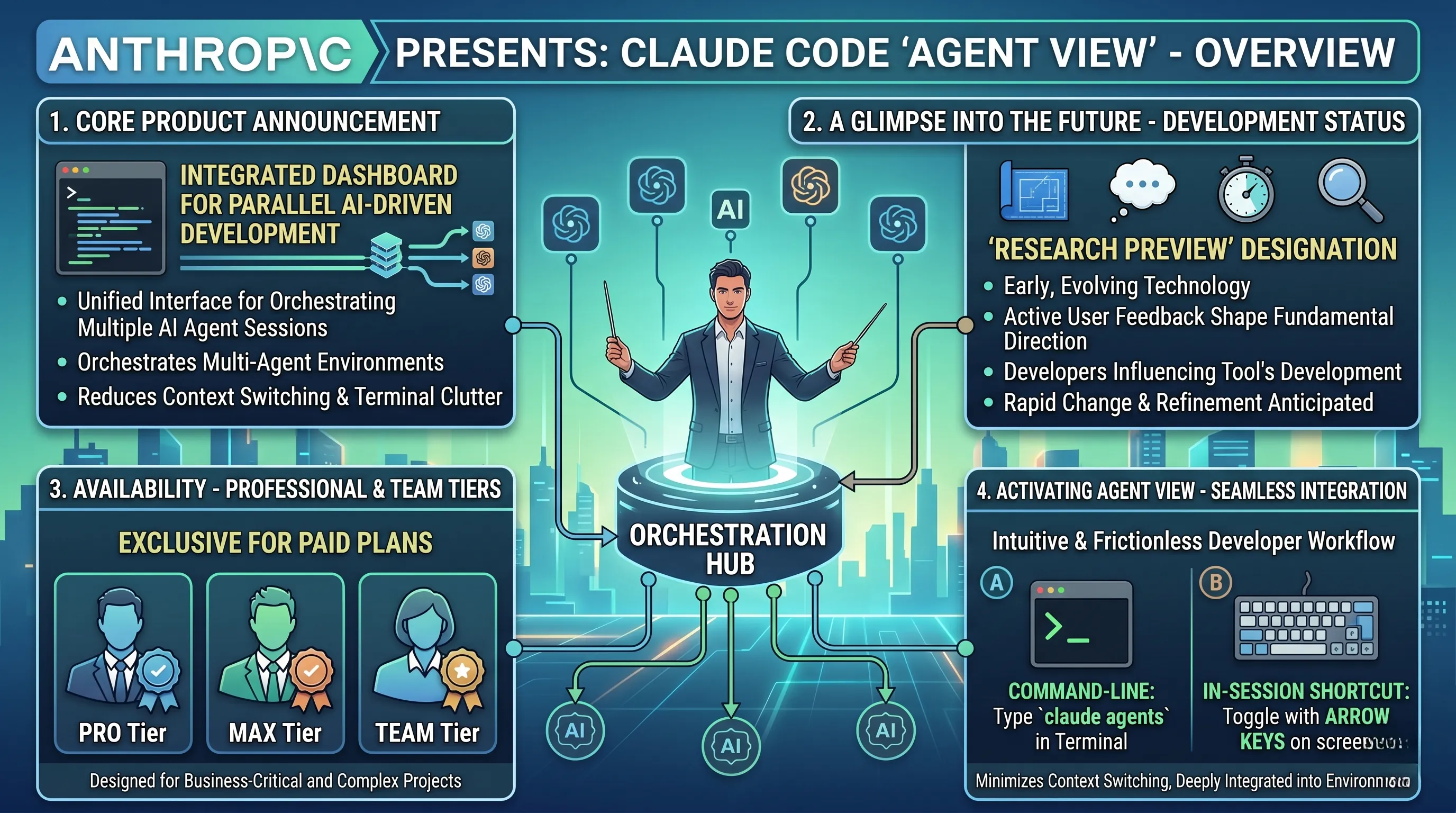
The Core Product Announcement
On May 11, AI safety and research company Anthropic introduced a significant enhancement to its developer-focused AI tool, Claude Code.
This new feature, officially named Agent View, represents a major step forward in managing complex, parallel AI-driven development tasks.
It is not a standalone product but an integrated dashboard designed to orchestrate multiple AI agent sessions from a single, unified interface.
A Glimpse into the Future: The 'Research Preview' Status
It is critical to note that Anthropic has released Agent View under the classification of a 'Research Preview'.
This specific designation is more than just a label; it frames the feature as an early, evolving technology.
Unlike a standard beta, a 'Research Preview' suggests that Anthropic is not only testing for bugs but is actively gathering user feedback to shape the tool's fundamental direction and capabilities.
For developers, this means they are getting a first-hand look at a cutting-edge concept and have the opportunity to influence its development, but they should also anticipate a feature set that is subject to rapid change and refinement.
Availability: A Tool for Professionals and Teams
Access to Agent View is not universal across all Claude tiers.
Anthropic has strategically made it available exclusively for users on its paid plans: Pro, Max, and Team.
This decision clearly positions Agent View as a premium, professional-grade utility.
By limiting its availability to subscribers, Anthropic signals that the feature is designed for serious developers and organizations who rely on Claude for business-critical and complex projects, justifying the investment in a paid plan through a significant boost in productivity.
Activating Agent View: Seamless Integration into the Developer Workflow
Anthropic has ensured that accessing this powerful dashboard is both intuitive and deeply integrated into the existing developer environment.
There are two primary methods to launch Agent View:
- The Command-Line Method: For developers working within a terminal, the most direct way to access the feature is by running the command `claude agents`. This command-line interface (CLI) approach is a clear nod to the core audience, providing a familiar and efficient entry point without ever leaving the keyboard-centric environment.
- The In-Session Shortcut: For those already engaged in a Claude Code session, Anthropic has provided an even more frictionless method. Users can simply use the arrow keys on the session screen to toggle Agent View. This thoughtful design choice means a developer can instantly zoom out from a single task to a high-level overview of all running agents without interrupting their flow or needing to type a new command.
Both methods underscore a design philosophy centered on minimizing context switching and keeping the developer firmly in control of their multi-agent environment.
2. Revolutionizing Workflow: Key Features of Claude Code's Agent View
Anthropic's announcement of "Agent View" for Claude Code is not merely an update; it is a fundamental re-imagining of the developer's interaction with AI coding assistants.
This new feature directly addresses the core challenge of managing complex, parallel AI-driven tasks, transforming Claude Code from a series of isolated conversations into a cohesive, multi-agent command center.
The features embedded within Agent View are the very mechanisms that make this workflow revolution possible, moving the developer from a micro-manager of a single AI to the conductor of an entire AI development orchestra.
A Unified Command Center for AI Agents
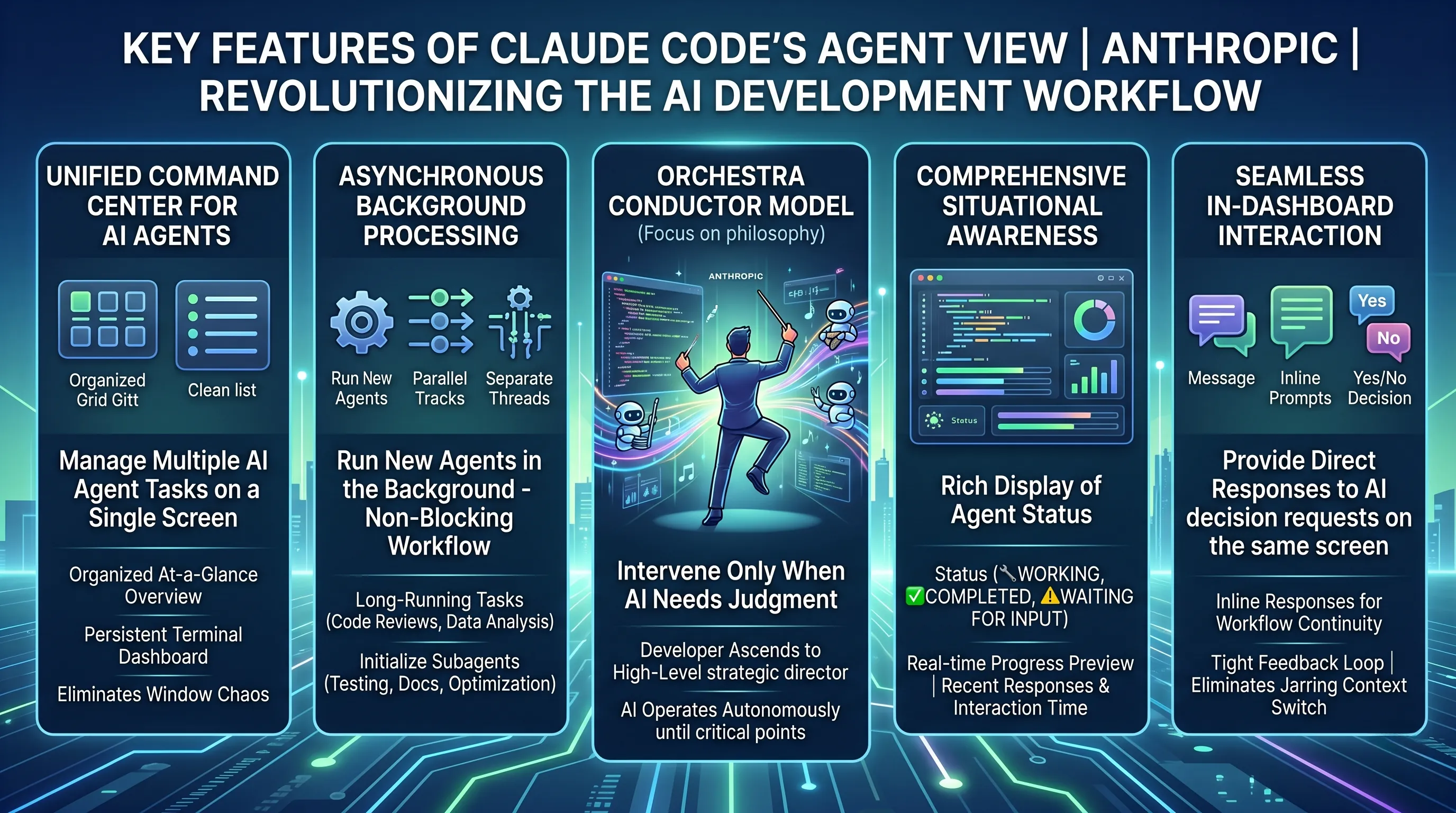
The most immediate and impactful feature of Agent View is its ability to manage multiple AI agent tasks on a single screen.
Prior to this, developers juggling several AI-assisted tasks—such as refactoring a legacy module, writing new unit tests, and debugging an API endpoint simultaneously—were forced to manage a chaotic sprawl of terminal windows or complex `tmux` sessions.
Agent View eradicates this inefficiency by presenting a clean, persistent terminal dashboard where every background Claude Code session is represented as a distinct, manageable row.
Each row is not just a link but a live, full Claude Code conversation, providing an organized, at-a-glance overview of all ongoing development efforts.
This consolidation is a significant quality-of-life upgrade, allowing developers to maintain mental context and effortlessly switch between projects without the friction of window management.
Asynchronous Operations and Background Processing
A cornerstone of modern development is non-blocking, asynchronous work, and Agent View brings this paradigm to AI-assisted coding.
The feature allows running new agents in the background, which is a game-changer for productivity.
A developer can now initiate a long-running, complex task—like asking an AI agent to perform a comprehensive code review across an entire repository or generate a detailed data analysis dashboard—and immediately return to their primary coding task.
The agent toils away independently in a background session, freeing the developer's time and attention.
This capability is particularly potent for managing specialized AI subagents, where one could, for example, delegate separate agents to handle testing, documentation, and optimization in parallel, all managed from the central Agent View dashboard.
The "Orchestra Conductor" Model: Intervention on Demand
Agent View fundamentally shifts the developer's role by ensuring that users intervene only when the AI needs judgment.
The AI agent operates with a high degree of autonomy until it reaches a critical decision point or an ambiguous requirement.
At this moment, its status in the dashboard changes, signaling the need for human input.
This model allows developers to ascend from the role of a line-by-line code writer to that of a high-level director or, as Anthropic's philosophy suggests, an "orchestra conductor."
Instead of dictating every note, the developer focuses on guiding the overall direction, making strategic decisions, and steering the ensemble of AI agents toward the desired outcome, which dramatically reduces the time spent on direct code writing and maximizes focus on architectural choices.
Comprehensive, At-a-Glance Situational Awareness
Effective management requires clear information, and the Agent View dashboard is designed for maximum clarity.
It provides a rich, comprehensive display of each agent's status, explicitly showing whether a task is actively working, has been completed, or is waiting for user input.
This immediate visual feedback allows developers to instantly assess the state of all their projects.
Further enriching this view, the dashboard also displays crucial context like the recent responses and the last interaction time for each task.
A developer can quickly see the latest progress or identify a task that has been stalled for too long.
Moreover, the ability to preview task progress without entering the full session saves valuable time, enabling quick checks and navigation across multiple projects without a full context switch.
Seamless Interaction and In-Dashboard Decision Making
Perhaps the most powerful workflow enhancement is the ability to provide direct responses to AI decision requests on the same screen.
When an agent's status changes to "waiting for user input," the developer doesn't need to navigate into the full session to respond.
The decision prompt appears within the Agent View dashboard itself, allowing for an immediate, in-line response.
This tight feedback loop maintains workflow continuity and eliminates the jarring context switch of opening a new interface just to answer "yes" or "no" or provide a clarifying detail.
By keeping the developer within their command center for both oversight and interaction, Agent View ensures that momentum is never lost, solidifying its role as an indispensable tool for complex, multi-threaded development projects.
3. Unlocking Developer Productivity: The Impact and Benefits of Agent View
The release of 'Agent View' for Claude Code by Anthropic is not merely an incremental update; it is a fundamental rethinking of the developer's workflow, directly addressing the core challenge of managing complex, concurrent tasks.
This section connects directly to the main topic, "Anthropic Unveils 'Agent View' for Claude Code" (Anthropic Unveils 'Agent View' for Claude Code), by dissecting the specific, tangible benefits that this new feature delivers to developers, transforming their productivity and interaction with AI agents.
It is here, in the practical application of Agent View, that Anthropic's vision for a more streamlined and powerful developer experience becomes a reality.
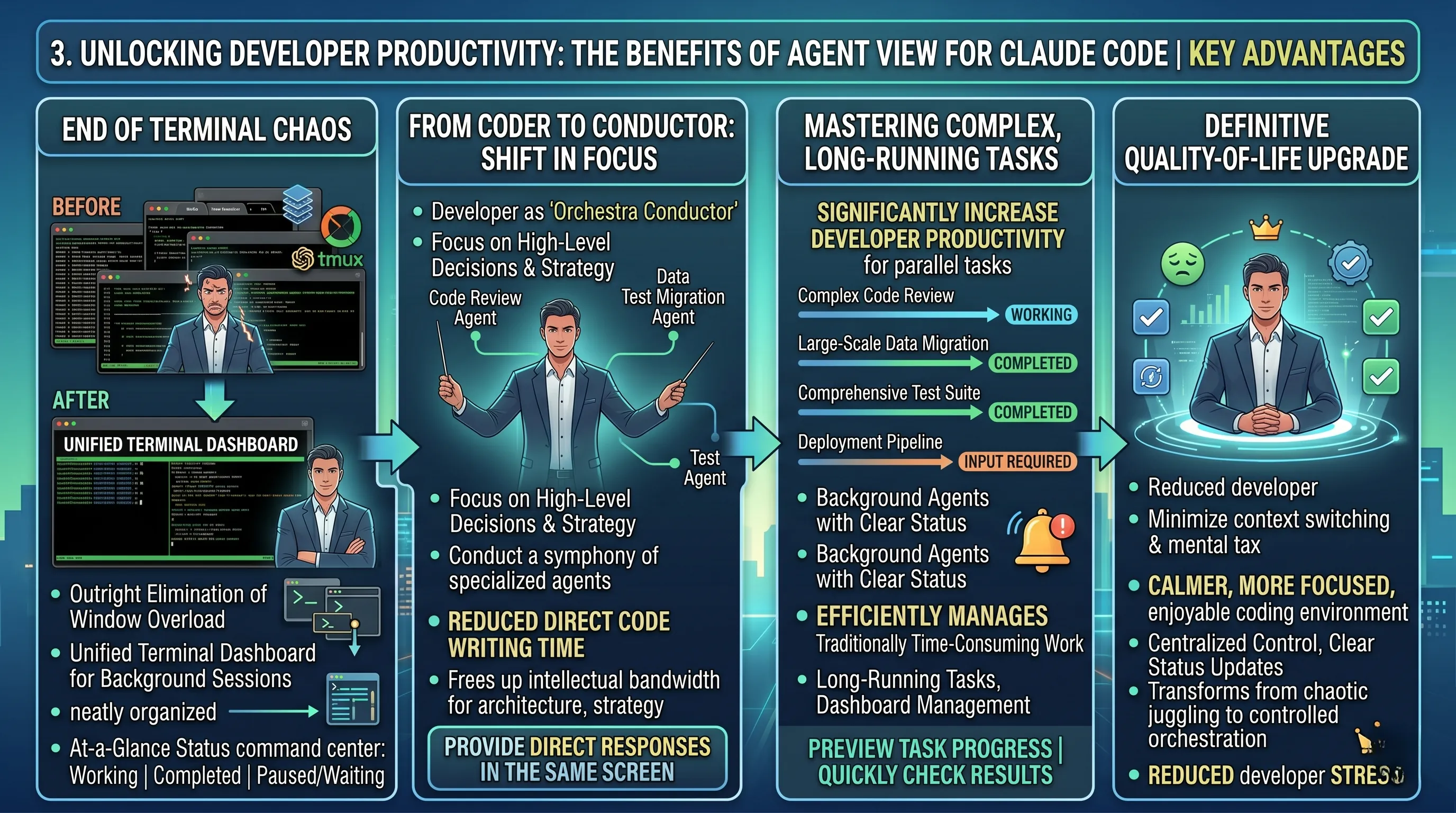
The End of Terminal Chaos
For any modern developer, the screen is often a chaotic collage of terminal windows, tabs, and complex multiplexer sessions like tmux or screen.
Each window represents a different context, a separate task, a running process that demands mental energy to track.
Agent View directly confronts this widespread issue, with its primary benefit being the outright elimination of the need to manage numerous terminal windows.
It provides a single, unified terminal dashboard where every background Claude Code session is neatly organized.
Each running task, whether it's a code generation process, a data analysis script, or a test suite execution, is represented as a single, manageable row.
This isn't just a cosmetic change; it's a profound reduction in cognitive load.
Instead of mentally juggling multiple disparate processes, the developer gains an at-a-glance command center, instantly seeing the status of every operation—whether it's actively working, has completed, or is paused while waiting for user input.
From Coder to Conductor: A Shift in Focus
Perhaps the most transformative aspect of Agent View is how it redefines the developer's role.
The JSON source accurately describes this as shifting the developer into an "orchestra conductor role."
This powerful metaphor highlights a crucial benefit: Agent View allows developers to focus on high-level decisions and directing AI agents rather than getting lost in the weeds of implementation.
The system is designed so that developers only need to intervene when the AI requires human judgment or a strategic decision.
This is further streamlined by the ability to provide direct responses to these AI decision requests on the same screen, which maintains an unbroken workflow.
The result is a significant reduction in the time developers spend on direct code writing, freeing up their intellectual bandwidth for architecture, problem-solving, and creative strategy.
They are no longer just playing one instrument; they are conducting a symphony of specialized AI subagents to achieve a complex goal.
Mastering Complex, Long-Running Tasks
Agent View demonstrates its immense value when dealing with the exact kinds of tasks that typically bog down development cycles: complex, parallel operations and long-running processes.
It is engineered to significantly increase developer productivity for complex parallel tasks.
Imagine initiating a lengthy code review on one project, starting a data migration on another, and kicking off a deployment pipeline for a third.
Traditionally, this would require meticulous and often frustrating manual monitoring.
With Agent View, these can all be run as background agents, each with a clear status indicator.
The feature efficiently manages traditionally time-consuming work like long-running code review and dashboard management tasks.
A developer can start a comprehensive review, move on to other work, and be notified directly in the dashboard when the AI needs input on a specific code block.
The ability to preview task progress without entering the full session and quickly navigate between projects to check results makes managing this parallel workload feel effortless and organized.
A Definitive Quality-of-Life Upgrade
Ultimately, the sum of these benefits culminates in what the source material correctly identifies as a significant quality-of-life upgrade.
This is more than just a productivity tool; it's a system designed to reduce friction and developer frustration.
The constant context switching, the mental tax of tracking background jobs, and the clutter of a disorganized workspace are all sources of stress and inefficiency that Agent View methodically dismantles.
By centralizing control, providing clear status updates, and elevating the developer's role to that of a strategic overseer, Agent View creates a calmer, more focused, and ultimately more enjoyable coding environment.
It transforms the development process from a frantic juggling act into a poised, controlled exercise in high-level orchestration.
📚 Related Posts
Claude Opus 4.8 Revolutionizes Microsoft 365 Copilot: Unlocking Enterprise Productivity, Multi-Model AI & Advanced Security
🚀 Key TakeawaysThe deep integration of Anthropic's Claude AI, including the powerful Claude Opus 4.8, into the Microsoft 365 Copilot ecosystem significantly enhances business productivity by offering advanced cross-application contextual understanding a
tech.dragon-story.com
Anthropic Unleashes Claude: SpaceX's Colossus 1 Delivers Massive AI Compute, Doubled User Limits & Paves Way for Space-Based Fut
🚀 Key TakeawaysThe partnership between Anthropic and SpaceXAI secures a massive compute boost for Claude, leveraging SpaceX's Colossus 1 data center with over 300 megawatts and 220,000 NVIDIA GPUs.This strategic collaboration immediately enhances Claude
tech.dragon-story.com
Claude's AI Revolution: Unleashing Dreaming Agents, Self-Improvement, Multiagent Orchestration & Ethical Futures
🚀 Key TakeawaysAnthropic's Claude is spearheading a significant shift in AI, transforming it from a mere tool into autonomous 'dreaming agents' that can accumulate experience, reflect on past performance, self-improve, and orchestrate complex multiagent
tech.dragon-story.com


